


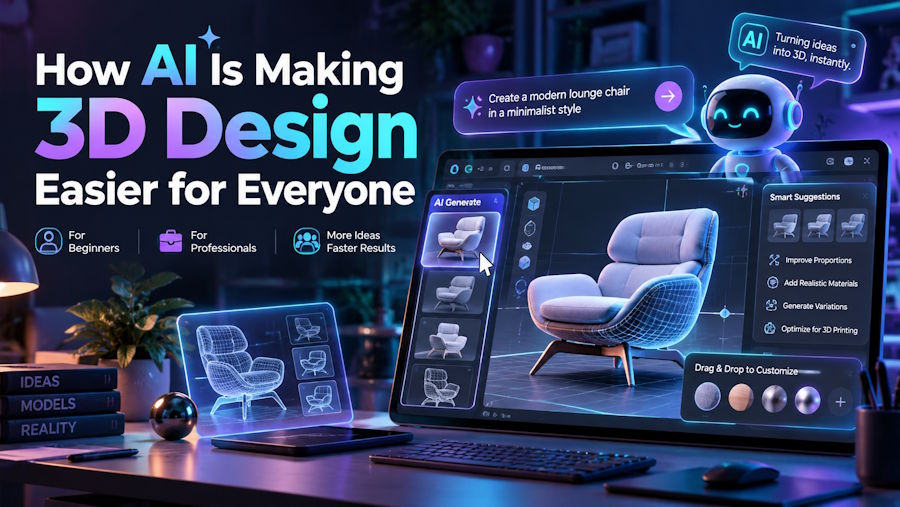
Creating 3D models used to require specialized software, technical skills, and hours of manual work. Today, AI-powered tools are making digital design more accessible to beginners, designers, and creative professionals. Whether someone wants to develop a product concept, create a game asset, or prepare a model for printing, the process is becoming easier to explore.
Platforms like NovaGen3D offer new ways to turn creative ideas into three-dimensional models without relying entirely on traditional modeling techniques.
Turn Images Into 3D Models
An image can be a useful starting point for creating a three-dimensional object. With an image to 3D converter, users can upload a picture and generate a model based on its visual features. This can save time during the early stages of a project and help people explore ideas without building every shape manually.
For example, a designer might use a product photo to develop an initial concept, while a hobbyist could experiment with turning a simple reference image into a 3D object. Tools such as Image to 3D make this workflow easier to explore.
The final result depends on image quality, lighting, and the complexity of the subject. Generated models may also need adjustments before they are suitable for professional or manufacturing use.
Create New Ideas With Text to 3D
Sometimes, a project begins with an idea rather than an image. Text to 3D technology allows users to describe an object in words and generate a model based on that description.
Someone could describe a modern table lamp, a decorative sculpture, or a futuristic vehicle and use the generated result as a starting point. This approach is particularly useful for brainstorming, product concepts, and creative experimentation.
Although AI can speed up the initial process, detailed projects may still require manual editing to improve proportions, geometry, and overall appearance.
Prepare Models for 3D Printing
AI-generated models can also support projects involving 3D print technology. Designers and hobbyists can explore ideas for customized accessories, decorative objects, and product prototypes before producing physical versions.
However, a model that looks good on screen is not necessarily ready for printing. Its dimensions, wall thickness, and mesh structure should be checked to identify potential problems.
Before printing, review the model in compatible software and make any necessary corrections. This simple step can help reduce printing errors and improve the final result.
Inspect Designs With a Free 3D Viewer Online
Not everyone needs advanced modeling software just to inspect a file. A free 3D viewer online can provide a convenient way to open supported 3D models in a browser and examine them from different angles.
Users can often rotate objects, zoom in on details, and review their overall shape without installing additional applications. This is especially helpful when checking downloaded assets or sharing designs with clients and colleagues.
Viewer capabilities vary, so check which file formats are supported. More complex tasks, such as editing geometry or repairing a model, may require dedicated software.
Convert PNG Images Into STL Files
A PNG to STL workflow can help transform certain two-dimensional images into files used for 3D modeling and printing. For example, a logo or simple silhouette can be converted into a raised design for a sign, badge, or decorative object.
Because PNG files contain flat pixel data rather than complete 3D geometry, the conversion process must create depth to produce a three-dimensional model. The result depends on the image and the conversion method used.
For better results, start with a clear image featuring strong contrast and defined edges. After conversion, check the model's thickness, dimensions, and mesh quality before sending it to a 3D printer.
Choosing the Right 3D Design Workflow
Different tools serve different purposes. Image-based conversion is useful when you already have a visual reference, while text-based generation helps when you want to explore an idea from a written description. Online viewers make inspection convenient, and image conversion can support specific printing projects.
The best approach depends on what you want to create. Beginners may benefit from experimenting with simple objects first, while experienced designers can use AI-generated models as a starting point for more detailed work.
Conclusion
AI is making 3D design easier to explore by reducing some of the technical effort involved in creating digital models. From converting images and written descriptions into 3D objects to preparing files for printing, these tools offer practical options for different creative projects.
The key is to choose a workflow that matches your needs and review the results carefully. With the right tools and a little experimentation, turning an idea into a usable 3D model can become a much more straightforward process.

