

Table of Contents
- Start Here: Nano Banana Halloween Photo Prompts
- A Moonlit Witch Portrait With Nano Banana
- Nano Banana Flash and a Softer Pumpkin Portrait
- A Y2K Horror Scene Using Nano Banana 2
- Velvet and Candlelight With Nano Banana Pro
- Turn a Halloween Costume Into an AI Figure
- Before Searching for Nano Banana 3
Start Here: Nano Banana Halloween Photo Prompts
The best Nano Banana Halloween photo prompts are the ones that actually leave enough of your original picture intact. Having a clear face, a visible hairline, and nice, even lighting gives the AI something solid to hold onto. If you want to add a cape or a cool jacket, a waist-up shot works best, while a tight selfie is perfect for trying out spooky makeup or hats. And if you're going for a full-body costume, it really helps to start with a photo that already captures a great pose.
Gemini supports uploading a photo and describing changes in ordinary language. After signing in, the reader can attach the image and enter one of the prompts below. A photograph taken beside a window is a reasonable place to begin.
| Photo available | Halloween idea | Main visual change |
|---|---|---|
| Clear headshot | Moonlit witch | Hat and cool lighting |
| Waist-up portrait | Pumpkin patch | Autumn clothes and setting |
| Seated photograph | Y2K horror scene | Bedroom and background figure |
| Full-length photograph | Collectible figurine | Costume and painted finish |
Choosing the closest match saves some guesswork. If the original shows someone sitting, a seated scene asks for fewer changes than a running pose. These ideas also work with illustrated characters, although instructions about natural skin texture should then be replaced with a request to preserve the original illustration style.
A Moonlit Witch Portrait With Nano Banana
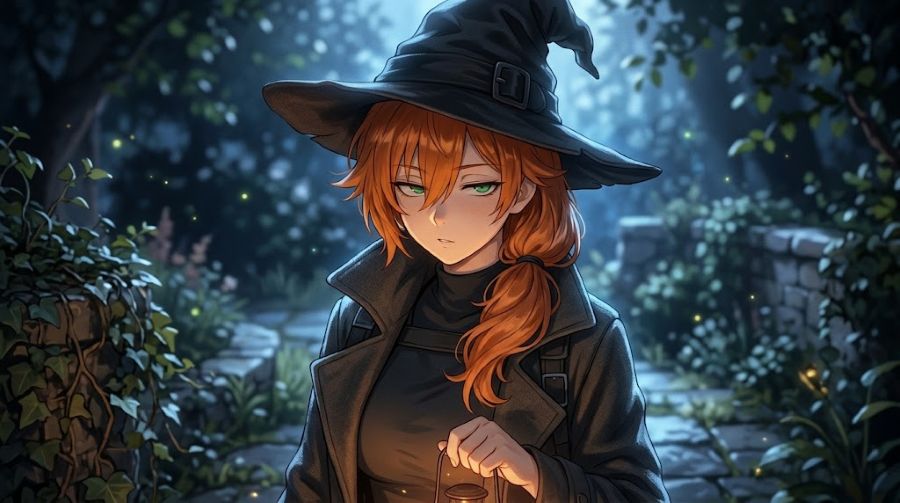
A witch portrait gives Nano Banana Pro a straightforward starting point: familiar clothing shapes, a recognisable silhouette and one strong lighting idea. The interesting part is the hat's shadow. It should suggest a night scene without hiding the eyes, since the face still needs to carry the photograph. A charcoal coat often gives a quieter result than an elaborate fantasy gown.
Change this character into a modern witch wearing a charcoal coat and a pointed black hat. Keep their face, hairstyle and expression recognisable. Add a moonlit garden, soft blue light and a faint warm glow on the face. Preserve natural skin texture.
For a softer version, the garden can become an autumn greenhouse with amber lamps. Someone after a sharper fashion portrait could ask for a plain grey background instead. Either choice gives the costume room to stand out. Adding a castle, several ravens and a thunderstorm immediately makes the picture much busier.
If the first result gets the mood right but alters the person's face, the next request should address that alone. Google likes to treat photo editing as a back-and-forth conversation, meaning your corrections can directly reference the image you're currently working on. A really helpful follow-up is asking it to bring back the original facial proportions while keeping the new costume and lighting intact.
Nano Banana Flash and a Softer Pumpkin Portrait
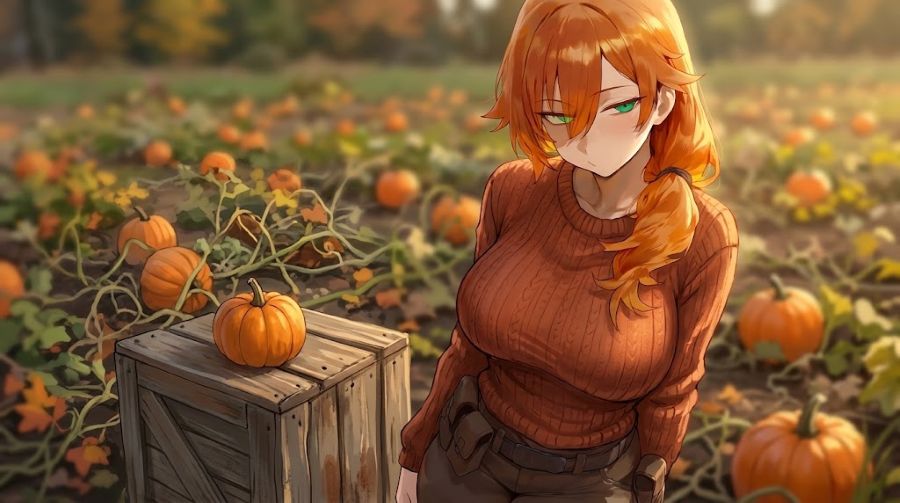
You do have to be a little careful with the name Nano Banana Flash, though. Google kicked things off with Gemini 2.5 Flash Image and has just kept using that "Flash" label ever since, so it doesn't actually refer to one specific model anymore. Because of that, the pumpkin portrait idea below is just a flexible editing concept, not some magic trick that only works on a single version.
Turn this person into an autumn portrait wearing a rust-colored sweater next to a pumpkin patch. Keep their face and hair completely untouched. Just drop a small pumpkin on a wooden crate somewhere close by. For the vibe, go with soft, late-afternoon sunlight, make sure the skin tones look natural, and give the background a nice, subtle blur.
By placing the pumpkin beside the person, you stop the AI from weirdly making them juggle it. Let the setting and the lighting do the heavy lifting for that cozy, warm vibe—if you just ask for a super orange picture, it usually ruins the skin tones. If you want a different mood, a cloudy-day version looks great with a cream sweater and muted green leaves.
If you're going for something a bit goofier, you can take that same outdoor photo and turn it into a classic bedsheet ghost. It completely covers the face on purpose, so the original photo will only really shine through in the pose and the background. It makes more sense for someone who wants a playful Halloween image than for someone who needs a recognisable portrait.
Change this character into a friendly bedsheet ghost wearing round sunglasses. Keep the original pose and outdoor setting. Add soft autumn light and realistic cotton folds.
A Y2K Horror Scene Using Nano Banana 2
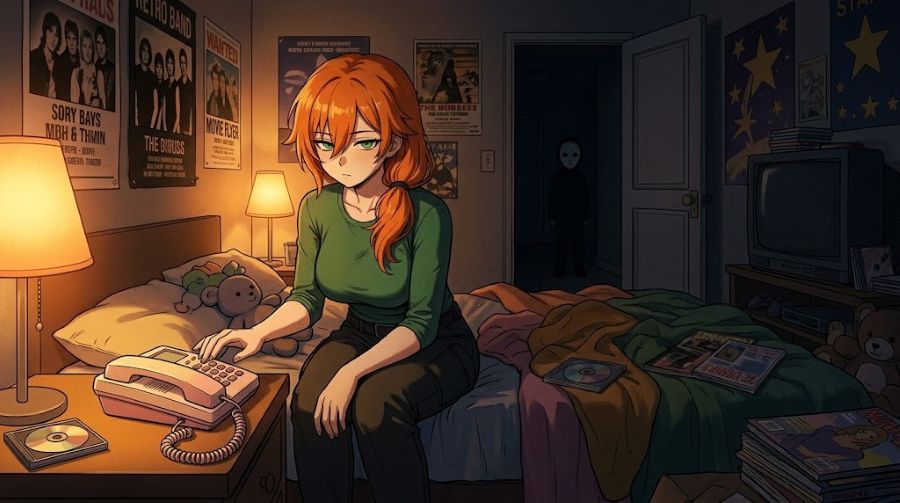
The whole "bedroom portrait with a masked figure in the doorway" thing became a huge trend in late September 2025. The magic is all in the contrast: someone looking completely relaxed up front, while something deeply unsettling waits behind them. As Halloween 2026 approaches, you can use Nano Banana 2 and Mixboard to nail this exact composition with your own pictures, without having to rip off someone else's entire aesthetic.
Can you put this character in a nostalgic Y2K-style bedroom, sitting right next to an old-school corded phone? Please keep their face and hair exactly how they are now. I'd love a warm, cozy lamplight vibe with a bit of film grain over the whole thing. To make it eerie, add a small, masked silhouette standing way back in the doorway. It should feel super creepy and unsettling, but make sure there's absolutely no violence or injuries involved.
A seated source photograph is especially useful here. Pink bedding, an old telephone and soft lighting can establish the period without filling every surface with props. The figure in the doorway should stay small. If it becomes the brightest or largest object, the image loses the quiet background discovery that makes this idea work.
The edit does not need a famous horror villain to land. An indistinct figure or an empty doorway with a strange shadow can feel just as unsettling. For a less frightening version, the background visitor could be a friend in a ghost costume. That changes the story while leaving the photograph's composition intact.
Velvet and Candlelight With Nano Banana Pro
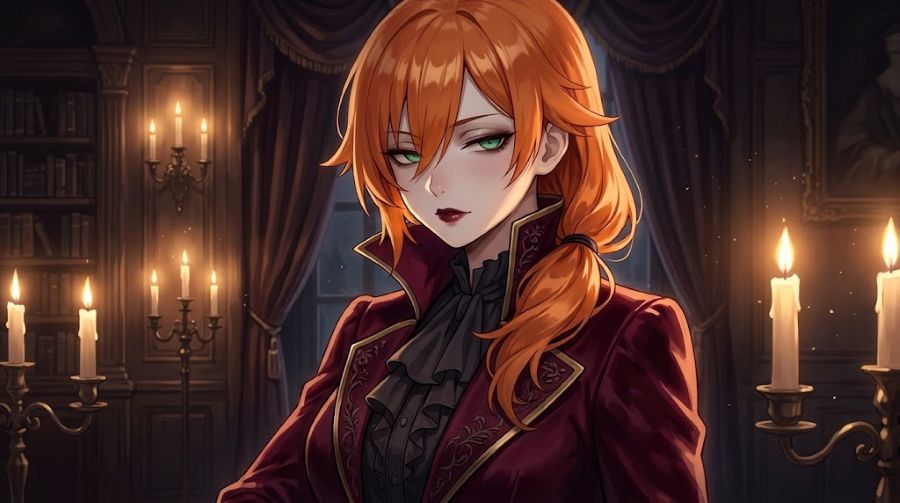
A vampire portrait depends heavily on fabric and light. Black velvet should still show folds; a pale face should retain detail. Nano Banana Pro offers controls through prompts for lighting, camera angle and other visual choices, which makes this a sensible style to explore. Those controls still need a clear description of the intended result.
Change this character into an elegant vampire wearing a burgundy velvet jacket with a high collar. Preserve their facial features and expression. Add a candlelit room, soft side lighting and subtle gothic makeup. Keep the skin realistic and the image free of blood.
The useful distinction is between a costume photograph and a fantasy painting. Anyone wanting a believable portrait should say so, particularly when asking for dramatic candlelight. A single visible candle and gentle fill light can suggest the atmosphere without leaving half the face unreadable.
Going with subtle makeup makes it much easier to compare with the original photo than completely changing the person's complexion. If the face ends up looking too glossy, you need to be specific with your fixes: ask for less shine on the cheeks, a more matte texture, or softer highlights on the nose. Just typing "make it more realistic" is way too vague. If the clothes are already spot-on, make sure your next prompt explicitly tells the AI to keep the outfit exactly the same and only tweak the lighting.
Turn a Halloween Costume Into an AI Figure
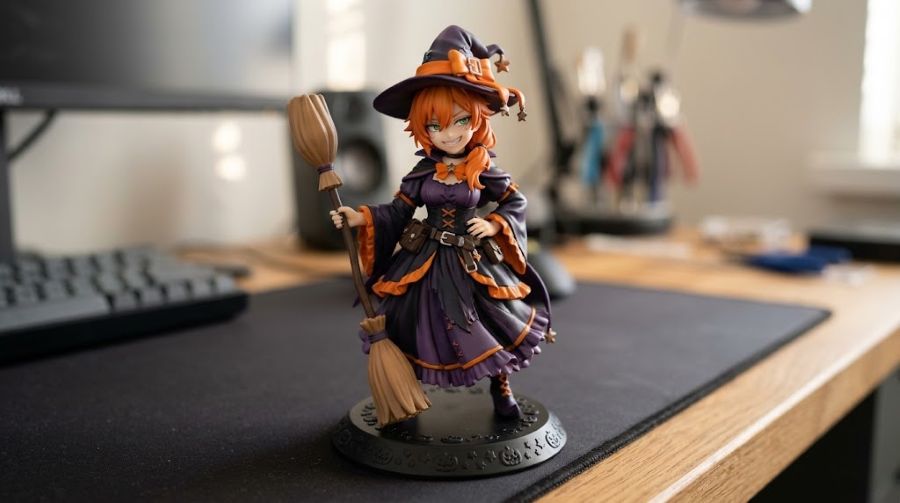
The AI figure idea borrows from a documented 2025 trend that Google included in its own roundup. Halloween gives it an easy variation: turn the person into a small painted collectible wearing the costume they have just tried. Just keep in mind that this will generate a 2D picture of a figurine, not an actual 3D model you can print.
Try to make the character look like a little painted PVC collectible dressed up as a Halloween witch. You'll want to keep their normal hairstyle and face so they're still totally recognizable. Frame the whole figure standing on a round base, and make it look like a nice product shot taken on a desk with soft lighting. Make sure the sculpted details on the clothes are visible.
Specifying the exact material is super important here. Typing in "realistic figure" is way too broad because the AI might give you a photorealistic human, a creepy mannequin, or a stone statue. Save yourself the headache by using clear phrases like "painted PVC," "sculpted seams," and a "display base." For perfect body proportions and accurate shoes, you'll want to use a full-body reference picture. But don't stress if you don't have one—a standard 2D sketch of the character is a totally solid backup.
I always suggest starting bare-bones: just the figurine on a desk. Get the AI to prove it can handle the character's basic look first, and then you can start having fun adding things like elaborate packaging and extra props. Just a heads up—if you do generate a box, watch out for that weird, jumbled AI text before you post it anywhere. Honestly, you can almost never go wrong with a really nice, tight close-up that shows off that glossy, painted plastic toy vibe.
Before Searching for Nano Banana 3
Before you spend time looking for Nano Banana 3, keep in mind that as of October 23, 2026, it isn't in Google's official catalog. They do have newer releases like version 2.1 available, so try not to let a tutorial boasting a higher number control your editing process. Honestly, the smartest thing you can do is just take a good look at the image you have before rushing into another prompt.
Make sure to zoom in before you hit save. Even Google admits that AI still has a tough time keeping fine details consistent. Just give the image a quick once-over to spot the obvious stuff. Make sure the eyes, jaw, and hair actually look like your original character.
- Start with a fast visual check to see what you're working with. Compare the eyes, jaw, and hairline to your reference to see if the likeness is really there.
- Zoom in tight on the tricky stuff: hands, glasses, or anything touching the face.
- Look out for weird spots where the outfit seems to melt right into the character's skin, which happens constantly.
- Check the overall lighting to see if the shadows and highlights actually belong in that environment.
When you spot a weird glitch, a quick, targeted prompt is usually all you need to fix it. Just make sure to download your best result before you start making changes, so you always have a backup. Honestly, there's no reason to sit there hitting generate over and over just because the button is there.

