

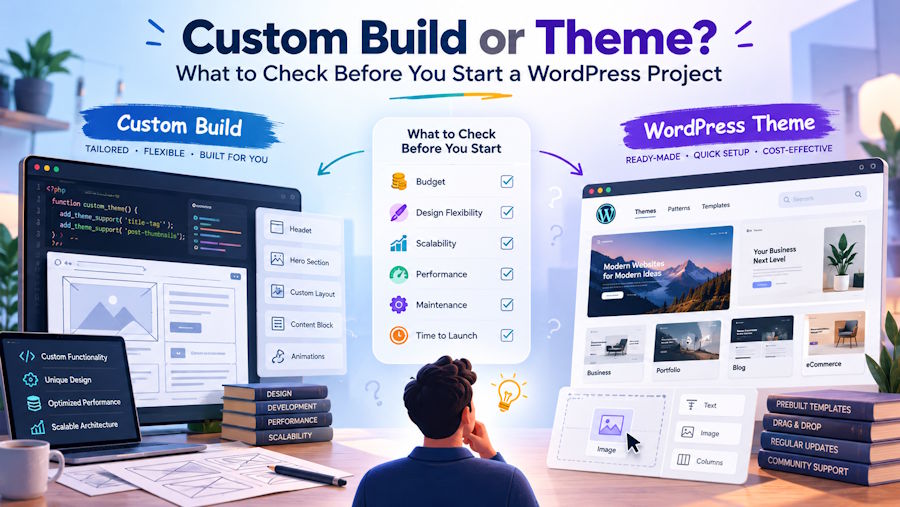
Most WordPress projects go wrong before anyone writes code. The decision that shapes everything after it, whether to start from a theme, a page builder, a custom theme or a headless build, usually gets made in a kickoff call based on habit or budget. Six months later the team is fighting a page builder that can’t do what the client needs, or maintaining a headless stack nobody really wanted.
Here is how we approach it. None of it is complicated. The point is to answer each question honestly before the build starts, while changing direction is still cheap.
Start with your heroes
At Crafted, every project starts before the technical questions. First we identify the site’s heroes: the people it has to win over. For a university that might be prospective students, parents and alumni donors. For a consumer brand it might be first time buyers and wholesale partners.
For each hero we define:
- a primary marketing objective, and the secondary objectives behind it
- the marketing language that speaks to them
- a primary call to action, and secondary calls to action
That work drives every technical decision that follows. The heroes tell you what content the site needs. The objectives tell you what each page has to do. The calls to action tell you which components editors will reach for most. By the time we choose a build approach, we already know what the site has to achieve for every person who lands on it.
Then pick the templates
Once the heroes are clear, we identify the 5 to 10 templates we want to work on. For each one we define a hierarchy of information that moves a visitor down the page and answers, in order:
- Who is this brand?
- What do they stand for?
- What services do they provide?
- What makes them different?
- What do they solve for me?
- What benefits do they provide?
- Why should I believe them?
- What are others saying?
- How do I get started?
The goal of the whole exercise is to establish the story and identify the custom blocks it needs. Each answer becomes a section of the page, and each section becomes a block.
By the time we have worked through 5 to 10 templates, the same blocks keep coming back in different combinations. That is when we build a single dynamic template: one flexible template with a full library of custom blocks, which lets the site admin create any page the brand will ever need, in any order, without a developer and without breaking the design.
It is also why off the shelf themes so rarely fit. They are designed around generic sections, not around the story your heroes need to hear.
Then the UI phase
With the blocks defined, we move into UI design and add flexibility to each one: layout variations, color options and typography choices drawn from the brand. The same block can sit on a dark background in one place and a light one in another, or switch from an image left layout to an image right one, so pages built from the same library never look repetitive.
The key is that every option is a deliberate choice from the brand system, not a free for all. Editors pick from a set of variations that all work, which is how the site stays flexible and still on brand years after launch.
Then development
Once the UI is approved, we move into development. Every block is built as a flexible building block in the editor, so the admin can build, rearrange and adjust pages freely within the constraints of the overall art direction.
That gives the admin complete control to build whatever the business needs today, and whatever it needs in the future, without going back to a developer for every new page.
Before and during the build, these are the technical questions we answer.
1. Who edits the content after launch, and how often?
This is the question that matters most, and the one asked least.
At Crafted we build custom blocks on every project. Budget is the only reason we would do anything else. A page builder gives editors unlimited freedom, which in practice means unlimited ways to break the design. Custom blocks give them exactly the freedom they need and nothing more.
So the question in the first meeting isn’t whether to build custom blocks. It’s which ones. A marketing team publishing landing pages every week needs a different library from a university department that updates a staff list twice a year. Find out who the editors are, what they publish, how often, and what they need to change without calling a developer. Put that next to the heroes and their calls to action, and you have the block library.
2. What is the performance budget?
Set the target before the build, not after the first Lighthouse report. A reasonable baseline for a content site is a Largest Contentful Paint under 2.5 seconds and a Cumulative Layout Shift under 0.1 on a mid range phone over 4G.
Heavy themes and page builders often ship hundreds of kilobytes of CSS and JavaScript on every page, whether that page uses it or not. A custom theme can load only what each template needs. If you do start from a theme, measure a demo page before you commit, not after.
Lock down your layout in theme.json early so blocks inherit consistent widths and spacing instead of each one setting its own:
{
  "$schema": "https://schemas.wp.org/trunk/theme.json",
  "version": 3,
  "settings": {
    "layout": {
      "contentSize": "720px",
      "wideSize": "1200px"
    },
    "spacing": {
      "units": ["px", "rem"],
      "spacingScale": { "steps": 0 },
      "spacingSizes": [
        { "slug": "sm", "name": "Small", "size": "1rem" },
        { "slug": "md", "name": "Medium", "size": "2rem" },
        { "slug": "lg", "name": "Large", "size": "4rem" }
      ]
    },
    "typography": {
      "customFontSize": false
    }
  }
}
Turning off custom font sizes and limiting spacing to a fixed scale does two jobs at once: the design stays consistent, and editors can’t paste in a 72 pixel heading that pushes the content below the fold.
3. What does it need to connect to?
List every outside system before choosing an approach: the CRM, the email platform, search, ecommerce, single sign on, analytics, any internal APIs. Then ask how each one connects.
A form that posts to a CRM is easy in any setup. Product data that syncs from an ERP every hour, or members who log in with their company account, is not. Integrations are where theme based builds most often hit a wall, because the plugin that almost does the job ends up needing as much custom code as building it properly would have.
The WordPress REST API is usually the cleanest place for those connections. A quick check that your custom post types expose what an outside system needs saves a lot of guesswork later:
const res = await fetch('https://example.com/wp-json/wp/v2/programs?per_page=5&_fields=id,title,link,acf');
const programs = await res.json();
console.log(programs.map(p => ({ id: p.id, title: p.title.rendered, link: p.link })));
If the fields you need aren’t there, you know now that you need to register them, rather than finding out during launch week.
4. What are the accessibility requirements?
For universities, government, nonprofits and a growing number of companies, WCAG 2.1 AA is a requirement in the contract, not a nice extra. Treat it that way from day one.
Many commercial themes and page builders fail basic checks: missing focus states, poor color contrast, carousels that trap keyboard users, headings chosen for size rather than structure. Fixing those after launch means overriding someone else’s code. Building accessible components yourself, and testing them with a keyboard and a screen reader as you go, costs far less than retrofitting.
5. Who maintains it in year two?
Launch is the cheapest week in the life of a website. The real cost is everything after it: WordPress core updates, PHP upgrades, plugin conflicts, security patches, and the new features the client will ask for.
Count the plugins your approach depends on. Every one is a dependency someone has to keep updated and compatible. A theme plus a page builder plus fifteen plugins can work fine on day one and become a maintenance burden by month eighteen, especially if the original developer has moved on.
Be honest about who will own the codebase. For a small site, a well documented custom theme that any competent WordPress developer can pick up is enough. For larger builds with integrations, multiple editors and real traffic, teams often bring in a custom web development team to own the codebase after launch, with a support agreement that covers updates and fixes on a known schedule.
6. When is headless worth it?
Headless WordPress, with WordPress managing content and a separate frontend in Next.js, Astro or similar, is a great fit when:
- the same content feeds a website, an app and other channels
- the frontend team already works in React or a similar framework
- you need performance or interactivity that a traditional theme can’t deliver
It is overkill when the site is mainly pages and posts, the team is small, or nobody has budget for two codebases. You lose the live preview editors expect, many plugins stop working on the frontend, and hosting, builds and caching all become your problem. Plenty of teams go headless for a speed gain they could have had from a well built custom theme.
The short version
| If this is true | Lean toward |
|---|---|
| Any project where the budget allows it | Custom theme with custom blocks |
| Content feeds several channels, frontend team uses React | Headless, still with custom blocks for editors |
| Budget rules out a custom build | A well built commercial theme, measured first |
Custom is the default. Budget is the only thing that should talk you out of it, and the six questions above tell you what the custom build needs to do.
Author bio
Peter Mendez is the founder of Crafted, a design and development agency that builds websites and platforms for universities, nonprofits and brands.

