


What each one tests, what it can't tell you, and the order that saves time.
Last checked October 2026 against each tool's own pages and the documentation published by Google, OpenAI, Microsoft and schema.org.
Image: Seven free tools for checking whether AI search can read a site
Say a docs page has ranked on Google for two years. Then someone on the team asks ChatGPT the exact question that page answers, and the reply cites a forum thread and a competitor's blog. Nobody can say why, because nobody knows which part of the page an answer engine actually looked at.
The catch is that no engine publishes the rules it uses to pick citations. Google's documentation on AI features says there are "no additional requirements to appear in AI Overviews or AI Mode, nor other special optimizations necessary." OpenAI's publisher FAQ opens with "Any public website can appear in ChatGPT search." What both companies do document is the plumbing: crawler access, indexing, snippets and how the traffic is reported.
Plumbing can be tested, and you don't have to pay to do it. The seven tools below each check one part of it. They're in no particular order, and none of them can promise a citation. Used together, they rule out the dull failures, the ones where a page was never readable in the first place.
What "readable by AI search" means in practice
It helps to split the problem into checks a developer can actually run. The first three follow from what the engines document. The last three are good practice on top:
- The crawlers you care about are allowed. OpenAI, for example, says your site must not block OAI-SearchBot if you want it in ChatGPT's summaries and snippets.
- The page is indexed and eligible to show a snippet, which is Google's stated rule for AI Overviews and AI Mode.
- The content is in the rendered HTML, not stuck behind a login or a script that failed.
- Any structured data you use parses cleanly.
- The text states its facts plainly enough to be quoted.
- You have some way to see afterward whether anything got cited.
AEO Content
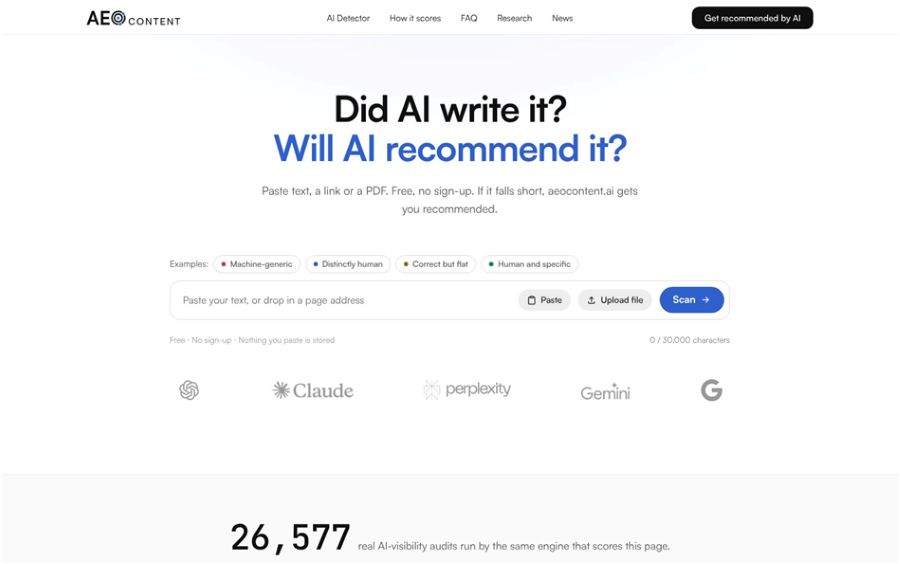
The free AI Content Detector on the AEO Content site works on the fifth point, from the writing side. You paste up to 30,000 characters, give it a public URL, or upload a .pdf, .txt, .md or .csv file, and it returns two separate readings. One is a style score built from seven weighted measurements, including sentence rhythm, stock phrases and point of view. The site says the same text always gets the same score, so you can edit and check again. The other is a classifier verdict: AI-written, human-written, or not called.
For developers, the interesting part is the AI answers check. It estimates whether ChatGPT, Perplexity and Google AI could quote the text, and treats a score of 70 or higher as a sign the page has material those engines can lift. There's no sign-up, and the page says it doesn't store what you paste, only usage counts.
Worth asking about: it works in English only, and it needs at least 150 words for a reliable style reading and about 300 for a meaningful authorship call. It's also the free front door to the company's paid service, so the results point you there. And the quotability score comes from the company's own model. No engine has published a number like it.
ToolNimba
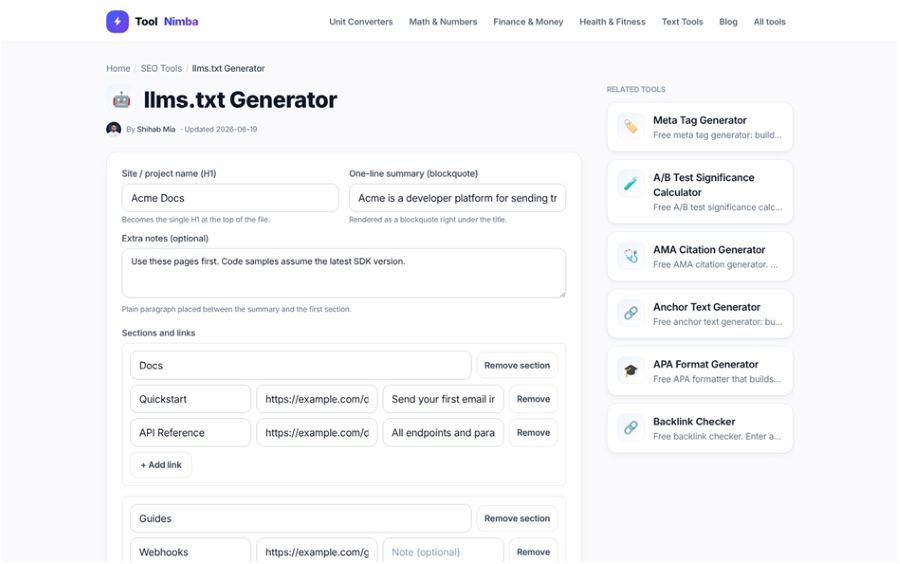
ToolNimba is a set of 1,035 small browser tools, and its SEO section covers most of the files crawlers read: a robots.txt generator, an XML sitemap generator, a schema markup generator and a free llms.txt generator. The llms.txt tool asks for a site name, a one-line summary and groups of links, then writes the markdown for you to drop at /llms.txt. It follows the shape of the original proposal: one H1, a blockquote summary, then H2 sections, including one named Optional for links a model can skip when it's short on context.
The robots.txt generator is handy for getting Allow and Disallow syntax right without typos. The site says everything runs in your browser and nothing you enter is sent anywhere.
Worth asking about: the robots.txt tool builds one user-agent group at a time and has no presets for AI crawlers, so for rules aimed at OAI-SearchBot or PerplexityBot you type the names and combine the groups yourself. The llms.txt page also says outright that llms.txt "is not a ranking signal," so treat that file as a cheap optional extra.
Google Rich Results Test
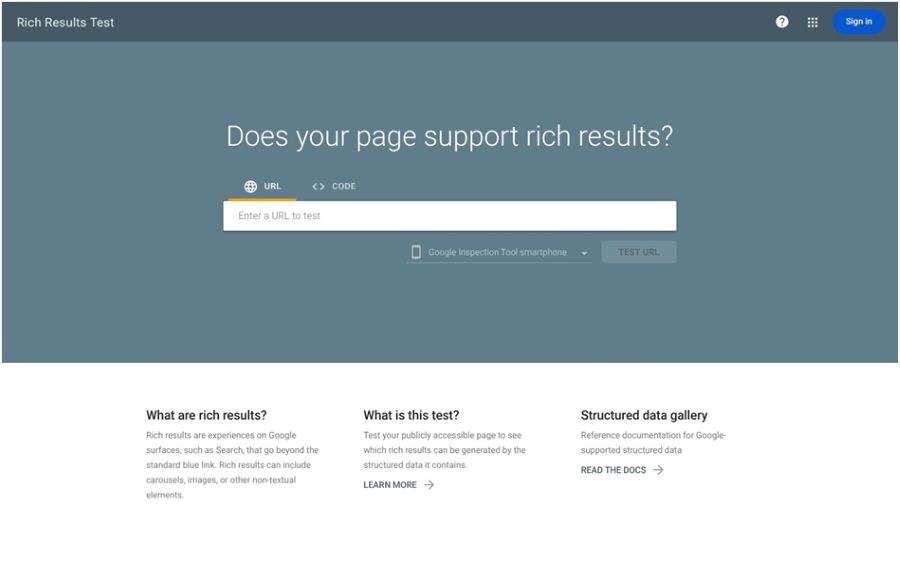
Give the Rich Results Test a URL or a code snippet and it reports which structured data items Google detected, with errors and warnings for each. It reads JSON-LD, RDFa and Microdata and tests as a smartphone by default. It also tells you whether the crawl worked and whether robots.txt allowed it, which makes it a quick way to confirm Google's crawler can fetch a page you don't have in Search Console. The code explorer uses the rendered source, so you see the page as it looked after scripts ran.
Worth asking about: it only covers the rich result types Google supports, and Google doesn't guarantee a page will appear the way the preview shows. It fetches as Google-InspectionTool, so a robots.txt rule can block the test itself.
Schema Markup Validator
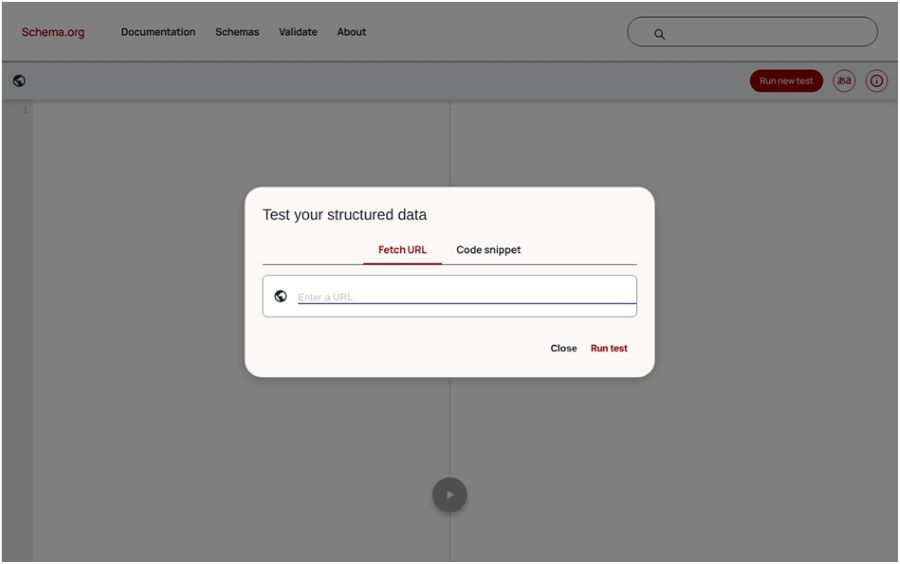
schema.org released this validator as a beta in May 2021, as a general-purpose successor to Google's old Structured Data Testing Tool. The Rich Results Test asks whether your markup will produce a Google feature. This one asks a different question: is your JSON-LD, RDFa or Microdata using schema.org in widely understood ways? You can fetch a URL or paste a snippet. That's the check you want when your markup describes things Google has no rich result for.
Worth asking about: by design, it doesn't test your markup against what any particular service needs. A clean result here doesn't mean a page qualifies for a Google feature, so run both.
Google Search Console URL Inspection
URL Inspection shows what Google has on file for a page: whether crawling and indexing were allowed, the canonical you declared next to the one Google picked, and the raw HTML, headers and console output from the crawl. A live test fetches the URL in real time and, when it succeeds, gives you a screenshot of the rendered page. That screenshot is the fastest way to catch content that only shows up after a script Google couldn't run.
Google also says traffic from AI Overviews and AI Mode is counted in the Performance report under the Web search type. So this is the property where that traffic lands, mixed in with everything else.
Worth asking about: you can only inspect URLs in a property you own, and there are daily limits on inspections and live tests. The indexed view isn't live, and Google's help page says exactly that.
Bing Webmaster Tools
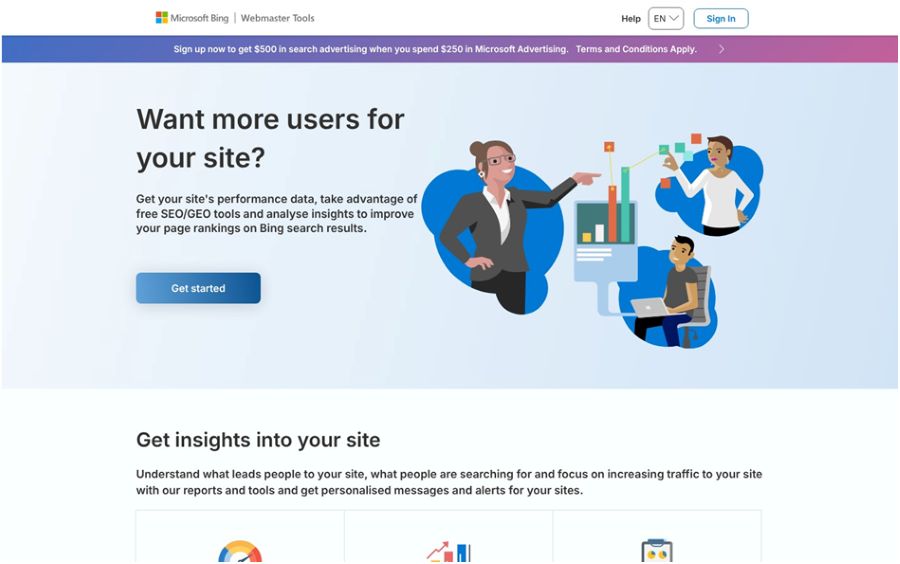
In February 2026 Microsoft put AI Performance into public preview inside Bing Webmaster Tools. It shows how often your pages are cited as sources across Microsoft Copilot, AI-generated summaries in Bing and some partner integrations. You get total citations, average cited pages per day, citation counts per URL, and grounding queries, which are the phrases the AI used when it retrieved your content. A June 2026 update added previews that group those queries by intent and topic, show your share of the citations for a query, and compare two time periods.
Of the seven tools here, this is the only one that reports citations straight from an engine. It's the closest thing to a scoreboard you'll get for free.
Worth asking about: it's a preview, so expect it to change. Microsoft says grounding queries are a sample, and that citation counts show how often a page is cited, not its ranking or where it sat in the answer. The announcement says nothing about clicks. You also need your site added to Bing Webmaster Tools first.
Lighthouse
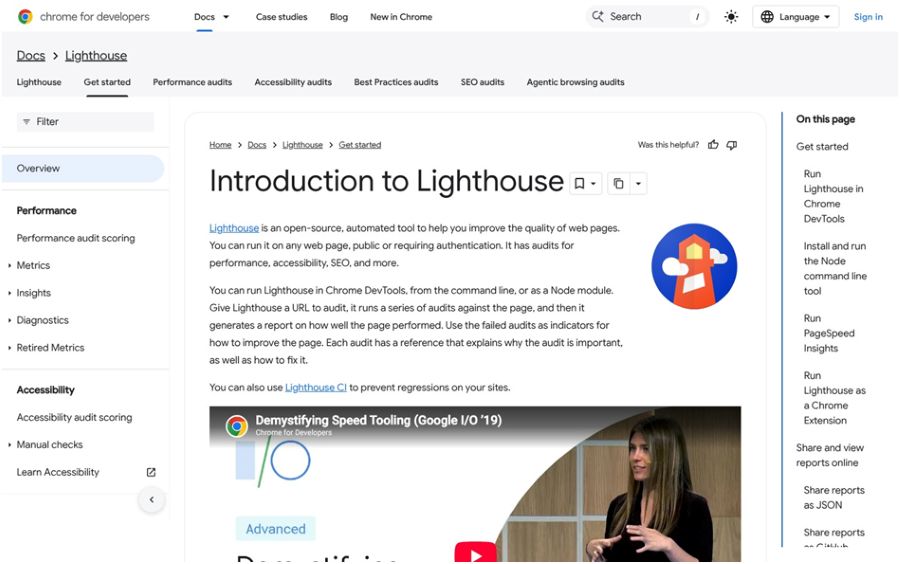
Lighthouse is Google's open-source page auditor. It has its own panel in Chrome DevTools and also runs from the command line, as a Node module, or through PageSpeed Insights. Its SEO audits cover the basics that quietly shut crawlers out, such as an invalid robots.txt, which Google's documentation says "can keep search engines from crawling public pages." Because it runs from the command line, you can wire it into CI with Lighthouse CI and catch a broken robots.txt before it ships.
Worth asking about: Lighthouse doesn't check that robots.txt is in the right location, and its SEO score is a checklist of basics. A perfect score tells you nothing about whether a page will get cited.
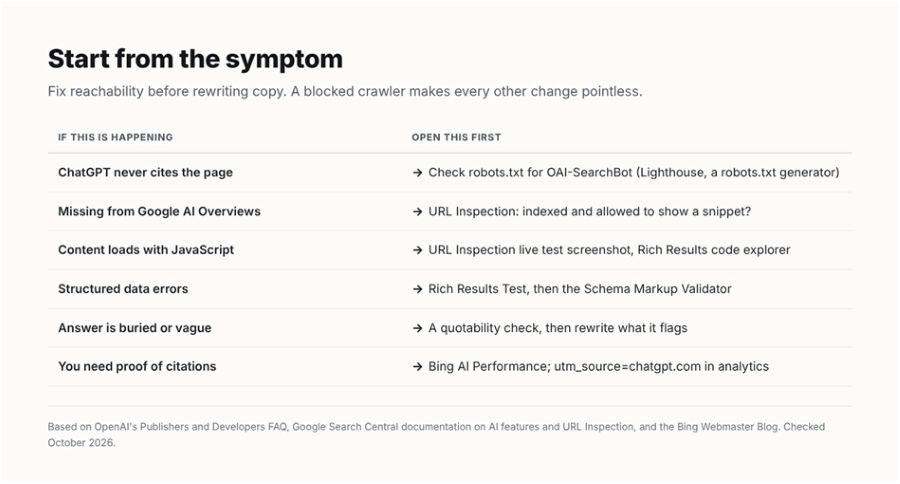
Which tool answers which question
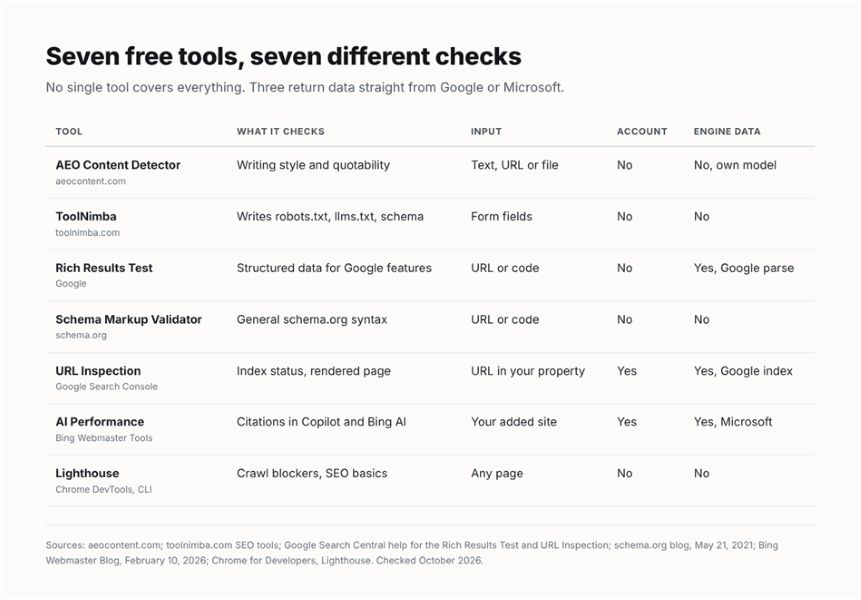
Seven tools is a lot to open for every page, and you don't need to. Start from the symptom. If ChatGPT never mentions a page, check crawler access before you touch the copy. If Google's AI features skip it, check indexing and snippet eligibility first. Only once the page is reachable, indexed and rendering does it make sense to work on the writing.
A note on llms.txt. Jeremy Howard proposed the file in September 2024 as a markdown file that points language models to a site's most useful pages. Google, though, says on its AI features page that you don't need to create new machine-readable files or AI text files to appear in AI Overviews or AI Mode. So add one if it only takes ten minutes, and don't expect it to change anything on Google.
A 20-minute check around launch
- Run the page through Lighthouse in DevTools and fix any crawl or robots.txt failure it reports.
- Open your robots.txt and confirm you aren't blocking a crawler you want, such as OAI-SearchBot. If you need to rewrite it, use a generator rather than editing by hand.
- If the page uses structured data, test it in both the Rich Results Test and the Schema Markup Validator.
- Paste the final text into a quotability checker and rewrite the sections it flags, then check again.
- After it's live, inspect the URL in Search Console, then watch Bing's AI Performance report and look for utm_source=chatgpt.com in your analytics, which OpenAI adds to its referral links.
Where to start
If you only have time for one tool today, make it the one that matches your symptom in the table above. If you can't tell, start with a crawler check, because a blocked bot makes every other improvement pointless.
Then pick one page that ought to be cited and isn't, and take it through the five steps. You'll learn more from fixing a single page end to end than from scanning a whole site and getting a hundred warnings back.
Tool features, limits and pricing change often. Everything above was checked against each tool's own page or official documentation in October 2026. Check again before you build a process around any of them.

