


You plug your phone into a power bank before heading out, but the battery percentage barely moves. The problem could be the cable or charging setup rather than the bank itself. Before buying a replacement, this guide walks you through simple checks to identify what is slowing charging and decide whether a different cable, port, or charging routine will help.
Quick Answer: What Causes Slow Phone Charging from a Power Bank?
Slow charging usually comes from an unsuitable cable, limited port output, incompatible fast-charging support, or heat. Heavy phone use and shared power can also reduce the charge gained. A slowdown near full charge is usually normal battery management. Start with one phone, a suitable cable, the screen off, and both devices at a normal temperature. Then compare the power bank with a compatible wall charger under similar conditions.
Check Whether the Charging Slowdown Is Normal
First, separate the phone’s normal charging behaviour from a problem with the power source. Use the battery settings and a controlled comparison to narrow your diagnosis.
Check for Normal Slowdowns as the Phone Battery Fills
Check the phone’s battery screen before treating slower charging as a fault:
- Near-full battery: Charging current generally decreases as the battery fills. Compare sessions that start at similar charge percentages.
- Charging settings: An enabled charge limit or scheduled completion may pause charging before full. Check for an explanatory message.
- Temperature protection: Hot or cold conditions can slow or pause charging. Let the phone return naturally to its permitted operating range.
A slow final stretch alone does not prove the power bank is faulty. Keep protective features enabled during troubleshooting.
Compare the Power Bank with a Compatible Wall Charger
Use a wall charger that supports your phone’s charging requirements, then run a controlled comparison:
- Keep conditions comparable: Use the same suitable cable, similar starting battery percentages, and the same screen activity.
- Isolate the power bank: Disconnect other devices and stop recharging the bank during the test.
- Compare equal intervals: Record the charge gained over the same duration. Repeat if results are close or inconsistent.
Use the result to choose your next check:
| Test result | Likely explanation | Next check |
|---|---|---|
| Only the power bank is slow | Its output or charging support may be limiting speed. | Check the selected port and supported protocols. |
| Both sources are slow | The cable, phone, or test conditions may be responsible. | Try another suitable cable; check temperature and settings. |
| Speed falls with another device connected | The ports may share an output limit. | Check the documented multi-port power allocation. |
Battery-percentage changes offer a practical screening test, not a direct measurement of charging power or efficiency.
Find the Bottleneck and Apply the Right Fix
Work through these checks from the simplest connection issue to compatibility and operating conditions. Retest after each change so you can identify what helps. Skip wireless checks if you use only a cable.
Test the Cable and Check the Connectors
A cable can charge a phone without supporting its fastest mode. Check the physical connection first:
- Swap the cable: Use a known-working cable with the connector and current rating your phone requires. Remove unnecessary adapters.
- Inspect the ports: Look for loose plugs, fraying, or debris. Follow the device’s cleaning guidance; avoid metal tools.
Stop using damaged accessories. If charging disconnects when the cable moves, arrange inspection rather than forcing the plug into position.
Match Charging Protocols and Check Available Port Power
Read the specifications for the output port you actually use:
- Supported charging mode: Check the phone’s requirements, including USB Power Delivery and Programmable Power Supply where applicable. A USB-C connector alone guarantees neither.
- Single-port output: Confirm the required voltage and current are available from that port. The input rating describes recharging the bank.
- Shared output: Check how connecting additional devices changes the power available to your phone.
Higher advertised wattage cannot overcome an incompatible charging protocol. If testing confirms this limitation, compare Anker’s Power Bank options against your phone’s requirements before replacing anything.
Reduce Heat and Phone Activity During Charging
Gaming, navigation, and video recording consume energy while the phone charges. Reduce these demands before judging its charging speed:
- Pause intensive activity: Turn off the screen and leave demanding apps idle during the test.
- Improve ventilation: Move both devices away from direct sunlight. Remove the phone case if its care guidance recommends doing so.
Let devices cool naturally. Do not use ice or refrigeration. If overheating persists during ordinary use, stop charging and contact support.
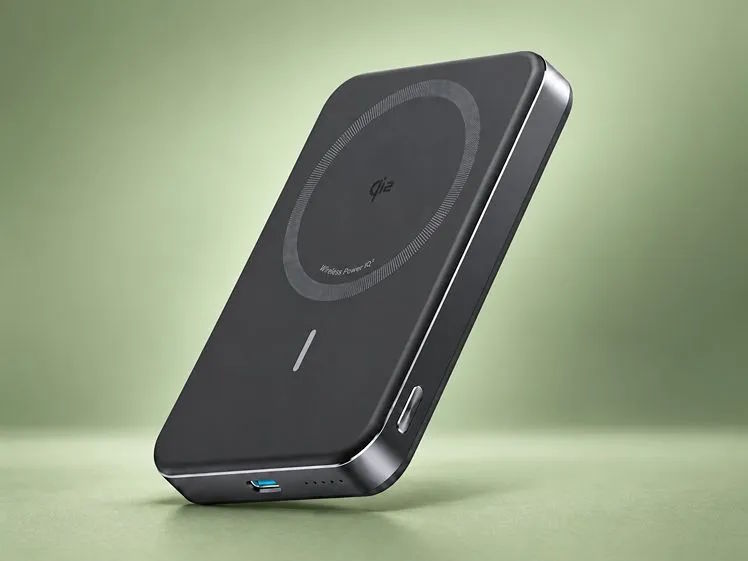
For Wireless Models: Check Alignment and Test a Cable
If your power bank charges wirelessly, make these additional checks:
- Check compatibility and alignment: Use a supported wireless mode and case. Centre the phone over the charging area; remove cards or metal attachments as instructed.
- Try wired charging: Test a compatible cable at a similar battery percentage and temperature.
Faster wired charging can reflect normal wireless power limits or thermal conditions. Magnetic attachment alone does not guarantee the fastest supported wireless mode.
Conclusion
A power bank that charges your phone slowly needs a controlled check before replacement. Separate normal battery tapering from an unusual slowdown, then identify whether the connection, charging support, or operating conditions cause the problem. Replace equipment only when testing reveals damage or a confirmed limitation. If several suitable sources and cables remain slow, have the phone’s connector and battery assessed.
FAQ
Does a Higher mAh Rating Mean Faster Phone Charging?
No. Milliamp-hours describe charge capacity, not charging speed. Compare capacity at the same voltage, or use watt-hours to compare stored energy. Speed depends on compatible output power, the cable, and the phone’s charging limits.
Can Charging the Power Bank While Using It Reduce Speed?
Yes, if the power bank supports pass-through charging. Simultaneous input and output can change power allocation; some banks disable output while recharging. Check the manual and test again with the bank disconnected from its charger.
Can a Low Power Bank Battery Level Affect Charging Speed?
It can, but this is not universal. Recharge the bank and repeat the test under the same conditions. Check its documented output restrictions rather than assuming every power bank reduces speed at a particular charge percentage.

