


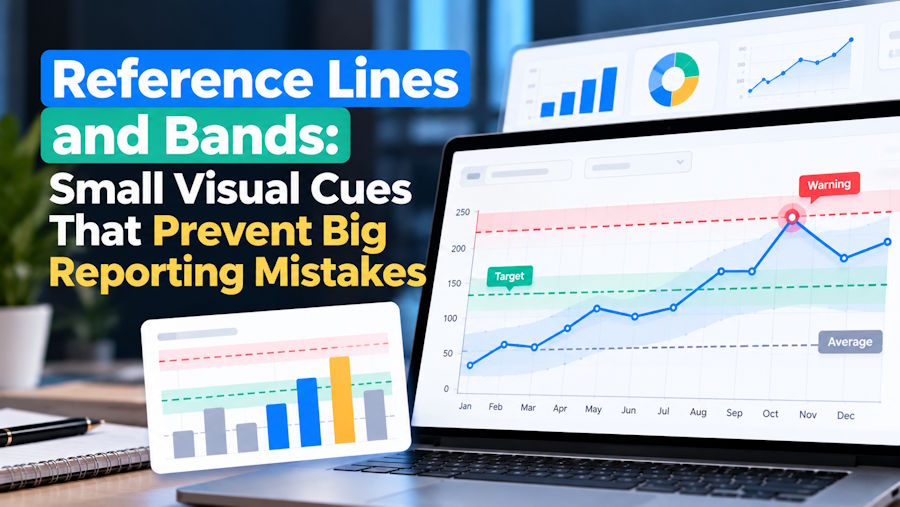
In most dashboards, the chart itself gets all the attention: the bars, the trend line, the heatmap colours. Yet the most decision-critical question often sits outside the marks: “Is this good or bad?” “Is this within tolerance?” “Did we hit the target?” Reference lines and bands answer those questions directly by placing context on the visual—without forcing the reader to calculate, guess, or hunt for a separate KPI card.
If you’re learning reporting basics through a data analysis course in Pune or sharpening your chart-reading habits in a data analyst course, reference lines and bands are one of the highest-leverage techniques to master because they turn raw values into interpretable performance signals.
What reference lines and bands actually do
A reference line is a fixed or calculated marker drawn across a chart—such as a target, average, median, previous period benchmark, or service-level threshold. A reference band shades a region that represents an acceptable (or unacceptable) range—such as a budget corridor, a control limit range, or a confidence interval around a forecast.
Tools implement these slightly differently, but the intent is consistent: provide comparative meaning at the point of consumption. For example, Tableau supports reference lines and bands to mark computed values or shaded ranges behind the marks, helping viewers interpret data against benchmarks rather than in isolation.
Four practical use-cases where they change decisions
1) Operational targets and SLAs (fast “in/out” judgement)
In a call-centre or support dashboard, a line at “Average Handle Time = 6 minutes” or “First Response SLA = 2 hours” makes compliance visible instantly. Without the line, viewers compare numbers in their head; with it, they see exceptions in seconds.
A useful pattern is a dual context view:
- A line for the formal SLA target
- A band for the “caution zone” (e.g., 80–100% of target) so teams act before a breach happens
This reduces the common problem where teams only respond once performance is already outside limits.
2) Process stability in manufacturing and logistics (control bands)
When variability matters more than the average, bands are more informative than single-number targets. A classic example is a control chart concept applied to shipping times or defect rates: a centre line (typical performance) plus upper/lower limits that represent expected variation. Points outside the band indicate special-cause variation (a real change worth investigating), not normal noise.
The benefit here is discipline: it prevents constant overreaction to random fluctuation and focuses attention on meaningful shifts.
3) Forecast uncertainty (error bands and confidence ranges)
Decision-makers often treat a forecast line as certainty. A band communicates what you don’t know—visually and honestly. In Microsoft Power BI, for instance, line charts can display an “error band” as a shaded area around a line to represent an error range, which is far clearer than showing only a single predicted path.
When you show uncertainty, you get better decisions:
- Inventory planning accounts for risk
- Marketing budgets can be staged
- Stakeholders stop expecting precision that the data cannot support
4) Data quality and monitoring thresholds (when “wrong” looks normal)
Reference indicators also help catch silent failures—like a metric that looks stable but is actually broken due to missing data. A simple “expected range” band (based on historical percentiles) will flag sudden flattening or implausible stability.
This matters because poor data quality is not just an IT inconvenience. Gartner has cited research estimating poor data quality costs organisations at least $12.9 million per year on average. A well-chosen set of reference bands in monitoring views is one of the simplest ways to surface issues early—before downstream decisions are distorted.
How to design reference indicators that stay trustworthy
- Tie every line/band to a decision rule
If the dashboard user can’t say what action changes when the line is crossed, remove it. - Prefer robust benchmarks when data is skewed
For highly skewed metrics (revenue per order, response times), a median line can be more stable than a mean line. If you use percentiles, label them clearly (e.g., “P75 historical”). - Label directly on the chart, not only in a legend
A reference line without a label becomes visual clutter. Use short labels like “Target”, “Budget cap”, “Regulatory limit”. - Avoid band overload
One band is usually enough. Two is acceptable only if the meanings are distinct (e.g., “acceptable” vs “danger”). More than that typically confuses readers. - Be cautious with colour semantics
If you use red/green bands, ensure they don’t conflict with other chart encodings. Often, neutral shading with clear text labels is more accessible and less emotionally loaded.
Concluding note
Reference lines and bands are not decorative. They are compact “rules on the page” that make charts decision-ready: targets become visible, variability becomes interpretable, uncertainty becomes explicit, and data-quality issues become harder to miss. Used well, they reduce debate about what a chart means and speed up debate about what to do next—exactly the mindset you want to build whether you’re progressing through a data analysis course in Pune or refining practical reporting judgment in a data analyst course.
Business name: ExcelR - Data Science, Data Analyst Course Training
Address: 1st Floor, East Court Phoenix Market City, F-02, Clover Park, Viman Nagar, Pune, Maharashtra 411014
Phone: 09699753213

