

A floor plan editor looks simple until you try to build one. Drawing a line is easy; turning that line into a wall that snaps cleanly, reports a sensible measurement, joins another wall, and remains editable on a phone is a much larger interface problem. The difficult work is not adding more toolbar icons. It is keeping the editor predictable.
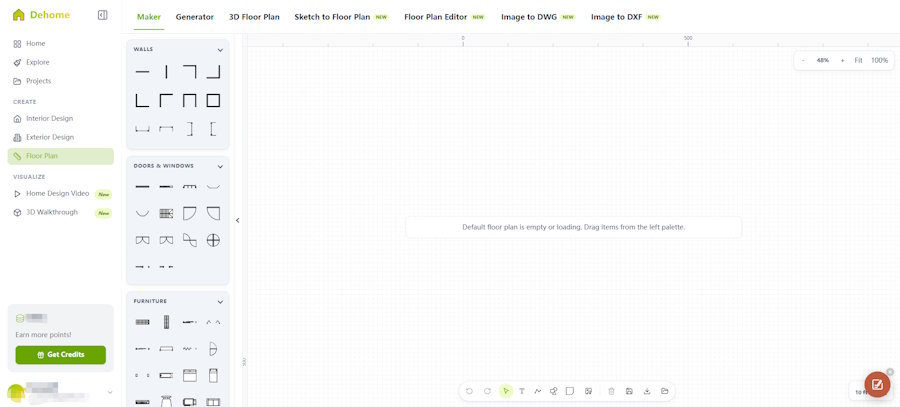
A useful reference is a browser-based Floor plan maker that lets users begin with a blank canvas or template, draw walls and rooms, position doors and windows, add furniture, and work with live dimensions. It supports metric and imperial measurements and exports completed plans as PNG or JPG files. Those capabilities reveal several design decisions that matter in any similar web application.
Model geometry separately from presentation
The visual canvas should not be the only source of truth. Store wall endpoints, room polygons, openings, object positions, and measurement units in structured data. Rendering can then be handled by SVG, Canvas, WebGL, or another layer without tying the document model to one technology.
This separation makes common features easier to manage: undo and redo, saving projects, resizing the viewport, exporting an image, and migrating old documents after the data format changes. It also allows the UI to display a simplified preview without altering the underlying plan.
Make snapping visible
Snap-to-grid behavior saves time only when the user understands what will happen. Show alignment guides, highlight the active snap point, and provide a clear way to override snapping for unusual layouts. Silent snapping creates small errors that become obvious only after several walls have been placed.
Real-time dimensions need similar care. Measurements should update as the pointer moves, but the user should also be able to enter an exact value. Switching between metric and imperial units must not alter the actual geometry through repeated rounding.
Treat doors, windows, and furniture differently
A door is not just an icon placed on top of a wall. It creates an opening, has a width, and needs a swing direction. A window also belongs to a wall, while furniture usually belongs to a room and should be easy to rotate or duplicate. Using one generic drag-and-drop model for every object quickly becomes limiting.
On mobile devices, selection handles need generous touch targets without covering the object. Keyboard shortcuts can improve desktop speed, but every essential action still needs a visible control.
Design saving and export as separate workflows
Saving preserves an editable project; exporting creates a shareable result. Users should not have to understand that distinction through trial and error. Sign-in may be required to keep a project for later editing, while PNG or JPG export should clearly communicate image size, orientation, and whether a watermark is present.
The editor should also warn about unsaved changes before navigation. An automatic local draft can prevent lost work when the browser closes unexpectedly, but it should not be presented as a permanent cloud save.
Connect layout planning with color decisions
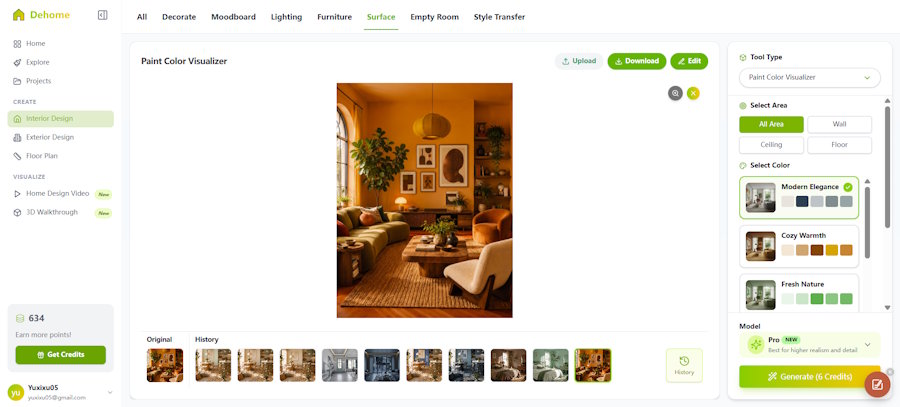
A floor plan explains arrangement and circulation, but it does not answer every design question. A Home paint visualizer follows a different interaction pattern: upload a room photo, select the whole scene or a specific surface, choose a palette or custom HEX value, and save the result.
If both experiences sit in one product, keep their document types separate. The plan editor works with geometry; the color tool works with photographs, masks, and variations. A shared project can link the two, but forcing them into one data model will make versioning and export harder.
Build around mistakes, not just the happy path
Users will draw overlapping walls, place doors near corners, import unclear photos, close tabs, and change units halfway through a project. A reliable editor anticipates those actions. Good constraints, reversible changes, specific error messages, and visible state usually matter more than decorative polish.
The best browser tools feel uncomplicated because the complexity has been handled underneath. For a floor plan editor, that means stable geometry, understandable snapping, safe saving, and exports that match what the user saw on screen.

