

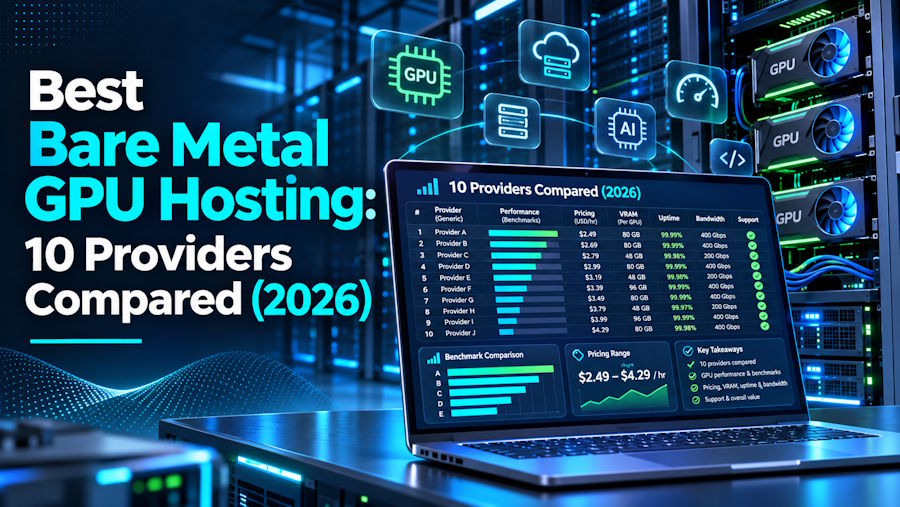
Key takeaways
- Bare metal GPU hosting gives one customer a whole physical server with no hypervisor, which keeps performance consistent for always-on training and inference.
- The best provider depends on the workload, with different options for cluster scale, compliance, customization, and budget experiments.
- Servers.com AI Compute takes the top spot for steady production AI because it builds custom GPU servers, gives customers full hardware control, and staffs engineers who answer requests.
- Short tests and spiky demand fit virtual GPUs and GPU clouds better, so match the hosting model to the workload before comparing providers.
AI teams that move from testing into production quickly learn that an hourly GPU rate tells only part of the story. Bare metal GPU hosting gives one customer an entire physical server, GPUs included, with no hypervisor and no other tenant on the hardware. The model suits training runs and inference services that keep GPUs busy around the clock, because performance, network path, and monthly cost all stay predictable.
This review compares ten providers on the criteria that shape a rental after the first week: who answers support requests, how far the custom build goes, how the network behaves under load, how long the contract lasts, and where the data centers sit.
Best bare metal GPU hosting at a glance
The best bare metal GPU hosting depends on which constraint comes first: cluster scale, compliance, budget, or customization. This table compares all ten providers and leaves out prices, because rates shift by currency, region, and contract.
| Provider | Model | GPU families | Terms | Best for |
|---|---|---|---|---|
| Servers.com AI Compute | Custom bare metal | NVIDIA, AMD, Intel, or other | Long-term agreement | Steady training and inference |
| CoreWeave | Bare metal clusters | HGX, GB200, GB300 | Large commitments | Cluster-scale training |
| OVHcloud | Dedicated GPU ranges | L4, L40S | Monthly plus setup fee | European inference |
| Lambda | Private Cloud bare metal | HGX B200 | 1 to 3 year reservation | Large reserved clusters |
| Hyperstack | Single-tenant private clusters | Set during design | Custom contract | Private InfiniBand clusters |
| Hetzner | Dedicated root servers | RTX PRO 4000, RTX PRO 6000 | Monthly plus setup fee | Price-to-performance |
| Cherry Servers | Single-tenant dedicated | NVIDIA A2 to A100 | Hourly, monthly, yearly | Customizable builds |
| Atlantic.Net | Bare metal | H100, H200, L40S, A100 | Hourly, monthly, reserved | HIPAA workloads |
| HostKey | Dedicated GPU servers | RTX, A-series, A100, H100 | Monthly, 6-month, annual | Global reach |
| Leaseweb | Bare metal | H100, H200, RTX PRO 6000, L40S, L4, MI210 | Monthly | Pre-installed AI stack |
The entries below start with the top pick for steady workloads.
The 10 best bare metal GPU hosting providers
The best bare metal GPU hosting providers range from custom-built servers for steady production AI to cluster-scale capacity and fixed monthly rentals, and Servers.com leads the list for teams that run always-on workloads.
1. Servers.com
Servers.com takes the top spot for steady production workloads. Its AI Compute (AIC) service builds bare metal GPU servers to order, pairing NVIDIA, AMD, Intel, or other accelerators with the CPU, memory, and storage the model needs.
Customers rent the whole server, manage it through iDRAC, configure RAID, install custom OS images, and automate provisioning through an API, a CLI, or Terraform. AIC servers share a private network with Servers.com’s Enterprise Bare Metal and Scalable Bare Metal servers, so GPU inference can sit next to CPU application servers.
Solution architects and engineers answer support requests 24/7/365. AIC runs on long-term agreements with quote-based pricing and no on-demand option, so it does not suit short tests.
Best for: Always-on training and inference where the workload has stabilized
2. CoreWeave
CoreWeave targets cluster-scale training. SemiAnalysis’ November 2025 ClusterMAX review describes bare metal GPU nodes that skip the hypervisor, with NVIDIA BlueField DPUs enforcing tenant isolation instead. Customers choose managed Slurm on Kubernetes, managed Kubernetes, or bare metal without a managed scheduler.
The backend runs InfiniBand, and the fleet covers HGX 8-way systems plus GB200 and GB300 NVL72 racks. CoreWeave sells mostly on large commitments and does not publish bare metal list prices, so smaller teams may find the entry point high.
Best for: Large-scale training on rack-scale systems
3. OVHcloud
OVHcloud lists two bare metal GPU families. Scale-GPU pairs AMD EPYC CPUs with NVIDIA L4 GPUs, and HGR-AI pairs dual EPYC CPUs with NVIDIA L40S GPUs. Public bandwidth runs from 5 to 25 Gbps, and private networking runs from 50 to 100 Gbps.
Billing runs monthly with a one-time installation fee, and OVHcloud states that data hosted on its infrastructure complies with GDPR. At the time of writing, the page marks every GPU range “soon available,” so confirm the order date before you plan around them.
Best for: European inference workloads that need mid-range GPUs and fast private networking
4. Lambda
Lambda offers bare metal through its Private Cloud. Its documentation describes single-tenant HGX B200 clusters of 1,000 GPUs or more on one to three year reservations. Smaller teams can reserve 1-Click Clusters of 16 to 512 H100 or B200 GPUs by the week, although the documentation does not say whether those nodes run on bare metal. The 1,000-GPU floor puts Private Cloud beyond most single-model teams, and prices come through sales.
Best for: Large reserved training clusters
5. Hyperstack
Hyperstack sells Secure Private Cloud as dedicated, single-tenant infrastructure with Quantum InfiniBand and NVMe storage. It designs each environment through a consultation, so the page lists neither GPU models nor prices, and it never uses the phrase bare metal. Hyperstack also rents on-demand GPU virtual machines for short-term work.
Best for: Teams that want a private InfiniBand cluster designed around a specific workload
6. Hetzner
Hetzner draws attention for price-to-performance, and its published monthly rates make comparison easy. The GEX line rents dedicated root servers with NVIDIA RTX PRO 4000 and RTX PRO 6000 Blackwell GPUs in Helsinki and Germany.
Servers run on 100% renewable grid electricity and carry unlimited traffic by default, and each order adds a one-time setup fee. The page lists no H100-class cards and does not describe remote management, so teams that need data center GPUs or out-of-band access should check the order page first.
Best for: Cost-conscious inference and fine-tuning on modern workstation-class GPUs
7. Cherry Servers
Cherry Servers rents single-tenant GPU servers with “zero virtualization” and offers hourly, monthly, and yearly billing. The catalog lists NVIDIA GPUs only, from the A2 up to the A100, and GPU servers run in Lithuania.
Most models sit on a waiting list at the time of writing. The page promises 12-minute deploys for pre-built servers, while its FAQ quotes 24 to 72 hours for GPU servers, so ask for a delivery date in writing.
Best for: Teams that want a customizable single-tenant server with flexible billing
8. Atlantic.Net
Atlantic.Net targets regulated workloads. Its dedicated GPU hosting runs on bare metal with “no hypervisor tax,” offers H100, H200, L40S, and A100 GPUs, and bills hourly, monthly, or on reserved capacity. The company calls its platform HIPAA and HITECH audited and signs business associate agreements. It also says the platform helps customers reach HIPAA compliance, so the customer still owns part of the work.
Best for: US healthcare AI workloads that need a business associate agreement
9. HostKey
HostKey rents dedicated GPU servers with one to eight cards per machine across NVIDIA RTX, A-series, A100, and H100 GPUs. Plans run on monthly, six-month, and annual terms, and hourly billing shows as “coming soon.” Data centers span Europe, Turkey, and the US, and the pricing table also lists a server in Russia, so check each location against your own compliance rules.
Best for: Teams that want regional choice and multi-GPU servers
10. Leaseweb
Leaseweb pairs named enterprise hardware with a pre-installed AI stack. Its bare metal servers hold up to eight NVIDIA GPUs (H100, H200, or RTX PRO 6000), with NVLink on selected cards, and smaller options cover the L40S, L4, T4, A30, A100, and AMD Instinct MI210.
Servers ship with PyTorch, TensorFlow, Scikit-learn, XGBoost, and Hugging Face and NVIDIA NGC libraries. Leaseweb says its EU data centers comply with GDPR and NIS2. Contracts run monthly, and delivery ranges from about an hour to 15 days depending on the model.
Best for: Teams that want enterprise hardware, a ready AI software stack, and European compliance claims
With the field mapped, the selection criteria narrow it down.
How to choose bare metal GPU hosting
Choosing bare metal GPU hosting comes down to five questions about the provider and three about the workload. The provider questions come first:
- Who answers support requests? Bare metal leaves the OS, drivers, and monitoring with you, so the provider’s response to a hardware fault sets your recovery time.
- How deep does the custom build go? Compare catalog servers with true custom builds that set CPU, memory, storage, RAID, and GPU model.
- How does the network behave under load? Ask for public and private bandwidth stated separately, plus benchmark results at your cluster size.
- How long does the contract last? Terms range from hourly to multi-year, and longer terms cut the monthly price while raising the commitment.
- Where are the data centers? Distance sets latency, and location sets data residency.
The workload questions follow the themes that shape most deployments:
- Cluster scale: Single-node jobs need NVLink inside the server. Multi-node training needs InfiniBand or fast Ethernet between servers, and changing fabrics later means replacing hardware.
- Compliance: Providers describe it in different ways. Atlantic.Net calls its platform HIPAA and HITECH audited, Leaseweb cites GDPR and NIS2, and OVHcloud cites GDPR. Servers.com is a Nexcess brand, which claims HIPAA and PCI compliance readiness. No provider’s claim replaces your own audit, so request the reports and their scope for the exact location you plan to use.
- Budget: Hourly billing looks cheap for experiments and gets expensive when GPUs run all month. A monthly server costs more up front and wins once utilization stays high. Count egress, storage, and setup fees on both sides before you compare.
GPU memory sets which models fit on one card. The H200 carries 141 GB, the RTX PRO 6000 carries 96 GB, and the AMD MI210 carries 64 GB. SXM modules with NVLink suit multi-GPU training, while PCIe cards suit single-GPU inference and cost less.
Those criteria point to a hosting model first, and the next section compares the three main ones.
Bare metal GPU vs virtual GPU vs hyperscale cloud
Bare metal GPU hosting, virtual GPUs, and hyperscale cloud each fit a different workload shape.
Virtualized hosting runs a hypervisor between the hardware and the OS, so tenants share the host and neighbors can disturb performance. Bare metal removes that layer and gives the application direct access to the GPU. Hyperscalers such as AWS and Google Cloud sell GPU instances with deep managed-service ecosystems and elastic capacity.
| Bare metal GPU | Virtual GPU or GPU cloud | Hyperscale cloud | |
|---|---|---|---|
| Hardware | Whole server, single tenant | Shared host or marketplace | Shared host with managed layers |
| Performance | Consistent, no hypervisor | Varies with neighbors | Varies by instance |
| Billing | Monthly or long-term | Hourly or per second | Hourly, with reserved options and egress fees |
| Best for | Steady, predictable workloads | Tests, bursts, experiments | Teams that need surrounding managed services |
Most teams end up with a mix: a hyperscaler for application services, a GPU cloud for experiments, and dedicated hardware for the baseline that never switches off. For the tooling that runs containers across those layers, see our explainer on Docker managers in containerized deployment.
Bare metal GPU hosting FAQs
What is bare metal GPU hosting?
Bare metal GPU hosting rents a whole physical server, GPUs included, to one customer with no hypervisor and no other tenant on the hardware.
Is bare metal GPU hosting cheaper than cloud?
For steady workloads that run most of the month, usually yes. For spiky or short-term work, hourly cloud billing costs less. Divide a monthly server quote by an hourly rate times 730 hours to find your break-even utilization.
Can I rent bare metal GPUs by the hour?
A few providers, such as Cherry Servers and Atlantic.Net, bill hourly. Most bare metal GPU hosting runs on monthly or longer terms, and Servers.com AI Compute runs on long-term agreements only.
Do I get root and IPMI access?
Dedicated servers usually include root access, and many include out-of-band tools. Servers.com offers iDRAC access, RAID control, and custom OS installs. Confirm remote management details with every other provider.
Does bare metal GPU hosting work with Kubernetes?
Yes. CoreWeave offers managed Kubernetes and Slurm, and Servers.com runs managed Kubernetes on bare metal worker nodes with optional GPU nodes.
Is bare metal GPU hosting HIPAA compliant?
No hosting service reaches compliance alone. A provider supplies audited infrastructure and a business associate agreement, and the customer completes the controls on its own side. The HHS overview of the HIPAA Security Rule lists the safeguards a covered entity must handle itself.
Getting started with bare metal GPU hosting
The best bare metal GPU hosting depends on the shape of the workload. Servers.com AI Compute fits steady production training and inference, where custom builds, full hardware control, and engineers who answer requests carry the most weight.
CoreWeave and Lambda fit cluster-scale training, Leaseweb and OVHcloud fit European compliance needs, and Atlantic.Net fits HIPAA workloads. Hetzner and Cherry Servers cover value and customization, and HostKey adds regional choice.
Whichever provider you pick, run a one-week benchmark with your own model before signing a long-term agreement.

