

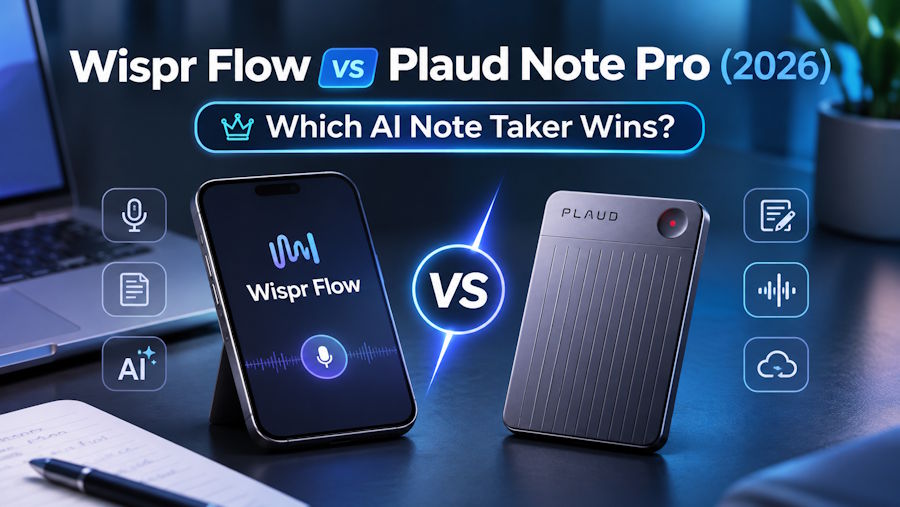
If my day is full of emails, Slack messages, AI prompts and documents, I'd choose Wispr Flow. If my material comes from client calls, meeting rooms, interviews and computer meetings, I'd choose Plaud Note Pro.
Wispr Flow is a cross-app AI voice typing tool that turns the pauses, self-corrections and repetitions of speech into text that's ready to send. Now that Wispr Notetaker has been added, it can also record meetings on Mac and Windows.
Plaud Note Pro is a physical AI note taker for phone calls and in-person meetings, and Plaud Desktop handles online meetings on the computer. The standalone hardware saves the original audio first, and Plaud Intelligence then generates the transcript, summary and action items.
Both can now handle online meetings, but I wouldn't compare them only on whose summary looks nicer. Wispr Flow first solves "how do I write faster," while Plaud first solves "how do I capture the full audio while the conversation is happening." Whichever of those actions comes up more in your work largely decides the choice.
|
If my main task is |
I'd choose |
Why |
|
Dictating text in email, docs and chat tools |
Wispr Flow |
Speech goes straight into the active text field |
|
Recording calls, interviews and meeting-room conversations |
Plaud Note Pro |
Standalone hardware saves the original audio first |
|
Only notes for computer meetings |
Try each one first |
Both cover it, so differences in workflow and cost matter more |
Wispr Flow is at its best for writing across apps
Ordinary dictation software outputs your speech word for word. If you change a date midway, swap a name or repeat a word, the mistakes stay in the text too. Wispr Flow uses your later corrections to clean up what came before, and it adds punctuation and formatting.
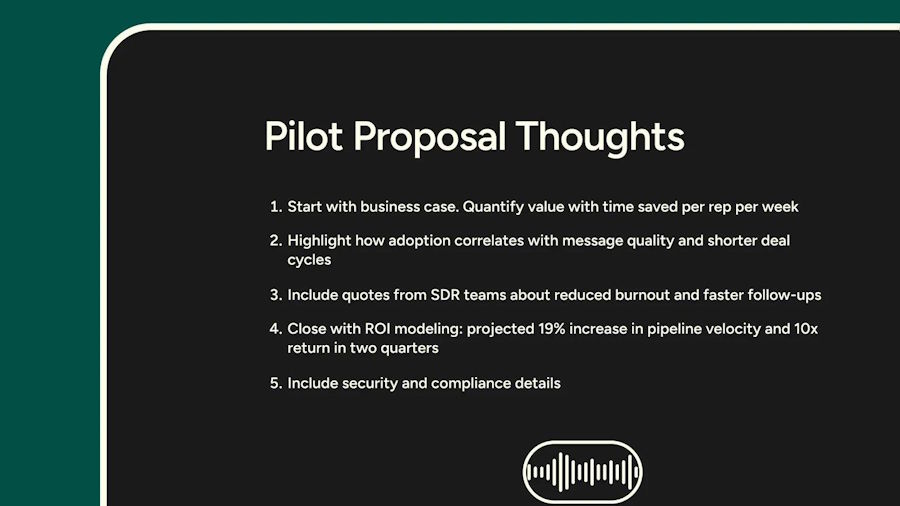
It also keeps the same input habits across different apps. Wispr Flow works on Mac, Windows, iPhone and Android. On a computer you hold a shortcut and speak, on iPhone you use the Flow Keyboard, and on Android you use the floating Flow Bubble. When writing in Gmail, Notion, ChatGPT or a browser form, you don't have to learn each app's voice button separately.
Snippets are handy for inserting repeated content. I can set trigger words for an email address, a booking link or a standard reply, and saying the phrase expands it into the full text. Command Mode rewrites selected text by voice, for example shortening a description, adjusting the tone or adding a closing line. These features make Wispr Flow an input layer across many apps, with recording and transcription as just one part of it.
Wispr Notetaker puts the two head to head in online meetings
Wispr Notetaker captures microphone and system audio on the computer without sending a bot into Zoom, Google Meet, Microsoft Teams, Slack Huddles or browser calls. After the meeting, it produces a transcript with speaker labels, a topic summary and next steps, and you can keep using Ask Wispr to look up decisions and commitments.
It currently supports Mac and Windows, with mobile still on the roadmap. Wispr officially lists 21 languages for meeting transcription, including Chinese, Japanese, Korean, Hindi and Arabic. Speaker labels are easiest to get right when everyone joins the video meeting from their own device. When several people share one meeting-room microphone, the labels may need manual fixes.
Plaud Desktop also uses bot-free local recording. It can detect meetings on Google Meet, Zoom, Microsoft Teams, Slack Huddles, Cisco Webex, Lark and others, and you then review the audio, transcript, summary, Highlights and mind map in the Plaud App or Plaud Web. Plaud Desktop supports 112+ single-language transcription languages, but each recording needs one primary language selected, so it's at a disadvantage when a meeting often switches between languages.
If your work happens only on a computer, Wispr Flow can handle both voice typing and meeting notes without buying hardware first. People already using Plaud Note Pro for calls and in-person conversations can use Plaud Desktop to bring online meetings into the same Plaud account.
Plaud Note Pro's advantage fully shows once the conversation leaves the computer
I can't dictate to a computer in every situation. Some content comes from client calls, some from long-table meetings, and some from conversations that start unexpectedly at trade shows, during interviews or on business trips.
Plaud Note Pro has 64GB of local storage, so it can record without a network and sync for processing once it's online. It uses 4 MEMS microphones and 1 VPU, with an officially rated pickup range of up to about 5 meters. Enhance mode records continuously for up to 30 hours, and Endurance mode for up to 50 hours. A phone notification, a spotty network or not having a computer nearby won't stop the device from saving the audio first.
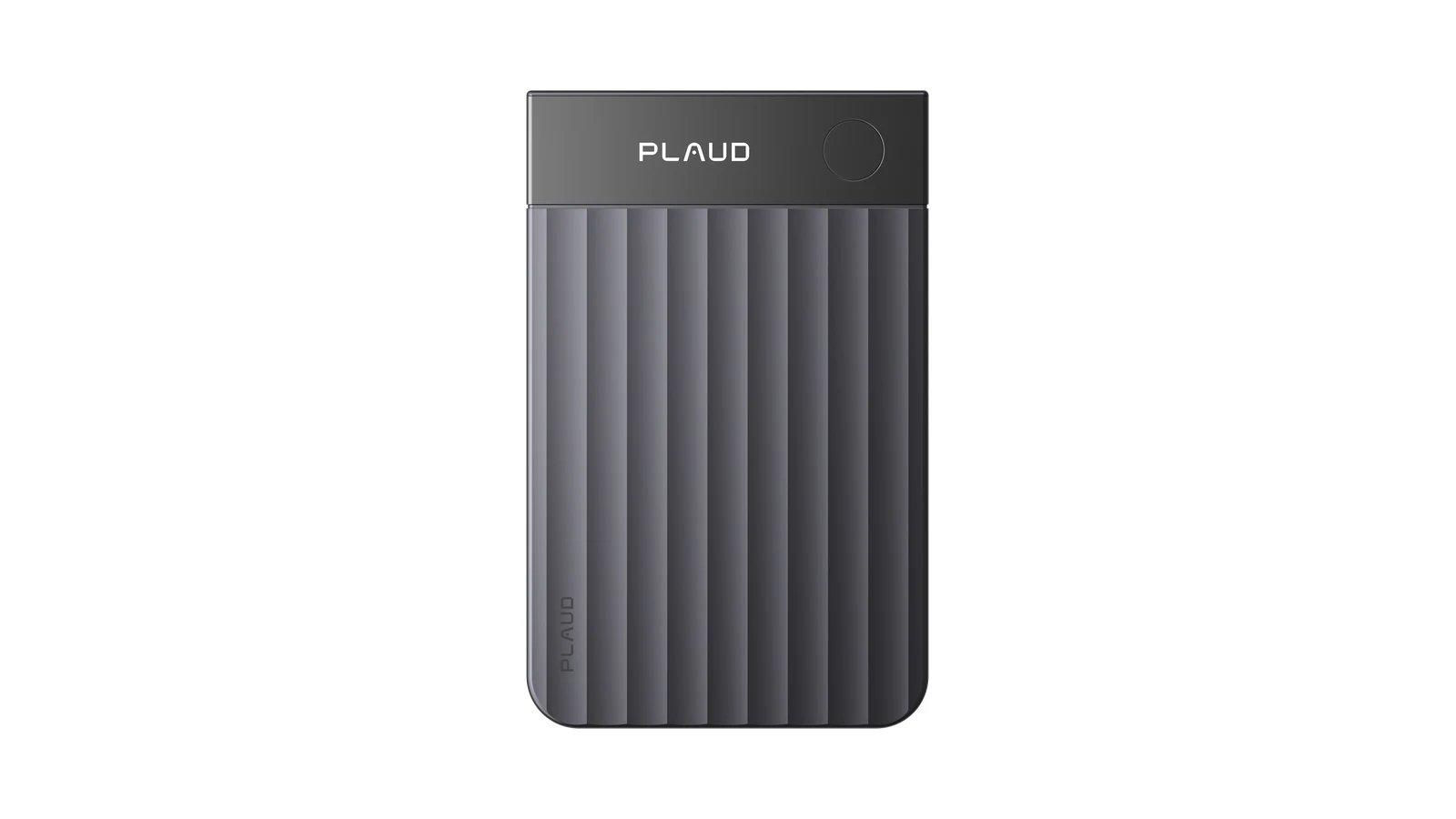
For phone calls, I can attach the device to the back of my phone with the magnetic case. Its smart dual-mode recording detects whether it's a phone call or an in-person conversation, so I don't have to switch recording modes manually. When I hear a budget, a deadline or a client objection, a short press of the physical button adds a Highlight. The InstantView AMOLED display shows recording, battery and file status, so I can confirm the device is working as soon as I start recording.
This hardware won't write emails for me, and it can't generate text directly in any text field the way Wispr Flow does. What you're paying for is standalone audio capture, local storage and a wider range of recording situations. If your day is only computer meetings and solo writing, the hardware may sit idle. If calls, in-person meetings and computer meetings alternate, a dedicated device more easily covers the full day.
|
Comparison |
Wispr Flow |
Plaud Note Pro and Plaud Desktop |
|
Main use |
Cross-app voice typing, plus meeting notes on the computer |
Hardware records calls and in-person meetings, Desktop records online meetings |
|
Text input |
Writes directly into emails, messages, docs and AI tools |
Content is generated in the Plaud App, Web or Desktop after recording |
|
Online meetings |
Wispr Notetaker, no bot, Mac and Windows |
Plaud Desktop, no bot, Mac and Windows |
|
In-person meetings |
Records through the computer microphone, suits meetings where a computer is present |
Standalone hardware, officially rated pickup up to about 5 meters |
|
Phone calls |
No dedicated phone call recording |
Attaches magnetically to the back of the phone, records calls through the VPU |
|
Offline saving |
Transcription relies on cloud processing |
64GB local storage records first, syncs later |
|
Languages |
Dictation supports 100+ languages, Notetaker supports 21 meeting transcription languages |
112+ single-language transcription languages |
|
Source record |
Focus is on processed text and meeting notes |
Original audio, transcripts, summaries and Highlights can be kept and exported |
|
Better for |
Writers, customer support, sales replies, heavy AI users and computer meetings |
Work that mixes calls, meeting rooms, interviews and online meetings |
Whether the subscription or the hardware is cheaper depends on three years of cost
Wispr Flow Free has no monthly fee. It's limited to 2,000 words a week on desktop and 1,000 words a week on mobile, and Notetaker also has a weekly meeting allowance. It's a good way to find out whether you'll really use your voice for input often.
Wispr Flow Pro is $15 billed monthly or $144 billed annually, which works out to $12 a month. Paying gets you unlimited dictation, along with higher meeting note allowances and longer retention. The free and paid tiers use the same transcription accuracy, so the subscription mainly buys usage and extra features.
Plaud Note Pro costs $189 and comes with the Plaud Starter Plan, which provides 300 transcription minutes a month. Plaud Pro Plan is $99.99 billed annually and provides 1,200 minutes a month. On the Plaud Starter Plan alone, the hardware's first-year and three-year total cost are both $189. With a continuous Plaud Pro Plan subscription, the first-year total is $288.99 and the three-year total is $488.97.
|
Single-user plan |
Hardware price |
Annual subscription |
Year 1 total |
3-year total |
Main allowance |
|
Wispr Flow Free |
$0 |
$0 |
$0 |
$0 |
2,000 words a week on desktop, 1,000 words a week on mobile, limited meeting allowance |
|
Wispr Flow Pro |
$0 |
$144 |
$144 |
$432 |
Unlimited dictation, more meeting allowance and longer note retention |
|
Plaud Note Pro + Starter |
$189 |
$0 |
$189 |
$189 |
300 transcription minutes a month |
|
Plaud Note Pro + Pro |
$189 |
$99.99 |
$288.99 |
$488.97 |
1,200 transcription minutes a month |
The calculations use non-promotional USD prices as of October 28, 2026, and exclude tax, shipping and exchange rate changes. The table prices Wispr Flow Pro at $144 billed annually. Paying monthly for a year comes to $180.
Both tools send part of the work to the cloud
Wispr Flow's dictation transcription happens in the cloud. Users can separately control model improvement, dictation cloud storage and Context Awareness. With model improvement turned off, content isn't used to train models. With dictation cloud storage turned off, dictation history stays on the device and audio is discarded once transcription is done. Notetaker's meeting transcripts and notes still require cloud processing and sync.
Wispr officially lists SOC 2 Type II and ISO 27001. Users who need a HIPAA BAA should note that accepting the BAA turns off Notetaker and Scratchpad. Medical teams therefore shouldn't read "HIPAA-supported dictation" as "meeting notes can be used under the same terms."
Plaud Note Pro can keep recordings on the device or sync them to Plaud's encrypted cloud. Plaud states that it doesn't use recordings or transcripts to train AI models, and that data is encrypted in transit and at rest. It also lists compliance frameworks including ISO 27001, ISO 27701, SOC 2 Type 2, HIPAA, GDPR and EN 18031.
|
Privacy question |
Wispr Flow |
Plaud Note Pro and Plaud Desktop |
|
Where transcription happens |
Cloud |
Transcripts and summaries are generated in the cloud, the device can save the original recording first |
|
Model training |
Users can turn it off, admins can lock it on Growth and Enterprise |
Plaud states that it doesn't use recordings or transcripts to train AI models |
|
Local control |
Dictation cloud storage can be turned off, Notetaker is managed separately |
You decide whether recordings stay on the device or sync to the cloud |
|
Enterprise limits |
A HIPAA BAA turns off Notetaker and Scratchpad |
Still check region, retention and contract requirements against your organization's plan before buying |
Whether or not a tool sends a bot into the meeting, I clearly tell participants before I start recording and get whatever consent is required under local law, industry requirements and company policy. Capturing audio locally doesn't take care of that notice for me.
If I write a lot and have few meetings, I'd choose Wispr Flow
When I have to reply to lots of messages, write prompts, organize documents or enter client notes every day, Wispr Flow is the one I'll reach for more often. I hold the shortcut, say a paragraph, and the text lands right in the active text field. I don't have to record first, wait for transcription and then copy it back from another app.
I don't skip proofreading just because I pay for a subscription. Names, brands and accents can still cause errors, and when typing into an AI tool, one wrong word can change the meaning of the whole prompt. The dictionary cuts down on repeated errors, but important text still needs a person to check it before it goes out.
If I have lots of calls and in-person conversations, I'd choose Plaud Note Pro
Sales visits, interviews, consulting, training and meeting-room discussions don't always happen around a computer. Plaud Note Pro saves the audio on a standalone device first, and Plaud Desktop fills in the online meetings. Phone calls, in-person conversations and computer meetings all end up in the same Plaud account, so when I review, I don't have to dig for the source record across a recorder, phone files and meeting software.
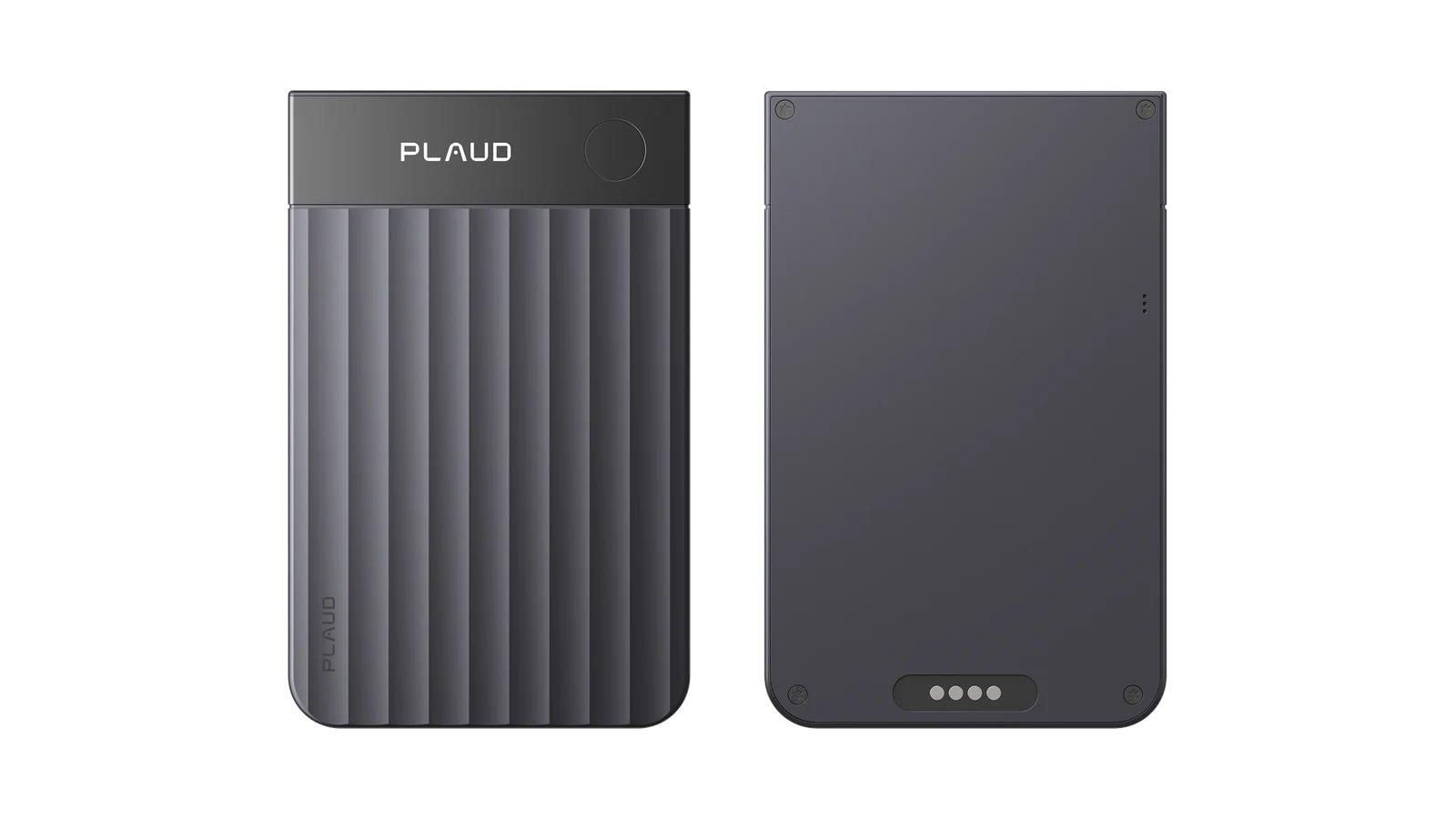
That full coverage is worth the hardware cost to me. About 5 meters of pickup, 64GB of storage, up to 50 hours of recording, a physical Highlight button and a status display all change how I work in long meetings or on the move.
Plaud's limits are clear too. Plaud Desktop requires the account to be linked to a Plaud device, so it can't be used as a free standalone desktop meeting recorder. Once you go past the Plaud Starter Plan's 300 minutes a month, you also have to budget for Plaud Pro Plan or Plaud Unlimited Plan.
I first look at whether I spend my day talking or listening to others
When I'm the one talking and want text right away, I'd choose Wispr Flow. Emails, messages, documents and AI prompts are what it does best, and Wispr Notetaker picks up computer meetings.
When I need to listen to others and want to go back later to the original audio, key points and action items, I'd choose Plaud Note Pro. The hardware records calls, meeting rooms and interviews away from the office, and Plaud Desktop handles online meetings.
You can use both, but most individual users don't need to pay for both. First log a week of what you actually do: how many times you use voice input, how many computer meetings you have, and how many calls and in-person conversations. Whichever comes up most often will decide Wispr Flow vs Plaud better than a long list on a features page.
FAQ
Can Wispr Flow fully replace Plaud Note Pro?
Not fully. Wispr Flow is better for cross-app voice typing and computer meeting notes. Plaud Note Pro offers standalone hardware, local storage, phone call recording and longer-range meeting-room pickup, which suits conversations away from the computer.
Can Plaud Note Pro type straight into a text field like Wispr Flow?
No. Plaud Note Pro records first, then generates transcripts, summaries and action items through the Plaud App, Plaud Web or Plaud Desktop. Wispr Flow's main strength is writing your speech directly into the text field of the app you're using.
Can Wispr Flow record Zoom, Google Meet and Microsoft Teams?
Yes. Wispr Notetaker captures the computer's system audio and microphone on Mac and Windows without a bot joining the meeting. You should still tell participants and get the required consent before you start.
Is the free version of Wispr Flow enough?
For occasional message dictation and trying out meeting notes, you can start with the free version. You get 2,000 words a week on desktop and 1,000 words a week on mobile, and Notetaker has a meeting allowance too. Upgrading to Pro after you keep hitting the limits makes more sense than subscribing from the start.
Which has the lower three-year cost, Wispr Flow or Plaud Note Pro?
On a continuous paid plan, three years of Wispr Flow Pro billed annually is $432. Plaud Note Pro is $189 on the free Plaud Starter Plan alone, and $488.97 with three years of Plaud Pro Plan. They buy different capabilities. The former is mainly unlimited voice typing, while the latter includes standalone recording hardware and 1,200 transcription minutes a month.

