

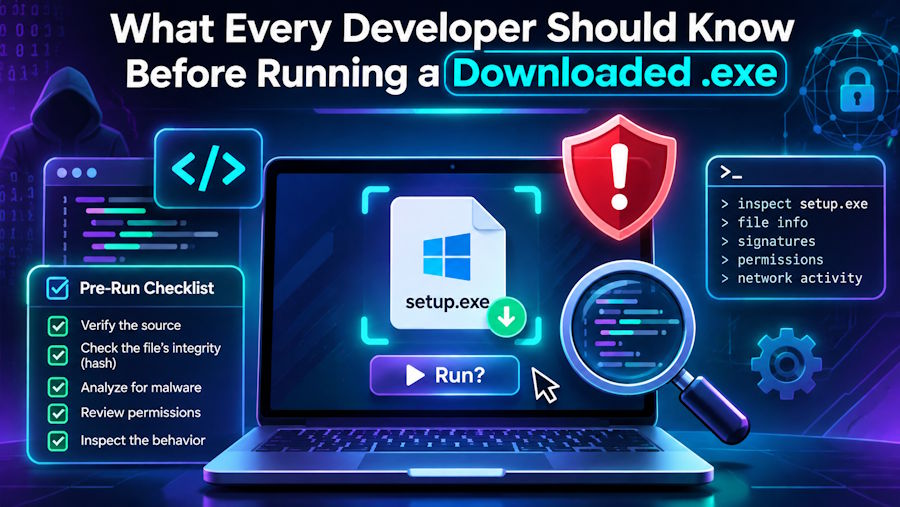
Developers run more executables than almost anyone. SDKs, toolchains, CI artifacts, client binaries, debug builds, game engines, unsigned internal tools — a developer's Downloads folder is a rotating cast of programs from sources of wildly varying trustworthiness. Most of us have a habit that would make a security engineer wince: double-clicking a binary someone dropped in Slack because "it compiled fine on their machine." Sites like Softcoria publish plain-English Windows software guides worth bookmarking, but this article is your quick field reference.
This article is a practical field guide to the .exe file as developers actually encounter it — what it is under the hood, why it's risky, and a repeatable checklist for deciding whether to run something you didn't build yourself.
A Quick Tour of the PE Format
Every .exe on Windows is a Portable Executable (PE) file. The format is essentially a container: a header describing how the operating system should load the program, followed by sections like .text (your compiled code), .data (initialized variables), .rsrc (icons, manifests, version info), and import/export tables that declare which DLLs and functions the program needs.
Two things about PE files matter to developers more than anyone else. First, the format is extensible and loosely validated. An .exe can carry almost anything — packed code, encrypted payloads, multiple nested executables inside a self-extracting archive, or a manifest requesting administrator privileges on launch. Nothing in the format itself guarantees that what you see is what the code does.
Second, the file extension is the least reliable part of the whole thing. Windows hides extensions by default, and attackers have exploited this for decades with tricks like double extensions (invoice.pdf.exe) and Unicode right-to-left override characters that make malware.exe render as malwareexe.txt. As a developer, you know this — but your CI runner, your junior teammate, and your build script may not.
Why Developers Are Exposed More Than Most
A typical office worker might download a handful of installers a year. A developer downloads dozens a month, often under time pressure:
- Unsigned build artifacts shared via chat, email, or file storage. There's no certificate, no reputation trail — just a blob your colleague swears is the latest build.
- Cracked or "free" versions of paid dev tools. Search results for popular IDEs and utilities are full of repackaged installers bundled with cryptominers and credential stealers.
- SDKs and plugins from third-party mirrors. If the official download is slow, the temptation to grab it from a mirror is real — and mirrors get poisoned.
- Open-source release binaries. Most maintainers don't sign releases. You trust GitHub, the checksum file, and hope the account wasn't compromised.
The uncomfortable truth is that developers are high-value targets precisely because their machines contain source code, API keys, cloud credentials, and production access. Supply-chain attacks don't need to be sophisticated — they just need one developer who runs something without checking.
The Signature Check: Your First Filter
Windows executables can carry an Authenticode digital signature — a cryptographic attestation that the file came from a specific publisher and hasn't been modified since signing. Checking it is the single fastest way to triage an .exe:
- Right-click the file, open Properties, and look for the Digital Signatures tab. No tab at all? The file is unsigned — treat it with suspicion.
- Select the signature and click Details. Verify it says the signature is OK, and read the signer name. "Microsoft Corporation" is different from "Totally Legit Software Ltd."
- Be aware that signatures can be stolen or bought. A valid signature is evidence, not proof. Malicious actors have signed malware with fraudulently obtained certificates before.
If your organization distributes internal tools, signing them with an internal certificate is one of the highest-leverage security moves you can make. It costs little, it trains your team to expect signed binaries, and it makes unsigned drops stand out immediately.
For the full routine covering signatures, hashes, and sandboxing in one place, see this walkthrough on how to check if a Windows executable is safe.
Hashes and Provenance
A digital signature answers "who made this." A hash answers "is this the file the publisher released." Before running a downloaded tool, compare its SHA-256 hash against the value published on the vendor's official site or the project's release page — never against a hash posted in the same place you downloaded the file from.
Get in the habit of fetching checksums from the canonical source:
- Open-source projects: the release page's checksums.txt or the signed release notes.
- Commercial vendors: the download page, accessed directly (not through a redirect from a forum).
- Internal tools: the checksum your build pipeline publishes alongside the artifact.
On Windows, certutil -hashfile tool.exe SHA256 gives you the hash in seconds. If it doesn't match, stop. Don't rationalize it as a "rebuilt" or "updated" version.
Sandboxing: Run It Before You Trust It
When a binary is unsigned, from an unfamiliar source, or simply too important to guess about, run it somewhere disposable first. Options range from lightweight to thorough:
- Windows Sandbox (built into Windows 10/11 Pro and Enterprise) gives you a clean, throwaway Windows instance in seconds. Install, run, observe, close — nothing persists.
- A virtual machine with snapshots works for deeper inspection of installers and drivers.
- VirusTotal lets you upload a file and see the verdict of 70+ antivirus engines at once. A developer-friendly bonus: the behavior tab shows what the file does — network calls, file drops, registry changes — without you running anything locally.
None of these are perfect. Sandbox-evasive malware exists. But most of the junk developers accidentally download — bundled adware, repackaged tools, credential stealers — lights up immediately under this kind of scrutiny.
Red Flags Worth Memorizing
Over time you'll develop pattern recognition. Some recurring tells:
- An installer that immediately requests administrator privileges for no plausible reason (a text editor does not need admin rights).
- A file that's far larger or smaller than the official version — a 3 MB "Photoshop installer" or a 400 MB "notepad replacement."
- Aggressive pressure: pop-ups insisting you disable antivirus, or download pages with five fake "Download" buttons and one real one.
- A version resource claiming to be from Microsoft while the signature tab is empty.
When in doubt, the safe move is to find the official source and download again. Ten minutes of re-downloading beats a week of incident response.
Building a Team Culture That Checks
Individual vigilance doesn't scale. If you lead a team, make verification the path of least resistance:
- Maintain an internal page of approved tools with official download links and expected hashes.
- Sign your own build artifacts and publish checksums in your release pipeline.
- Normalize saying "I'm not running that until it's signed." Social permission matters more than tooling.
Most users — technical or not — can follow a short safety routine before running anything new. Your team will thank you for having one canonical reference instead of tribal knowledge.
The Bottom Line
Running an .exe is an act of trust. Developers extend that trust dozens of times a month, which makes a repeatable verification habit — signatures, hashes, sandboxing, red-flag recognition — not paranoia but professionalism. The five minutes you spend checking a binary are the cheapest security investment in your entire workflow.

