


Availability polling tools help groups find a time that works for everyone. They simplify plans for team events, meetings, and shared activities. Instead of sending messages back and forth, people mark when they are free. The results show which dates suit the group.
Some offer simple polls, while others include calendars, reminders, and team scheduling features.
Your best choice depends on your group size and needs. You may need a free poll for one event or tools for regular team meetings. This guide compares five availability polling tools and key features. You will learn each tool's features, cost, and ideal users.
Table of Contents
- What Are Availability Polling Tools?
- How Can You Choose the Right Availability Polling Tool?
- What Are the Best Availability Polling Tools for Team Events?
- 1. WhenAvailable
- 2. Doodle
- 3. Rallly
- 4. When2meet
- 5. Xoyondo
- FAQ
- Final Thoughts: Which Availability Polling Tool Should You Use?
What Are Availability Polling Tools?
Availability polling tools are platforms that help groups find a suitable date and time. They let people share their free days and hours through a simple poll to select the times that work for everyone.
One person creates a poll and shares its link. Other members select their available dates and times. The organizer can then compare responses and choose a suitable time.
Availability polling tools also work as group scheduling tools. They connect with calendars like Google Calendar and Outlook for shared calendar scheduling among group members.
Skedda's 2025 Modern Workplace Report found that workers spend about 37% of their time in meetings or coordinating them.
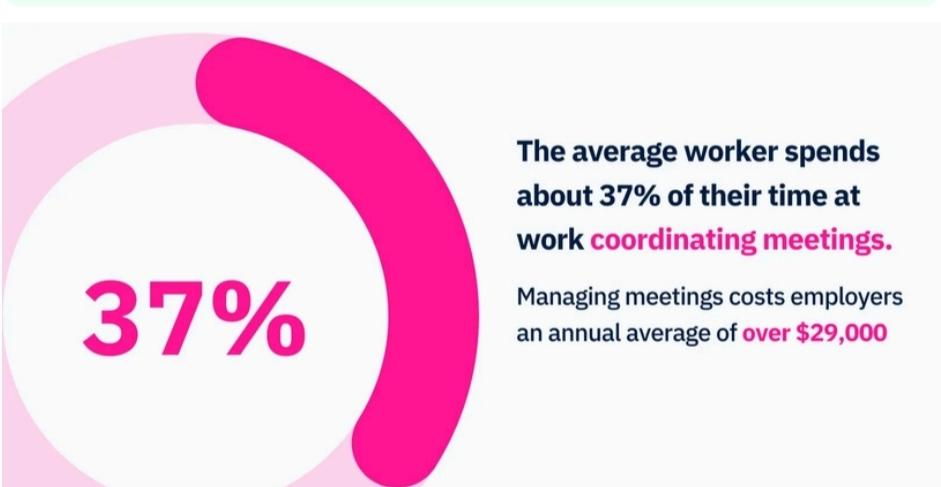
Teams already spend a lot of time arranging meetings. Availability polling tools take some of that work off their hands by handling event scheduling.
|
What Do Availability Polling Tools Do? They help groups agree on meeting times and event dates with less back-and-forth. Organizers can see when people are free and plan around the results. |
How Can You Choose the Right Availability Polling Tool?
Choose an availability polling tool by comparing its features, ease of use, group limits, and price. Here are a few things to consider before you decide.
|
Factor |
What Should You Look For? |
|
Ease of Use |
Everyone should find it easy to open and complete a poll |
|
Group Size |
Check participant limits, especially when you plan events for large teams |
|
Calendar Integration |
If your team uses Google Calendar or Outlook, look for calendar connections |
|
Poll Options |
Look for flexible date and time slots, plus options for suggesting alternatives |
|
Reminders |
Automatic reminders can help you get responses without chasing people |
|
Pricing |
Compare free and paid plans to see which features fit your budget |
|
Privacy |
Check who can view responses and whether you can control access to each poll for private schedules |
|
What Should Guide Your Choice of Availability Polling Tools? Match the tool's features, participant limits, and price to your team's needs. |
What Are the Best Availability Polling Tools for Team Events?
The five best availability polling tools are WhenAvailable, Doodle, Rallly, When2meet, and Xoyondo. Each of them offers different features for planning meetings, team events, and group activities.
Here's a quick comparison of the best availability polling tools you can use to plan your group events.
|
Tool |
Best For |
Pricing |
|
WhenAvailable |
Simple polls for small and large group events |
Free plan, one-time costs $14/poll |
|
Doodle |
Team meetings and event bookings |
Free plan, $17/seat/month |
|
Rallly |
Collaborative event planning |
Free plan, $10/seat/month |
|
When2meet |
Quick, free availability checks |
Free |
|
Xoyondo |
Branded polls for large groups |
Free plan, $29/year |
1. WhenAvailable
WhenAvailable is the best scheduling tool for groups that need to find a meeting time. You add possible dates and times, then share one poll link with everyone. Guests choose the options that suit them, without creating accounts.
It works for interview scheduling, team meetings, and even social events like book clubs. You can collect availability responses without sending messages back-and-forth, which is helpful when you need to schedule meetings with multiple people.
Key Features
- Guest voting without account creation
- Text-based poll questions and real-time response updates
- Google Calendar event import
- Custom poll themes
Pros
- No account needed for guests
- Unlimited free basic polls and customizable poll designs
Cons
- Calendar syncing requires a paid plan
Pricing
The free plan supports up to 20 guests per poll. One-Time Premium costs $14/poll, while the annual Premium plan costs $49.
2. Doodle
Doodle is one of the best availability polling tools for planning group events. It lets organizers suggest dates and times, then invite people to vote.
Participants do not need shared calendar access to vote on event times. They can respond through a poll link instead of using messaging apps for communication.
Key Features
- Group polls for choosing event dates and times
- Local time zone display for remote participants
- Branded booking links for external guests
- Protected calendar time for focused work
Pros
- Useful for both internal and external events
- Supports different types of group bookings
Cons
- Only one group poll on the free plan
Pricing
Doodle offers a free plan, Pro and Team at $17 and $21 per seat monthly, respectively. Enterprise plans start at $15,000 yearly, with custom pricing.
3. Rallly
Rallly is a handy option among availability polling tools for organizing team events. You just create a poll, add a few possible dates and times, and share the link with your group.
You can send poll links through email, Slack, or WhatsApp. People in different countries see suggested times in their local time zones, which helps if you're managing remote teams.
Key Features
- Shareable links for group voting
- Multiple date and time options
- Automatic time zone conversion
- Email and messaging app sharing
Pros
- No sign-up required for participants
- Easy for first-time users
Cons
- Limited tools for complex scheduling needs
Pricing
Rallly offers a free plan, and its Pro plan at $10 per seat per month.
4. When2meet
Unlike most availability polling tools, When2meet uses a shared calendar grid instead of suggested time slots. Participants click and drag across the grid to mark their free times. Everyone can then compare schedules in one view.
You can also set a specific time zone, so participants know which hours they are selecting.
Key Features
- Shared availability grid for group scheduling
- Custom date selection for availability checks
- Earliest and latest meeting time settings
- Adjustable calendar date labels
Pros
- No account needed to participate
- Easy to compare everyone's availability
Cons
- Basic interface with limited visual customization
Pricing
When2meet is free, so anyone can create or join an availability grid without paying.
5. Xoyondo
Xoyondo helps groups find suitable dates for meetings, events, and other activities. You can select several dates and add different time slots for each day. Then, invite participants by email or share your poll link.
Compared to many availability polling tools, Xoyondo offers more than meeting polls. You can also create opinion polls and anonymous polls.
Key Features
- Meeting polls with multiple date options
- Personal public poll page
- File attachments and custom poll designs
- Email invitations and shareable poll links
Pros
- Free to create and share meeting polls
- No registration required for basic use
Cons
- Basic poll designs may feel limited for professional events
Pricing
Xoyondo offers a free Standard plan, Premium at $29/year, and Business at $55/user yearly.
|
Which Availability Polling Tool Should You Choose? WhenAvailable suits quick and simple scheduling, Doodle handles cross-company scheduling, and Rallly offers quick group voting. When2meet suits shared availability grids, while Xoyondo supports event sign-ups and opinion polls. |
FAQ
1. What is the best free availability polling tool?
WhenAvailable, Doodle, Rallly, When2meet, and Xoyondo all offer free options. WhenAvailable includes unlimited basic polls, while When2meet is completely free with no paid plan.
2. How do availability polls work?
Availability polling tools let organizers suggest dates or time slots. Participants mark when they are free, and the results show the option that suits the group.
3. Can participants vote without creating an account?
Yes. WhenAvailable, When2meet, and Xoyondo let participants vote without creating accounts. They can open a shared poll link or page and submit their availability.
4. What is the difference between scheduling polls and booking links?
A scheduling poll collects everyone's preferred times before a meeting is chosen. A booking link lets people select an available appointment slot directly from your calendar.
5. Can availability polling tools connect to Google Calendar?
Yes. Some availability polling tools connect to Google Calendar to check schedules or add events. Others rely on manual voting, so check each tool's integrations first.
6. How do I find a time that works for everyone?
List the dates and times that could work, then share a poll with everyone. Availability polling tools collect responses and reveal the most suitable options.
7. Are availability polling tools suitable for large teams?
Yes. Availability polling tools can gather responses from large groups and show popular time slots. Be sure to check participant limits, response controls, and pricing before choosing a platform.
8. Can I use availability polling tools for recurring team events?
Yes. You can reuse availability polling tools to coordinate recurring team events. Create a new poll for each date range, unless the platform supports recurring polls.
Final Thoughts: Which Availability Polling Tool Should You Use?
The right availability polling tools make planning team events easier and faster.
WhenAvailable offers unlimited basic polls on its free plan. Doodle works well for coordinating schedules across different organizations.
Rallly keeps group voting quick and simple. When2meet offers a free shared availability grid, while Xoyondo supports event sign-ups and opinion polls.
Choose the option that fits your event plans and budget. Then, use it to organize your next team event with less back-and-forth.
About the Author
Hannah Pauls is an AI Growth Marketer at Attrock, an AI SEO agency, and Colytics AI, an AI SEO software platform, specializing in AI SEO, AEO, GEO, AI search visibility, and content strategy. She focuses on helping brands strengthen their visibility across AI-powered search platforms, build their brand presence in AI-generated answers, drive sustainable organic growth, and adapt to the evolving AI search landscape through practical, data-driven strategies.

