

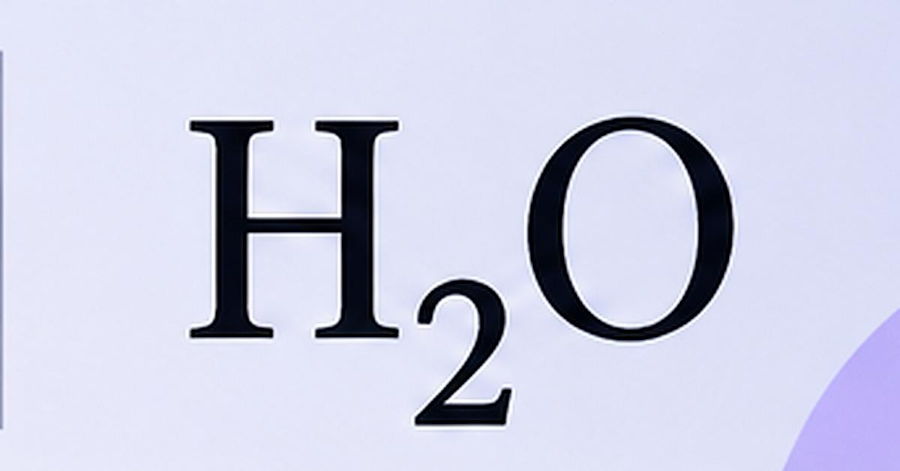
Need tiny raised or lowered characters for footnotes, formulas or bios? Findfont.ai's small text generator does that in one click.
Footnote markers, chemical formulas, ordinal numbers, trademark symbols, and playful bio decorations all rely on the same trick: characters that sit slightly above or below the normal line. In a word processor this is a single button, but in social bios, chat apps, and plain text fields that button simply does not exist.
That gap is what the small text generator from Findfont.ai fills. You type a phrase, and it returns small raised or lowered characters that can be pasted into almost any text box. It brings a little typographic precision to places that normally strip formatting away, and it does so without any software or setup.
This guide explains how tiny text works, where it is genuinely useful, what its limits are, and how to get clean results every time you use it.
What Small Text Really Is
Generated small text is not a different font. It is a set of real characters from the Unicode standard that happen to look like shrunken or raised versions of ordinary letters and numbers. Because they are characters rather than styling, they travel with your text when you copy and paste.
To understand the technical side, it helps to know that unicode superscript characters are separate code points, which explains why some letters have a tiny equivalent while others do not. That coverage gap is normal, and it is one reason results can vary from phrase to phrase.
One practical note: because these are characters rather than formatting, they can be searched, copied, and shared like any other text. That portability is what makes them so convenient for quick notes, messages, and profile details across many different platforms.
Everyday Uses for Superscript and Subscript
Superscripts are common for exponents like x squared, ordinal endings, footnote references, and trademark marks. Subscripts appear in chemistry, such as H2O and CO2, and in mathematics and programming notation. Outside academia, creators use both styles purely for aesthetic effect in names, captions, and short taglines.
Students can write quick formulas in a messaging app without hunting for special symbols. Small business owners can add a discreet note beside a product name. Writers can place a tiny reference marker in an email or newsletter that does not support rich formatting.
Using the Findfont.ai Small Text Generator
The workflow is straightforward. Paste your text into the tool, review the preview styles, and copy the one you want. Paste it into your destination, and you are done. Since everything happens in the browser, there is nothing to download and no learning curve to climb.
Try short inputs first. Numbers, common letters, and brief words tend to convert most cleanly. If a particular character does not have a tiny counterpart, you may see it remain at normal size, so always read the final result before publishing it.
When to Use HTML Instead
If you are building a web page, real markup is the better tool. Search engines and screen readers understand it, and it displays consistently. A reference on html subscript text shows how the sub element works for chemical formulas and similar notation on websites.
Use Findfont.ai for places where markup is impossible, such as bios, usernames, comments, chat messages, and status lines. Think of the two methods as partners: markup for your website, generated characters for everywhere else.
Tips for Clean, Readable Results
Keep it short. A single raised number or a brief tagline works well, while a full paragraph in tiny characters is exhausting to read. Choose clear contrast and avoid placing small text over busy backgrounds or photos.
Test your result on a phone. Tiny characters can render differently depending on the device and app, and a quick check prevents surprises. If the characters appear as empty boxes, the platform's font lacks support, and a different style or normal text is the safer choice.
A useful workflow is to type your formula or footnote in normal text first, check that it is correct, and only then convert it. This prevents typos from being hidden by tiny characters. After pasting, zoom in on your screen to confirm that every raised or lowered symbol landed in the right position.
Accessibility and Search Considerations
Assistive technologies may read generated characters inconsistently, and search engines generally prefer standard text. For that reason, never hide vital facts, prices, or contact information in small characters. Treat them as decoration or as a convenience for notation.
When clarity matters most, spell things out in normal text and let tiny characters add flavor on the side. This approach keeps your content friendly to every reader, which is good for both audience and reputation.
A good habit is to proofread your converted text by reading it back character by character. Tiny symbols are easy to misplace, and a wrongly raised digit can change a formula's meaning completely. A careful final check takes seconds and protects the accuracy of everything you share.
Final Thoughts
Raised and lowered characters are small details with outsized value. They make formulas readable, footnotes tidy, and bios more distinctive. With Findfont.ai, adding them takes seconds, whatever platform you happen to be using.
Whether you are a student labeling an equation, a writer adding a footnote marker, or a creator adding a tiny flourish to a bio, a dependable generator saves time and frustration. Keep it handy, use it with taste, and let your small details do big work for your readability and your style.
Frequently Asked Questions
Can I write chemical formulas with this tool?
Yes, in many cases. Numbers convert well to subscript, so formulas like H2O and CO2 can be written in plain-text fields where regular formatting is unavailable.
Why do some letters not convert to tiny characters?
The Unicode standard does not include a small version of every letter. Characters without an equivalent may stay at regular size in the output.
Will tiny text work in every app?
It works in most modern apps, but display can vary by device and platform. Preview it where you plan to publish before finalizing.
Is generated small text good for website content?
For websites, proper HTML markup is the better choice because it is more accessible and consistent. Use the generator for bios, chats, and plain text fields.

