

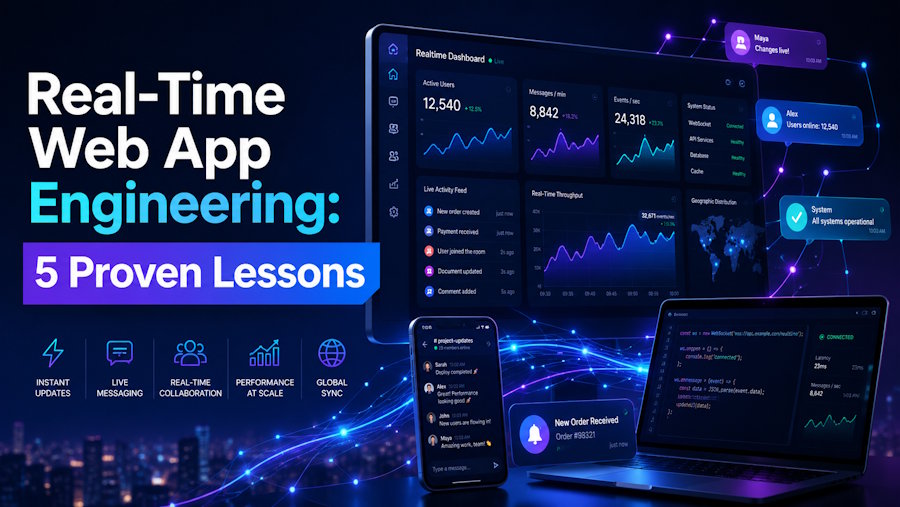
Real-time web apps look simple from the outside. A click here, an instant update there. Behind that simplicity sits some of the hardest engineering work in modern web development—connection management, state synchronization, latency budgets measured in milliseconds, and infrastructure that survives traffic spikes when 50,000 users hit "start game" within the same second.
I have built three real-time multiplayer applications over the past four years and studied the network behavior of half a dozen production EdTech platforms. The patterns that work are remarkably consistent. The patterns that fail are also remarkably consistent.
This guide pulls together the five engineering lessons that separate real-time apps that scale from real-time apps that crash. Each lesson includes the trade-off it solves, the platforms that demonstrate it well, and the implementation choices that actually matter in production. No theory without practice. No buzzwords without code.
What makes a real-time web app different from a regular one?
A real-time web app maintains a persistent server connection that pushes updates to clients within milliseconds, instead of waiting for the client to request fresh data. The defining constraint is end-to-end latency under 200ms for interactive experiences, which forces architectural decisions that ordinary request-response apps never need to make.
Three properties separate real-time apps from traditional ones.
Persistent connections. A request-response app opens and closes a TCP connection per request. A real-time app keeps a single connection open for the entire user session—often hours. This shifts the bottleneck from request throughput to concurrent connection count, which is a completely different scaling problem.
Server-initiated messages. In traditional apps, the server only speaks when spoken to. In real-time apps, the server pushes updates whenever state changes, regardless of whether the client asked. This requires durable connection identifiers, message acknowledgment, and reconnection logic that ordinary apps skip entirely.
Tight latency budgets. A 500ms page load feels fine. A 500ms delay between clicking an answer and seeing the leaderboard update feels broken. Real-time UX collapses below 200ms total round trip, which means every layer—network, serialization, database, business logic—needs latency awareness baked in.
Platforms like Kahoot, Quizizz, Blooket.it.com, and Slido demonstrate these properties at production scale. Each handles thousands of concurrent game rooms with sub-second answer propagation. Their architectures are not identical, but they share the same five engineering decisions discussed below.
How do you choose the right transport for a real-time web app?
The right transport depends on whether messages flow one direction or both, how many connections you need to support, and your existing infrastructure. WebSocket is the default for bidirectional real-time apps in 2026, Server-Sent Events work for one-way streaming, and HTTP long polling remains a fallback for restricted networks.
Here is how the three main options compare in real production use.
|
Transport |
Direction |
Best For |
Overhead |
Browser Support |
|
WebSocket |
Bidirectional |
Games, chat, collaborative editing |
~2 bytes per message frame |
All modern browsers |
|
Server-Sent Events (SSE) |
Server to client only |
Live feeds, notifications, dashboards |
HTTP overhead per message |
All modern browsers (limited on older IE) |
|
HTTP Long Polling |
Bidirectional via two requests |
Restricted corporate networks |
High (full HTTP per message) |
Universal |
|
WebTransport (QUIC-based) |
Bidirectional |
Future high-throughput streaming |
Lower than WebSocket |
Chromium-based, expanding |
WebSocket is the workhorse. The handshake upgrades a regular HTTP connection to a persistent bidirectional channel, then both sides exchange small framed messages. Libraries like ws (Node.js), Socket.IO, and Phoenix Channels (Elixir) wrap this into developer-friendly APIs.
Server-Sent Events wins when the client only consumes data. Stock tickers, log streams, notification feeds. SSE runs over standard HTTP, which means existing CDNs and load balancers handle it without special configuration. It is unfairly underused in 2026.
Long polling is the fallback. Some corporate networks block WebSocket upgrades. Socket.IO falls back to long polling automatically, which is part of why it remains popular despite the overhead. Pure ws implementations need a separate fallback strategy.
WebTransport is the future for high-throughput cases like multiplayer games and video streaming. Browser support is still expanding, so production deployments remain rare, but it is worth watching for 2027 architectures.
For most EdTech and quiz platforms, the answer is WebSocket with Socket.IO or raw ws. Bidirectional, fast, well-tested.
What are the 5 engineering lessons every real-time web app needs?
The five lessons are: separate transport from state, treat the server as the source of truth, design for reconnection from day one, scale horizontally with sticky routing or pub/sub, and optimize the perceived latency, not just the actual latency. Skip any of these and the app feels broken under real traffic.
Lesson 1: Separate transport from state
The biggest architectural mistake in real-time apps is coupling the WebSocket layer to the application state. When a user joins a game, the WebSocket handler should not directly mutate the game state. It should publish an event to a state layer—Redis, an in-memory store, a database—and let a dedicated state manager apply changes.
This separation is what enables horizontal scaling. If the WebSocket connection lives on server A but the state lives in a shared store, you can run as many WebSocket servers as you need without coordination.
The typical pattern in Node.js:
// WebSocket handler — only translates messages
io.on('connection', (socket) => {
  socket.on('answer', async (data) => {
    await redis.publish(
      'game-events',
      JSON.stringify({
        type: 'ANSWER_SUBMITTED',
        userId: socket.userId,
        gameId: data.gameId,
        answerId: data.answerId,
        timestamp: Date.now(),
      })
    );
  });
});

// State worker — owns the state mutation
redis.subscribe('game-events', async (message) => {
  const event = JSON.parse(message);

  if (event.type === 'ANSWER_SUBMITTED') {
    await gameStateManager.handleAnswer(event);
  }
});
This pattern shows up in every well-built real-time platform I have studied. The WebSocket layer is dumb. The state layer is smart. They communicate through events.
Lesson 2: Treat the server as the source of truth
Clients lie. Not maliciously, usually. Their clocks drift. Their network jitters. Their JavaScript can be modified through DevTools in 30 seconds. Any real-time app that trusts client-provided timestamps, scores, or state transitions will eventually be exploited or desynced.
The fix is the authoritative server pattern.
- All state-changing logic runs on the server
- The client sends intents ("I clicked answer B"), not outcomes ("My score is now 450")
- The server validates, applies, and broadcasts the result back to all clients
- Clients display whatever the server tells them to display
This is also why client-side timing for quiz answers is unreliable. A well-built quiz platform records the timestamp on the server when the answer arrives, not when the client claims it was clicked. The 50–80ms round-trip delay is fairer than trusting client timestamps that can be spoofed.
When I rebuilt one of my early real-time projects from a client-authoritative model to a server-authoritative model, the bug reports dropped by 70% within two weeks. Every desync, every cheating accusation, every "the leaderboard is wrong" complaint—they almost all stemmed from trusting the client too much.
Lesson 3: Design for reconnection from day one
Mobile networks drop. Wi-Fi switches between access points. Tabs sleep when backgrounded. Any real-time app deployed beyond a localhost demo will hit network interruptions constantly. Reconnection is not an edge case—it is the median user experience.
A working reconnection strategy handles three concerns.
Connection ID continuity. When the client reconnects, the server needs to recognize this is the same user resuming the same session. Use a stable session token, not the WebSocket connection ID, which changes on every reconnect.
Missed message recovery. During the disconnect window, the server pushed events the client never received. The reconnection handshake should include the last known event ID, and the server replays missed events. Without this, clients silently desync.
Exponential backoff. A client that aggressively reconnects every 100ms during an outage will hammer the server when it comes back online. Start with a 1-second delay, double on each failure, cap at 30 seconds. Add random jitter to prevent thundering herd.
Socket.IO handles most of this automatically. With raw ws, you implement it yourself. The amount of production traffic that depends on reconnection working correctly is genuinely shocking the first time you instrument it.
Lesson 4: Scale horizontally with sticky routing or pub/sub
A single Node.js process holds maybe 10,000–50,000 idle WebSocket connections before memory becomes a problem. For active connections with frequent messaging, expect closer to 5,000 per process. Beyond that, you need multiple processes—which immediately raises the question: how do connected users on different servers exchange messages?
Two patterns dominate.
Sticky session routing. All users in the same game room connect to the same server. The load balancer routes new connections by game ID. Messages within a room never leave that server. Simple, low-latency, fails badly when the server crashes (everyone in that room loses their session).
Pub/sub broadcasting. All servers subscribe to a shared message bus (Redis pub/sub, NATS, Kafka). When server A receives a message, it publishes to the bus, and all other servers that have subscribers for that room push it to their clients. Scales horizontally cleanly, costs an extra hop of latency (~5–15ms typically).
Most production EdTech platforms use a hybrid. Sticky routing for the WebSocket connection itself plus pub/sub for game state broadcast. This minimizes the latency cost while keeping the system resilient to single-server failures.
Real engineering data from open documentation: Phoenix Channels (the Elixir framework powering some EdTech backends) demonstrated 2 million concurrent WebSocket connections on a single server in lab tests. Production reality is usually 10–20% of lab numbers, but it gives you a sense of how far one process can scale with the right runtime.
Lesson 5: Optimize perceived latency, not just actual latency
The slowest 200ms of a real-time interaction is the part the user notices. A clever architecture makes the user feel that nothing is slow even when the underlying network is. This is perceived latency optimization, and it is the difference between a real-time app that feels magical and one that feels sluggish.
Three techniques carry most of the weight.
Optimistic UI updates. When the user clicks an answer, immediately show "Submitted!" before the server responds. Roll back only if the server rejects the action. Most server responses arrive within 50–100ms, so users rarely see the rollback. This pattern is everywhere in modern collaborative apps, including Figma, Linear, and most real-time quiz platforms.
Anticipatory pre-loading. If the user is about to need data, fetch it before they ask. When a quiz host opens the Blooket dashboard to monitor a live game, the platform prefetches student progress data while the host is still on the previous screen. By the time they look at the dashboard, the numbers are already populated.
Skeleton states and progressive rendering. Show structure immediately, fill in data as it arrives. A leaderboard skeleton with rank numbers and gray bars feels faster than a blank screen, even if the actual data arrives at the same time. Users perceive "something happened" within 50ms, which is far below the threshold of feeling lag.
The math: a 300ms server round-trip with optimistic UI feels like 0ms. A 150ms server round-trip with a blocking spinner feels like 150ms of nothing happening. The actual latency is half, but the perceived latency is infinitely worse.
This is the lesson most developers learn last and the lesson that most differentiates a fluid real-time app from a janky one.
What mistakes do developers make when building real-time web apps?
The biggest mistakes are coupling WebSocket logic to state mutation, trusting client timestamps, skipping reconnection logic, scaling vertically too long, and ignoring perceived latency. Each one looks reasonable in early development and breaks badly in production traffic.
Six failure patterns repeat across real-time projects I have reviewed.
Mistake 1 — Building the prototype with in-memory state only. Storing game state in plain JavaScript objects works fine until you scale to two servers. Then the architecture needs a rewrite. Start with a stateless WebSocket layer and shared state (Redis, even for the prototype). The cost of doing this on day one is hours. The cost of retrofitting it on day 90 is weeks.
Mistake 2 — Treating the database as the real-time store. Postgres is excellent. It is not a real-time message bus. Writing every game event to a primary database and pushing changes to clients on every database write will fall over under load. Use Redis (or NATS, Memcached, an in-memory store) for the hot path. Persist to Postgres asynchronously for durability.
Mistake 3 — Blocking on the wrong thing. A naive implementation processes WebSocket messages one at a time. A user with a slow handler blocks all other users on that connection. Use queues, worker pools, or per-room event loops to prevent one slow operation from starving the rest.
Mistake 4 — Ignoring the cost of broadcasting. A 1KB message to 5,000 connected clients is 5MB of outbound traffic per broadcast. Multiply that by 10 broadcasts per second and you have 50MB/s sustained throughput. Bandwidth costs are real. Compress messages, batch updates, and broadcast only what changed—not the full state on every update.
Mistake 5 — Skipping load testing. Real-time apps fail in completely different ways than request-response apps. Tools like artillery, k6, and Loader.io can simulate thousands of WebSocket clients. Run load tests before launch, not after the first incident. Production memory leaks under sustained 5,000-connection load show up nowhere else.
Mistake 6 — Premature optimization. All of the above advice should be applied when needed, not before. A weekend prototype does not need Redis pub/sub. A 50-user team chat does not need horizontal scaling. Know where the limits live, but do not build for traffic you do not have. The right time to add complexity is when the metrics demand it.
FAQs
What is the best WebSocket library for Node.js in 2026?
The two leading options are ws (low-level, fast, no built-in fallbacks) and Socket.IO (high-level, includes long polling fallback, broadcasting helpers, and room management). Pick ws for maximum performance and modern browsers. Pick Socket.IO when you need fallback transports, room broadcasts, or built-in reconnection handling.
How many concurrent WebSocket connections can a single Node.js server handle?
A well-tuned single Node.js process can hold 50,000–100,000 idle WebSocket connections but only 5,000–15,000 active connections under heavy messaging. The bottleneck shifts from connection count to event loop saturation. For higher concurrency, scale horizontally or consider Elixir's Phoenix Channels, which scales further per process.
Should I use WebSocket or Server-Sent Events for live notifications?
Use Server-Sent Events for one-way notifications. SSE runs over standard HTTP, requires no protocol upgrade, works through most corporate proxies, and uses less server resources than WebSocket. Choose WebSocket only when the client also needs to send frequent messages back to the server, like in chat or multiplayer game apps.
How do I handle WebSocket security in production?
Always use wss:// (TLS-secured WebSocket) in production. Validate the origin header to prevent cross-site WebSocket hijacking. Authenticate the connection during the initial handshake using a session token, not just on subsequent messages. Rate-limit messages per connection to prevent abuse. Keep the maximum payload size capped.
Is Socket.IO still relevant in 2026 with native WebSocket support everywhere?
Yes, for specific use cases. Socket.IO adds value when you need cross-browser fallbacks, automatic reconnection, room broadcasting, or namespaces. Its overhead is roughly 30% higher than raw WebSocket, but it saves engineering time on common patterns. For greenfield projects targeting modern browsers, raw ws plus a thin abstraction is often a better fit.
How do I test a real-time web app locally?
Use tools like wscat for manual WebSocket testing, Postman (which now supports WebSocket connections), and browser DevTools' Network tab with the WS filter to inspect frames. For automated testing, libraries like socket.io-client in test mode work well. For load testing, artillery and k6 both support WebSocket scenarios at scale.
What is the typical latency budget for a real-time quiz app?
A working quiz app needs end-to-end answer-to-leaderboard latency under 500ms to feel responsive, with under 200ms being the gold standard. Network alone usually consumes 30–80ms, leaving 120–170ms for server-side processing and broadcasting. State writes, validation, and pub/sub propagation all need to fit inside that budget.
Should I build my own real-time backend or use a managed service?
Managed services like Ably, Pusher, and Cloudflare Durable Objects handle the hardest infrastructure problems for a per-message fee. Build your own when costs at scale exceed managed service pricing, when you need custom protocol behavior, or when latency requirements exceed what managed services guarantee. Most teams under 100,000 concurrent connections benefit from managed.
Closing thoughts
Real-time web app engineering is one of the few areas where architecture choices made on day one survive for years. The patterns above—stateless transport layers, server-authoritative logic, reconnection-aware clients, horizontal scaling with pub/sub, perceived latency optimization—appear in every production real-time platform I have studied. Skip any one of them and the system will eventually buckle under traffic it should have handled.
Start with a small slice. Build a single chat room or a quiz with 10 players. Get the architecture right at that scale before adding any complexity. The patterns scale up; the bad shortcuts do not.
The real-time web is not a beginner project, but it is also not magic. Every production platform you admire was built by developers solving the same five problems above. Read their public engineering blogs, instrument your own apps with care, and the rest follows.

