

Image generation APIs have been around long enough that most developers know the drill by now: send a prompt, get back a picture, done. Video is a different story. Longer clips, audio syncing, and camera consistency across a scene are all much harder problems, which is why most "AI video" features in production apps have felt limited until recently.
ByteDance's Seedance 2.5 is one of the models pushing that forward, and it is a good example of what is now possible to build with a single API call instead of a research team.
What Seedance 2.5 actually does
Seedance 2.5 generates a single continuous video clip up to 30 seconds long in one pass, rather than stitching together several shorter generations. Because the whole clip is produced with one continuous context, motion, lighting, and character identity stay consistent instead of drifting every time a cut happens.
A few other things worth knowing if you are considering it for a project:
- It accepts up to 50 multimodal references in one generation, meaning you can combine reference images, short video clips, and audio to pin down a character, a product look, a brand palette, or a specific camera style.
- Audio is generated in the same pass as the video, not dubbed on afterward, so music, sound effects, and dialogue stay in sync with what is on screen.
- It renders at up to 4K with 10-bit color, and supports region-level editing, meaning you can change one part of a frame while the rest stays visually stable.
- Camera direction, like pans, dollies, and focus changes, can be described directly in the prompt, and the model keeps the subject consistent across those movements.
This is a meaningfully different tool than a typical text-to-clip model, and it is aimed at use cases like product videos, short-form marketing content, and serialized video where consistency across the output actually matters.
Accessing it through an API
Seedance 2.5 is not something most teams will self-host. Like most current-generation video models, it runs on infrastructure well beyond what makes sense to manage in-house. The practical path is to call it through an API.
Apiframe provides access to Seedance 2.5 alongside other image, video, and audio models through a single unified endpoint. Instead of setting up a separate integration for every model you want to experiment with, you authenticate once and switch models by changing a parameter in the request body. The Seedance 2.5 API page documents the full parameter set if you want to see everything it supports.
Making a request
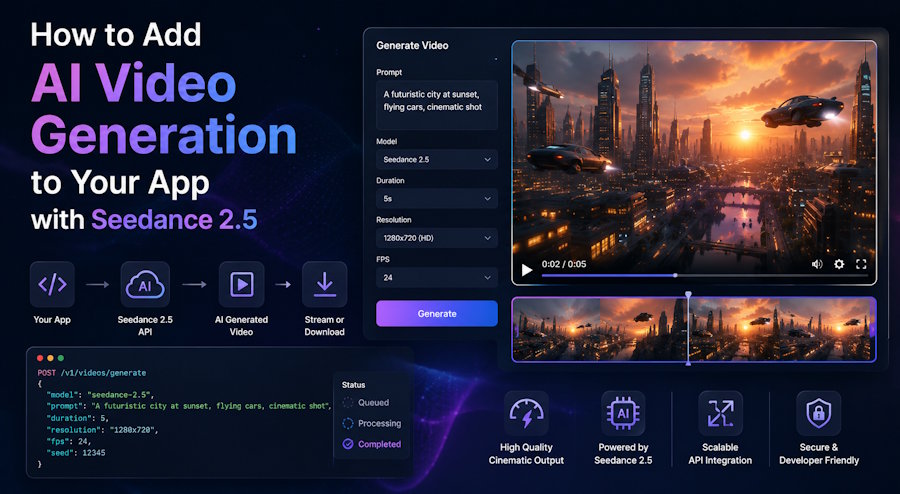
Generation happens asynchronously. You submit a job, get a job ID back, and either poll for the result or receive it through a webhook once it is done.
curl -X POST "https://api.apiframe.ai/v2/videos/generate" \
  -H "X-API-Key: YOUR_API_KEY" \
  -H "Content-Type: application/json" \
  -d '{
    "prompt": "a cinematic sunrise over a futuristic cityscape, smooth camera push-in",
    "model": "seedance-2.5",
    "seedanceParams": {
      "resolution": "720p",
      "generate_audio": true
    }
  }'
A successful submission returns a 202 response with a job ID and a status of queued:
{
     "jobId": "b2c3d4e5-f6a7-8901-bcde-f23456789012",
     "status": "QUEUED"
}
From there you can poll the job endpoint until the status changes to completed:
curl https://api.apiframe.ai/v2/jobs/JOB_ID \
      -H "X-API-Key: YOUR_API_KEY"
Once the job finishes, the result field contains the output video URL. If you register a webhook URL in the original request instead, you skip the polling loop entirely and your server gets notified directly.
A few practical notes
The resolution parameter accepts 480p, 720p, or 1080p, so pick based on what your use case actually needs rather than defaulting to the highest option, since cost scales with output. Reference images and reference videos are optional but useful any time you need the output to match an existing character, product, or scene rather than generating something from scratch. And because billing is per second of generated video, it is worth testing at a shorter duration before generating a full 30-second clip in production.
Wrapping up
Models like Seedance 2.5 make video generation practical for use cases that were not realistic a year ago, mainly because the consistency problem that used to require heavy post-processing is now handled inside the generation itself. If you are exploring video generation for a product, testing it through an API is a much faster way to evaluate fit than trying to run the model yourself.

