

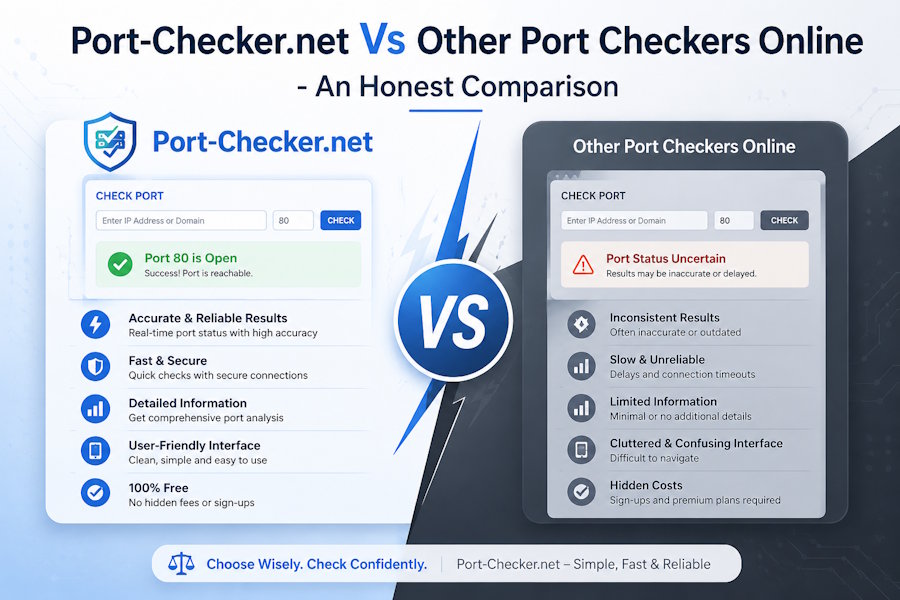
Overview of Port Checker with Other Tools
Before we move forward to discussing the difference, let's just have an overview of port-checker.net and other port checking tools.
Port-Checker.net
Port checker is an advanced online port checking tool. It is built for users who want more than basic open or closed port results. It contains IPv4 and IPv6 detection. You can also manually add an IP address. This tool supports both TCP and UDP.
Besides this, you can check multiple ports at the same time. You can see predefined port type categories and a library of common ports in this tool. It helps users to choose the relevant port numbers with just a single click. Now you don’t need to enter port numbers manually.
Other Port Checkers
There are various port checkers available. These check only the basic connectivity. Users enter an IP address, give a single port number and click the “check” button. This information is usually sufficient for simple troubleshooting. But these tools lack advanced configuration.
Tools like canyouseeme.org, yougetsignal.com, portchecker.co, dnschecker.org etc work on the same functionality. These port checkers provide little customization. For professionals, these limitations make other port checkers less practical than the advanced port-checker.net tool.
Port-Checker.net vs Other Tools - Detailed Analysis
port-checker.net and other port checkers are different in so many ways. Their functionalities and features are very different. Below is the detailed analysis of this tool. You can go through it and determine how this tool is different from others.
IPv4 and IPv6
Most online port checkers focus on IPv4 or they require users to manually find the protocol that they want to check. Port checker.net has simplified this process. It supports both IPv4 and IPv6. Users can view their public IPv4 or IPv6 address instantly. This makes the tool perfect for modern environments.
Nowadays IPv6 adoption is increasing gradually. Instead of just relying on IPv4, developers and administrators can validate connectivity across both protocols from a single interface. This feature is valuable for organizations that are transitioning to IPv6 and cloud deployments etc.
Use Detected IP or Add Manually
Mostly port checkers only offer a basic text field. In this field, users can manually enter an IP address and a port number. port-checker.net provides flexibility with convenience. It supports both automatic detection and manual input. This means you can either use the detected IP address or add your own IP address you want to detect. This helps users to start testing immediately.
Moreover, it also allows manual entry of IPv4 and IPv6 addresses. The tool will automatically detect it and give you the option to detect it. Hence, this is helpful for users to test remote servers, cloud instances or hosted services.
Port Category Selection
Other tools require users to remember port numbers to detect them. But Port-checker.net provides predefined port types. These include Server ports, Game ports, Application ports, and P2P ports. Choosing any category adds the relevant port numbers automatically into the input field. This reduces manual work and minimizes the chance of adding incorrect values.
This feature is particularly important when testing multiple ports. Instead of searching port numbers, users can select from the given category. The other port checkers do not provide this functionality. They just expect users to know the port numbers that they want to test.
Common Ports Library
In other port checkers, you need to add every port number manually. port-checker.net provides a dedicated common ports section. It features frequently used services such as DNS (53), HTTP (80), HTTPS, FTP (21), SSH (22), SMB (445), SNMP (161), Telnet (23), NTP (123), and many others.
Selecting any of these options adds the selected port into the checker. This makes routine testing considerably faster. This feature is valuable for experienced administrators as it makes troubleshooting far more efficient.
Choose TCP Or UDP Scanning
Many available online port checkers only support TCP testing. While port-checker.net allows its users to select TCP or UDP. Users can select any protocol before starting the scan. There are many applications that depend on UDP. So, the availability of both options allows users to select the option they want.
This feature allows you to check protocol specific issues in the same tool. Users can simply select TCP and UDP in the same interface. Hence, troubleshooting becomes faster and more accurate than traditional single protocol port checkers.
Version Scan
Most of the online port checkers stop just after reporting the port status. They leave this to users to find the running service on their own. But port-checker.net doesn’t leave all this work to users. Besides checking an open or closed port, Port-Checker.net provides an optional Version Scan feature.
This performs a deeper analysis of supported services. When enabled, it tries to determine the software or service responding on an open port. Therefore, it provides vital information that basic connectivity tests cannot deliver.
Multiple Country Port Testing
Other online port checkers scan from only a single server location. They have no option to customize the source of the test. On the other hand, Port-Checker.net allows users to check ports from multiple geographical locations. You can select the United States, United Kingdom, Germany, and India from the checker.
Users can select one or more locations before running the scan. It enables them to verify how their services are accessible from different parts of the world. This is particularly useful for identifying region specific firewall rules, ISP routing issues, CDN configurations or geo based network restrictions. Because of this difference Port-Checker.net becomes a significantly more versatile solution for global connectivity testing.
Side by Side Comparison of Port-Checker.net with Other Online Port Checkers
The thorough comparison of port-checker.net is already described earlier. Now let’s do a side by side comparison:
| Features | Port-Checker.net | Other Port Checkers |
|---|---|---|
| Automatic IP Detection | Available | Available in some checkers |
| IPv4 Support | Available | Available |
| IPv6 Support | Available | Not available on the majority of tools |
| TCP Port Testing | Available | Available |
| UDP Port Testing | Available | Not available on the majority of tools |
| Version Detection | Available | Single port only |
| Hostname Support | Available | Limited |
| Registration not required | Available | Usually |
| Available on Browser | Available | Available |
| Bulk Port Scanning Option | Available | Rarely Available |
What You Need to Remember About Any Port Checker
Whether you use port-checker.net or other port checkers, always remember that some factors can have a direct influence on the results. These factors are firewalls, router port, ISP restrictions, and NAT configurations.
Therefore, a closed port doesn't mean the port checker has a problem. It is important to verify whether the target service is running and reachable or not.
Final Words
There are many port checkers available nowadays. But what's the point of having so many port checkers if everyone is doing the same thing? port-checker.net stands out from all these port checkers because of its advanced features. It supports TCP and UDP, IPv6 compatibility, bulk port testing and much more.
If you just want a port check, many port checkers are available online. But if you are troubleshooting networks, managing servers or validating multiple services, port-checker.net offers additional functionality. It not only saves time but also simplifies diagnostics.

