

Algolia earned its position. Fast responses, sensible defaults and an API that does not fight you made it the obvious choice for a decade of engineering teams shipping search.
The problem arrives later, and it usually arrives on an invoice.
Algolia bills on records and searches. That model is predictable at 50,000 records and unpredictable at 5 million. Teams crossing 100,000 records or scaling query volume routinely find their search line item growing faster than the traffic driving it, and forecasting the next year becomes guesswork. Reviewers on G2 make the point repeatedly: the cost structure is not always immediately clear, which makes it harder to forecast as projects grow.
Cost is the loudest reason teams evaluate alternatives. It is rarely the only one. No self-hosting option means no data sovereignty story for regulated workloads. A proprietary ranking stack means limited visibility into why a result placed where it did. And teams building retrieval-augmented generation or semantic features increasingly want vector search as a first-class capability rather than an add-on.
This guide covers ten credible alternatives, what each is genuinely good at, and how to match one to your constraints.
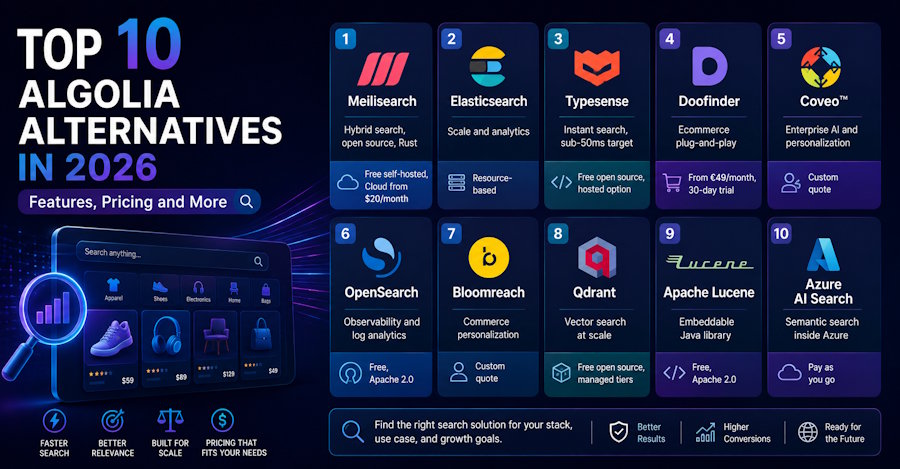
Quick comparison
| Alternative | Key strength | Pricing model |
|---|---|---|
| Meilisearch | Hybrid search, open source, Rust | Free self-hosted, Cloud from $20/month |
| Elasticsearch | Scale and analytics | Resource-based |
| Typesense | Instant search, sub-50ms target | Free open source, hosted option |
| Doofinder | Ecommerce plug-and-play | From €49/month, 30-day trial |
| Coveo | Enterprise AI and personalization | Custom quote |
| OpenSearch | Observability and log analytics | Free, Apache 2.0 |
| Bloomreach | Commerce personalization | Custom quote |
| Qdrant | Vector search at scale | Free open source, managed tiers |
| Apache Lucene | Embeddable Java library | Free, Apache 2.0 |
| Azure AI Search | Semantic search inside Azure | Pay as you go |
1. Meilisearch
Meilisearch is an open-source search engine written in Rust, built to deliver Algolia-class speed and relevance without per-request billing complexity.
The architectural difference that matters most is deployment choice. You can self-host Meilisearch for free with the full search feature set available, including hybrid search, or run Meilisearch Cloud for a managed experience. Search capability is not gated behind the paid tier, which is the distinction that matters for most evaluations.
Cloud adds managed infrastructure on top, including monitoring, automatic upgrades and region selection, so the difference is in how you run the engine rather than what the engine can do. That distinction is the reason most teams end up on this list in the first place, because it means the open-source path is not a stripped demo of the paid product.
Key features: hybrid search combining semantic and full-text retrieval, typo tolerance, federated search across multiple indexes, faceted search, multi-tenancy through tenant tokens, and geosearch. AI embedders let you generate vector embeddings through a third party or submit locally generated ones.
Performance in practice: Symfony parses, creates and indexes all of its documentation in 17 seconds, which it could not achieve previously. Minipouce.fr moved from Algolia and has since seen 5x growth in search volume, with its co-founder citing lower infrastructure maintenance as a direct benefit of the Rust codebase.
Where it fits: developers who want Algolia-like speed without recurring per-search costs. Startups and scaleups needing production-ready search without heavy infrastructure overhead. Teams with compliance or data sovereignty requirements that need self-hosting. And teams evaluating enterprise AI search platforms that want hybrid search, semantic relevance and deployment flexibility in the same product.
Limitations worth knowing: The Cloud dashboard offers less visibility than some competitors, and users have asked for more sophisticated tooling there. There is no automatic autocomplete suggestions index out of the box, so you build that layer yourself. And the pricing model can work against teams with very large indexes but low search volume, since cost tracks resources rather than queries.
Pricing: self-hosted is free. Meilisearch Cloud starts at $20 per month with usage-based or resource-based billing, plus a 14-day free trial. Enterprise plans are custom priced and cover SSO, SOC 2 compliance, advanced analytics, personalization, SLA commitments and dedicated support.
If you are working through a broader shortlist, Meilisearch maintains a detailed comparison of algolia alternatives covering features, pricing and user reviews across the category.
2. Elasticsearch
Built on Apache Lucene, Elasticsearch is the default answer when search and analytics need to live in the same system.
It scales horizontally, handles complex queries, and supports autocomplete, synonyms and relevance-based scoring alongside real-time data analysis. For teams already running observability workloads, consolidating search into the same cluster has obvious appeal.
Trade-offs: it is resource intensive and will strain CPU under load, the learning curve is steep, and the pricing model draws consistent criticism for being hard to forecast. Elastic Cloud Hosted uses resource-based pricing, with usage-based billing on Serverless.
Best for: teams with dedicated infrastructure capacity and analytics requirements alongside search.
3. Typesense
Typesense is the closest philosophical match to Algolia in this list. Open source, optimized for instant sub-50ms searches, and deliberately simpler than Elasticsearch.
Typo tolerance is built into the core rather than configured. Multi-tenant API keys let you scope access per user or store multiple tenants in one index. Merchandising lets you pin specific records into fixed positions.
Trade-offs: analytics are limited, users report gaps in multi-language support, and the third-party ecosystem is smaller than the incumbents.
Best for: startups wanting minimal operational overhead, and internal tools where quick setup matters more than depth.
4. Doofinder
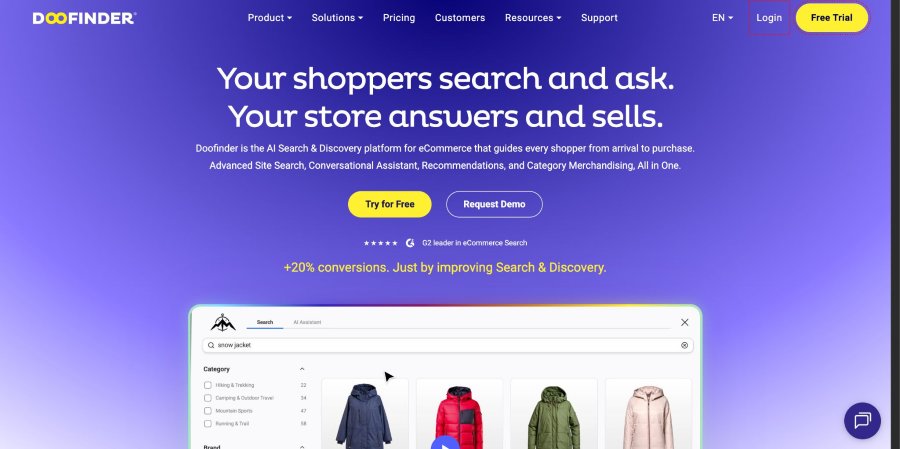
Doofinder is a commerce-first search layer rather than a general-purpose engine, and it is honest about that.
The search bar handles spelling errors, jargon, synonyms and image or voice input. Product discovery surfaces recommendations through customizable carousels. Setup is genuinely plug-and-play across Shopify, BigCommerce and WordPress.
Trade-offs: users consistently flag pricing as high relative to alternatives, customization is limited, and performance can lag under some conditions.
Pricing: Basic starts at €49 per month for 10,000 search requests, with Pro at €149 for 150,000 and Advanced at €349 for 400,000. All plans include a 30-day trial with no card required, and annual billing takes 10 percent off. Billing tracks search requests rather than catalog size, which is what drives the cost complaints from high-traffic stores.
5. Coveo
Coveo sits at the enterprise end, combining search with generative answering, deep personalization and advanced analytics.
Its differentiator against Algolia is unified search across sources, aggregating and indexing content from knowledge bases, commerce catalogs and SaaS tools into one experience. Integrations cover ServiceNow, Sitecore, Zendesk and SAP.
Trade-offs: a real learning curve, occasional indexing issues reported by users, and pricing that smaller teams find inflexible.
Best for: enterprises with complex content ecosystems and support organizations.
6. OpenSearch
The Apache 2.0-licensed fork of Elasticsearch, community-driven and free.
OpenSearch covers full-text search with filtering, querying and ranking, but its center of gravity is observability. Performance monitoring, threat intelligence and interactive dashboards are where it earns its place.
Trade-offs: users report occasional outages and slow query response, dashboard creation has limitations, and it requires specialized knowledge.
Best for: AWS-native teams building log analytics platforms alongside search.
7. Bloomreach

A digital experience platform rather than a search engine, blending real-time customer and product data with AI-driven personalization and a headless CMS.
Trade-offs: setup and installation take time, the interface is not intuitive, and users report missing templates for specific use cases.
Best for: mid to large commerce organizations wanting personalization and search in one platform.
8. Qdrant
If your requirement is vector search specifically rather than keyword search with vectors attached, Qdrant is purpose-built for it.
It handles billions of vectors with GPU acceleration, dynamic filtering for complex queries, and a flexible recommendation API. RAG support and AI agent infrastructure are first-class rather than bolted on.
Trade-offs: no integrated visualizations, an initial learning curve, and it is resource intensive for smaller teams.
Pricing: open source under Apache 2.0. Managed cloud includes a permanent free tier with a 1GB cluster and no card required, then resource-based billing tied to compute, memory and storage.
Best for: teams building vector-native applications where semantic retrieval is the primary workload.
9. Apache Lucene
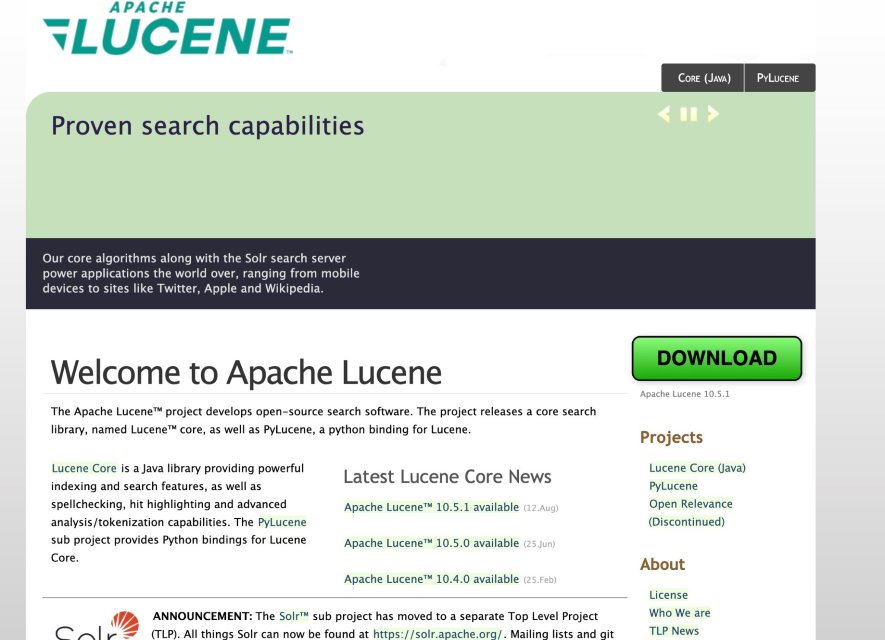
Lucene is the library underneath Elasticsearch, OpenSearch and Solr. Choosing it directly means building your search application rather than configuring one.
You get full-text search with keyword matching, phrase and wildcard queries, fully customizable ranking, and multilingual support. Under Apache License 2.0 there are no fees at all.
Trade-offs: documentation is scattered, index maintenance is genuinely difficult without experience, and you are implementing capabilities that other tools provide out of the box.
Best for: Java teams needing deep control and willing to own the complexity.
10. Azure AI Search
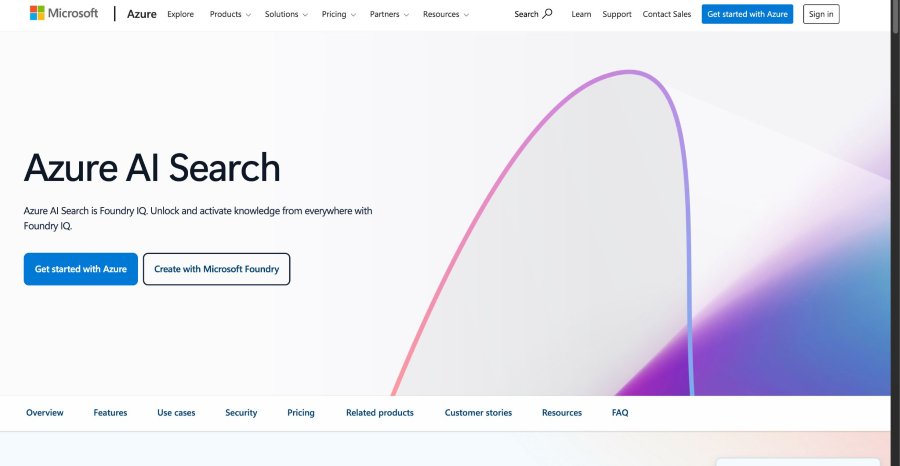
A fully managed Microsoft service pairing traditional search with semantic understanding and customizable indexing.
The case for it is almost entirely about the ecosystem. If your data, identity and compliance already live in Azure, the integration story is hard to beat.
Trade-offs: complex queries can return generic results, support responsiveness draws criticism, and integrations outside Azure are limited.
Pricing: 30-day free trial, then pay as you go across search units, storage and AI features.
How to evaluate an alternative
Model your cost against the right axis
Record count and query volume scale independently, and pricing models treat them very differently.
Per-record pricing punishes large catalogs regardless of traffic. A product catalog of five million SKUs with modest search volume pays for every record whether anyone queries it or not. Resource-based pricing inverts that, charging for the compute and memory needed to hold the index and serve queries, which favors large but quiet indexes and penalizes small indexes under heavy load.
Work out which shape you are before comparing prices. Take your record count, your average and peak queries per second, and your expected growth over eighteen months, then price each option against all three. The engine that looks cheapest at current volume is frequently the expensive one at projected volume, which is exactly how teams end up migrating twice.
Watch for the secondary charges too. Indexing operations, API calls beyond search, and analytics retention are all billable on some platforms and free on others.
Measure latency where your users experience it
Vendor benchmarks quote engine time. Users experience total round trip.
Instrument p50, p95 and p99 separately, because averages hide the failures that matter. A p50 of 8ms with a p99 of 400ms is a worse experience than a flat 40ms, since the slow tail lands disproportionately on complex queries from your most engaged users.
Then separate engine time from network time. If your index sits in a region distant from your users, geography will dominate your latency budget no matter which engine you pick. Self-hosting solves this by letting you place instances close to traffic. Managed services solve it through region selection, which may or may not cover the regions you need.
Test under realistic concurrency. Single-query benchmarks tell you almost nothing about behavior at a hundred concurrent searches with faceting applied.
Understand how typo tolerance is implemented
Every engine claims typo tolerance. The implementations differ in ways that show up on real queries.
Most use edit distance, allowing one correction on shorter words and two on longer ones, with thresholds that are usually configurable. What varies is whether typo tolerance applies to prefix matches during as-you-type search, whether it can be disabled per attribute, and how corrected matches rank against exact ones.
That last point matters most. An engine that ranks a two-edit fuzzy match above an exact match on a less important field will produce results that feel wrong even though the matching worked. Test with deliberately misspelled queries from your real logs rather than invented examples.
Check faceting behavior at your cardinality
Faceted search performs well on low-cardinality attributes such as category or brand. It degrades on high-cardinality ones, and the threshold varies significantly between engines.
If you need facet counts across attributes with thousands of distinct values, benchmark that specifically. Also check whether the engine supports disjunctive faceting, where selecting one value still returns accurate counts for the others in that group, because implementing it yourself is unpleasant.
Evaluate hybrid search on the details, not the label
Hybrid search combines keyword and semantic retrieval, and the label hides several decisions worth interrogating.
Ask which embedding models are supported, whether you can bring your own locally generated vectors, and where inference runs. Meilisearch supports both third-party embedders and locally generated embeddings, which matters if your data cannot leave your infrastructure.
Ask how the two result sets are merged. Some engines expose a tunable semantic ratio letting you weight keyword against vector matching per query, which is useful because the right balance differs between a product search and a documentation search. Others merge with a fixed strategy you cannot adjust.
Then confirm whether hybrid search is available on the tier you plan to use. On self-hosted Meilisearch, hybrid search is included rather than reserved for a paid tier. Several competitors reserve it for paid plans, which changes the economics of the open-source route entirely.
Plan multi-tenancy before you index anything
Multi-tenant applications have two viable patterns and choosing wrong is expensive to undo.
Separate indexes per tenant give hard isolation and simple deletion, but index count becomes an operational and cost problem past a few hundred tenants. A shared index with scoped access keys gives one index to maintain and better memory efficiency, at the cost of relying on correct filter enforcement.
Meilisearch handles the second pattern through tenant tokens, which embed the filter in a signed key so the client cannot widen its own scope. If you are building SaaS, verify this capability exists before committing rather than discovering it during implementation.
Size the memory footprint honestly
Search engines are memory-hungry, and self-hosting means owning that.
Index size in memory typically exceeds raw document size, sometimes considerably, depending on how many attributes are searchable, filterable and sortable. Every additional filterable attribute adds structure. Marking everything searchable is the most common self-hosting mistake and the fastest route to an oversized instance.
Index a representative sample, measure actual memory use, then extrapolate. Do that before choosing an instance size, not after.
Rehearse the migration
Switching providers means reindexing, and reindexing is where timelines slip.
Plan for a full reindex, a relevance tuning pass and a parallel running period. Run both engines against production traffic simultaneously, compare result sets on your top thousand queries, and only cut over when the differences are ones you have deliberately accepted.
Check the integration surface early. Most options here expose a REST API with client libraries across JavaScript, Python, PHP and .NET, so the code changes are usually modest. Confirm your specific framework is covered rather than assuming, particularly if you run on a commerce stack, since search integration quality varies widely across e-commerce platforms and a missing official plugin can add weeks.
Test relevance with your own data
This is the step teams skip and then regret.
Vendor demos use datasets chosen to perform. Index a representative slice of your real catalog, replay your actual query logs, and compare results side by side. Score them against known-good outcomes rather than impressions.
One structured approach: take your two hundred highest-volume queries, define the correct top result for each, then measure how many each engine gets right before any tuning. That single number tells you more than every feature matrix combined, because it measures out-of-the-box relevance, which is what you will live with unless you have someone dedicated to ranking work.
Weigh community against a support contract
Open-source projects offer transparency, active forums and the ability to read the ranking code when behavior surprises you. Commercial platforms offer someone accountable to call.
Teams without dedicated search expertise consistently underestimate how much they will need the second. If nobody on your team can debug a ranking issue at 2am, that is an argument for a managed tier regardless of how good the open-source option looks.
Frequently asked questions
What is the best open-source Algolia alternative?
It depends which part of open source matters to you. Meilisearch is the strongest all-rounder, since hybrid search, typo tolerance and the full search feature set are available on self-hosted deployments without paid-tier gating. Typesense wins on raw instant-search simplicity, OpenSearch on distributed log analytics, Qdrant on pure vector workloads and Lucene if you intend to build the search layer yourself.
Why do teams switch from Algolia?
Billing predictability is the most common trigger. Per-record and per-search pricing scales in ways that are difficult to forecast once catalogs pass a few hundred thousand records. Behind that sit three structural reasons: no self-hosting option for data sovereignty requirements, limited visibility into the ranking stack, and vector search that arrived later than teams building retrieval pipelines needed it.
Is there a genuinely free alternative to Algolia?
Several, though free, means different things. Meilisearch, Typesense, OpenSearch, Qdrant and Lucene are all usable at zero license cost. The distinction worth checking is whether the free path is feature-complete. Meilisearch makes its search features available on self-hosted deployments, hybrid search included, with Cloud adding managed hosting and monitoring rather than unlocking search capability.
Which alternative handles vector and semantic search best?
For dedicated vector workloads at scale, Qdrant. For hybrid search combining semantic and full-text retrieval in one engine, Meilisearch, where hybrid search is available on self-hosted deployments rather than reserved for a paid plan.
Does switching search providers require reindexing everything?
Yes, in practice. Every platform here uses its own index format and ranking configuration, so plan for a full reindex, a relevance tuning pass and a period of running both systems in parallel before cutover.
Choosing the right fit
There is no single best Algolia alternative, only the one that resolves the constraint that brought you here.
If unpredictable billing is the problem, look at resource-based or self-hosted models. If data sovereignty is the problem, self-hosting narrows the field fast. If AI-native retrieval is the problem, evaluate hybrid search seriously rather than treating vectors as a feature checkbox.
For most engineering teams weighing all three at once, Meilisearch is the strongest starting point. Open source in Rust, hybrid search available when self-hosted, and a managed Cloud option adding analytics and monitoring when you would rather not run it yourself.
Whatever you shortlist, index your real data and run your real queries before you migrate. The engine that wins on paper is not always the one that wins on your catalog.

