

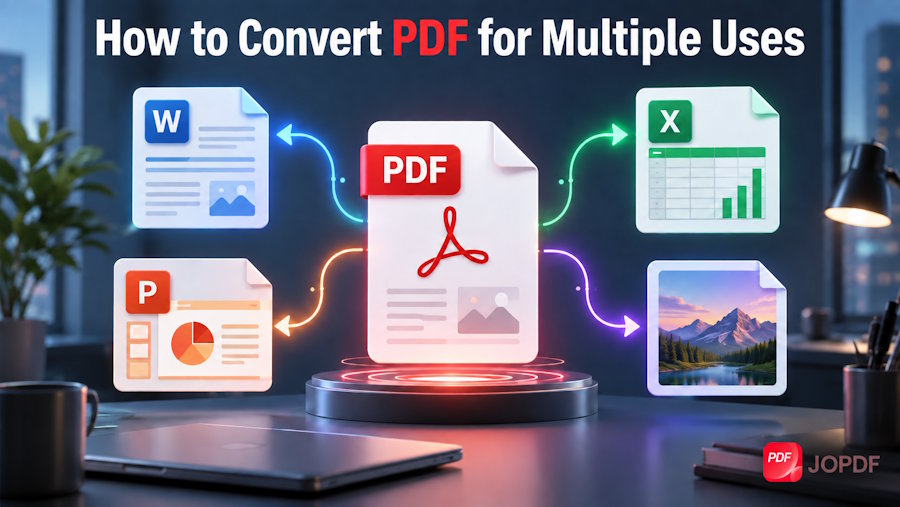
PDF documents are commonplace in the business industry. The manuals, service records, lease agreements, warranty cards - all of these materials reach mechanics, dealers, and customers in this format. The problem arises when something needs to be changed, data needs to be extracted, or the file needs to be transferred in a different format.
Many people treat converting PDFs to other formats as a one-time task. However, in the daily work of a workshop or salon, the need to convert PDFs online arises frequently. Sometimes it's a Word file for editing, another time an Excel spreadsheet with technical data, or sometimes an image for a presentation. Each of these situations requires a different approach and knowledge of available tools. This article shows how to effectively convert PDFs to various formats, depending on your needs.
Why file format matters to the recipient
Different departments within a company use the same documents in different formats, depending on the task. A DOCX file allows for editing the service manual while updating the content. An XLSX spreadsheet is useful for analyzing repair cost breakdowns or financial reports. A PPTX file is suitable for preparing presentations for clients or management.
An example of its use is when a service manual arrives at a workshop as a PDF. It is then converted to an editable Word format for updating the content. When cost analysis or the preparation of a table of numerical data is required, the PDF document is converted to Excel. Each format serves a different purpose.
The format determines what the recipient can do with the file. DOCX is suitable for editing text and tables. XLSX is useful for numerical data and summaries. PPTX is suitable for reports and presentations.
How to convert PDF online
To convert PDFs without installing software, all you need is a web browser. Simply rely on an online converter tool, drag and drop the PDF file onto the page, select the target format, and download the finished result. The entire process takes just a few minutes.
Some tools work on both computer and phone, allowing you to perform conversions anywhere. Basic functionality is available without creating an account if standard conversions are sufficient. Online solutions provide quick access to tools without the need to download additional software.
A good online tool preserves the document's layout. Tables, headings, and page layout remain the same after conversion as in the original file. Correct data layout is especially important for technical documents. If the file security is your concern, you can still rely on a free desktop PDF program such as JOPDF.
Conversion to Word, Excel and PowerPoint formats - what's worth knowing?
Converting PDF to DOCX works best with documents that are clearly structured. Text, tables, and headings are usually transferred well. With more complex graphical layouts, the result may require minor manual adjustments.
When converting PDF to XLSX, tools using OCR technology provide the highest accuracy. In typical automotive situations, this feature allows you to process scanned tables from vehicle acceptance reports. The result is an Excel file in which you can sort, filter, and analyze information about repairs or parts lists.
Converting PDF to PPTX is useful for technical reports or client presentations. Slides from the PDF are transferred as separate pages. Layout is preserved, although fonts and graphics should be checked after conversion.
Convert PDF to Image and Back When It Makes Sense
JPEG, PNG, and TIFF formats are used for archiving documents and technical images. Documentation at a service center or automotive company includes photos of vehicle damage or scans of diagnostic reports. These image files can be converted to PDF for archiving or forwarding technical documentation.
The reverse conversion, from photo or scan to PDF, is equally practical. A scan of the signed lease agreement becomes a PDF file ready for archiving or emailing.
It's also worth mentioning OCR, which recognizes text from scans. This feature allows a scanned document to become a searchable text file. This is especially useful for older manuals that only exist in paper form.
Privacy and Security for Online Conversions
When uploading a file to an online tool, it's a good idea to check what's happening with it. Trusted converters often automatically delete uploaded files after a certain period of time. According to the GDPR, personal data should be processed in a way that minimizes risk and stored no longer than necessary.
In the business industry, documents often contain personal data. Lease agreements, vehicle acceptance reports, and warranty cards are files that shouldn't be shared with unverified online tools. Before using a converter, check its privacy policy.
When choosing an online converter, check whether files are encrypted during transfer. Make sure the tool informs you when the file will be automatically deleted. The provider should be GDPR-compliant and based in the EU or have appropriate security measures in place.
Summary
A single format is rarely sufficient. The choice of a specific file type depends on the intended use and the recipient's requirements. Online solutions allow for quick conversion without the need for installation, but it works best when the format and tool are carefully matched to the nature of the document.
When processing scanned documents, OCR support in the chosen conversion tool becomes crucial. Text recognition allows you to convert paper instructions or reports into searchable versions, enabling efficient handling of even archived materials and facilitating content analysis.

