

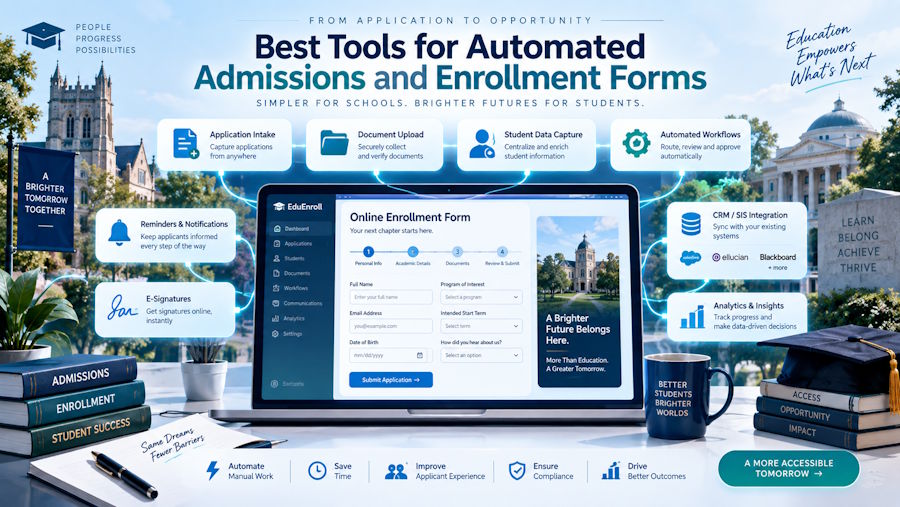
Admissions offices run on a mix of systems that don't always talk to each other: a dedicated admissions CRM, a student information system, and, increasingly, Salesforce Education Cloud for institutions that have moved recruitment, advancement, and student success onto one platform. The tool that handles your actual application and enrollment forms has to fit into whichever of those environments your institution has already committed to, which is why "best admissions software" tends to produce a confusing mix of answers depending on who's asking.
The stakes behind that choice have risen for most institutions. Declining traditional-age applicant pools in many regions, more competitive scholarship offers, and shorter decision windows all mean an admissions office loses ground every time a prospective student hits friction, a form that doesn't save progress, a document request buried in an email instead of tied to their application, a confirmation step that asks for information already on file. Manual, disconnected processes that were merely inefficient a decade ago now show up directly in enrollment numbers.
This list separates that out, starting with the option built specifically for institutions running Salesforce Education Cloud rather than a standalone admissions CRM.
1. FormAssembly
For institutions on Salesforce Education Cloud, the gap FormAssembly fills is specific: Education Cloud is a strong system of record for admissions and student data, but it doesn't include a purpose-built form and intake layer out of the box. FormAssembly's Salesforce connector writes directly to Education Cloud objects, including Applications, Programs, and Course Connections, rather than dumping submission data into generic Contact fields that admissions staff then have to manually reclassify.
The platform's Admissions Connect Package extends that further, with pre-configured web form templates and connector setup built specifically to integrate with Salesforce's Admissions Connect offering. In practice, that supports forms at multiple stages of a multi-step decision workflow, an initial application, a request for supplemental materials during review, an interview scheduling form, and post-decision forms for enrollment confirmation, scholarship acceptance, or deposit submission, each one writing directly to the correct Application or Decision record rather than existing as a disconnected PDF or email thread.
Prefill matters here as much as it does in any repeat-submission context: a returning applicant or an admitted student confirming enrollment can see their existing data pulled from Salesforce rather than re-entering it, and FERPA compliance, along with GDPR and GLBA support for financial aid data, is built into the platform rather than requiring a separate compliance layer bolted onto a generic form tool.
For institutions where admissions form automation software needs to connect directly into an existing Salesforce Education Cloud deployment, FormAssembly closes the gap between the CRM and the actual applicant-facing forms admissions staff and prospective students interact with every day. Institutions that haven't adopted Salesforce, or that want a fully self-contained, purpose-built admissions CRM rather than a form layer on top of one, are the more natural audience for the standalone platforms below.
2. Slate by Technolutions
Slate is the dominant standalone admissions CRM in higher education, used by more than 2,000 colleges and universities for recruitment, application processing, communications, and decision management in one unified system. Its depth is genuinely comprehensive: schools send billions of messages through Slate annually, and its reader and review tools, travel management features, and event registration functionality cover most of what a modern admissions office needs without stitching together separate tools. Institutions considering a switch to or from Slate should also budget time for a careful data migration plan, since official guidance on moving between systems generally covers core person and application records but doesn't guarantee full-fidelity migration of historical emails, activity logs, and automation rules from whatever system preceded it.
That comprehensiveness comes with a real learning curve, which shows up consistently in user reviews alongside praise for its customizability, and some reviewers specifically flag its application reader interface as clunky to navigate between review stages. Slate also isn't built as a Salesforce layer; it's a complete, separate system of record, which means institutions already standardized on Salesforce for other functions, like advancement or student success, will be running two systems rather than one unified data model. Slate's own security documentation cites practices like encryption and PCI DSS compliance as vendor statements rather than a published, independently audited SOC 2 report, which is worth confirming directly during procurement for institutions with strict compliance requirements.
3. Ellucian CRM Recruit
Ellucian CRM Recruit is built specifically for institutions already running Ellucian's Banner or Colleague student information systems, and its main advantage is integration depth with those platforms rather than competing on breadth of features against Slate. Reviewers describe it as effective for tracking communication and admissions progress through the funnel, with the customization needed to handle different decision types, intake semesters, and deferrals.
For institutions with an existing Ellucian SIS investment, that tight integration reduces the data reconciliation work a separate, unconnected admissions tool would introduce. Institutions without an Ellucian SIS, or those prioritizing a Salesforce-centered data model, generally find less reason to adopt it specifically.
Cost is also part of this calculation for smaller institutions and community colleges. A full standalone admissions CRM like Slate or Ellucian CRM Recruit represents a significant, dedicated line item, which makes sense for a large university processing tens of thousands of applications a year but can be harder to justify for a smaller institution with a leaner admissions team and a more modest applicant pool. For those institutions, extending an existing Salesforce investment with a form and workflow layer is often the more proportionate starting point, with room to add a dedicated admissions CRM later if application volume grows enough to justify it.
4. Formstack
Formstack's Salesforce higher education tools cover student application and enrollment forms with document generation for auto-populating and sending forms for signature, and its NativeCloud Pro plan includes compliance coverage spanning FedRAMP, FERPA, and SOC standards. For institutions with document-heavy admissions processes, financial aid agreements, enrollment contracts, disciplinary forms, that need to be generated and signed as part of the workflow, Formstack's document generation strength is a genuine advantage.
Formstack's higher-ed-specific Salesforce depth is comparable in concept to FormAssembly's, and institutions often shortlist both. The deciding factor tends to be whether document generation and e-signature collection or deeper object-level workflow customization for a multi-stage admissions process carries more weight for a given institution's specific process.
What to look for in an admissions form tool
A handful of criteria matter more than a feature checklist when evaluating any of these platforms:
- Direct write access to the right objects, not just a generic Contact or Lead record. An admissions form should create or update an Application, a Program interest, or a Decision record with the correct type, not a custom field bolted onto a standard object.
- Support for multi-stage workflows. Admissions is rarely one form. It's an initial application, followed by supplemental document requests, interview scheduling, a decision, and a post-decision confirmation or deposit, and the tool should treat those as one connected process rather than five disconnected forms.
- FERPA compliance built in, along with support for related regulations like GDPR for international applicants and GLBA where financial aid data is involved.
- Prefill for returning or admitted students, so someone confirming enrollment or submitting a deposit isn't re-entering information the institution already collected during the application stage.
- A realistic account of implementation effort. Comprehensive platforms like Slate deliver a lot of capability, but institutions should budget real time and training for the learning curve reviewers consistently mention, rather than assuming a quick rollout.
Choosing the right fit
The decision starts with what your institution already runs. If Salesforce Education Cloud is your system of record, FormAssembly or Formstack will connect a form and intake layer to it more directly than adapting a standalone admissions CRM ever will. If your institution runs Ellucian Banner or Colleague, Ellucian CRM Recruit keeps that data model unified. And if you want one comprehensive, purpose-built admissions and enrollment system rather than a form layer connected to a separate CRM, Slate remains the category leader, with the tradeoff of a steeper learning curve and a system that operates independently of Salesforce.
Whichever direction fits, the underlying priority is the same across every admissions office: an applicant should never have to submit the same information twice, and a staff member reviewing that application should never have to manually reconcile it against a separate system before making a decision. The institutions that get this right tend to see it show up in yield rates and staff time saved rather than in any single feature; the ones that don't tend to find out about the gap when an applicant complains about resubmitting a document that was already on file, or a decision letter goes out with the wrong scholarship amount because two systems were out of sync.

