

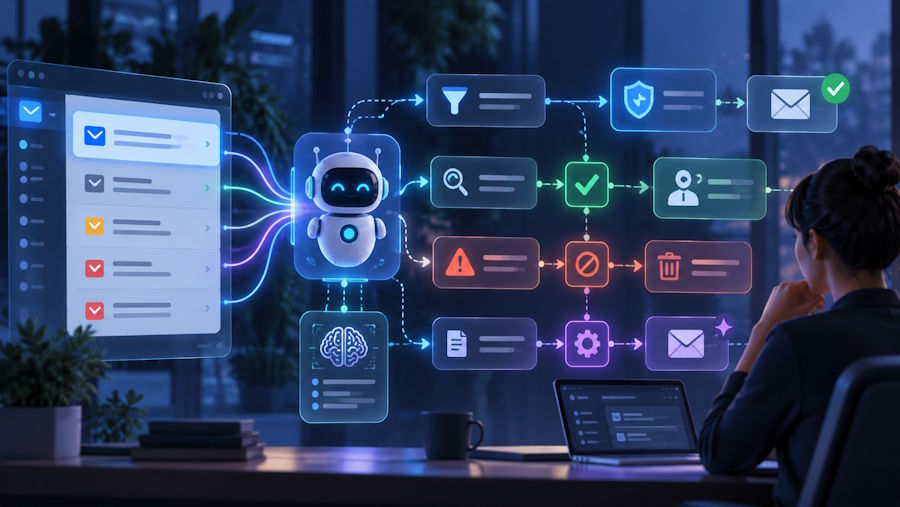
AI agents are starting to handle tasks that used to sit in a human inbox: triaging messages, extracting requests, replying to routine questions, and triggering follow-up actions in other systems. For developers, the interesting part is not just making an agent read and send email. The real challenge is designing an email workflow that stays reliable when messages are ambiguous, malformed, unwanted, or potentially risky.
Email is still one of the most common interfaces for customer support, account operations, procurement, and internal approvals. That makes it attractive for automation, but also easy to misuse. If an agent is given broad mailbox access with weak controls, the result can be poor classifications, accidental replies, or security problems caused by malicious inbound messages. A safer design starts with narrower permissions, predictable message flows, and a clear separation between what the agent may do automatically and what still needs a person.
Start with a constrained use case
The easiest way to overbuild an AI email workflow is to begin with a general goal such as letting an agent manage a full inbox. A better approach is to narrow the problem first. For example, an agent might only intake support requests from approved customers, summarize project updates sent by a fixed internal group, or convert structured order emails into tickets.
This constraint matters because each use case has different requirements for sender trust, attachment handling, response time, and escalation. A support triage agent may classify and route messages without replying. An operations agent may draft responses but require human approval before sending. A purchasing agent may need to validate sender identity before extracting any instructions from the message body.
When the use case is clear, developers can define what the agent should ignore. That is often more important than defining what it should process.
Control who is allowed to reach the agent
One of the biggest weaknesses in agent-based email workflows is assuming that every inbound message deserves processing. Traditional mailboxes invite noise, and AI systems tend to spend effort on whatever reaches them. If you want stable automation, the first layer should be sender control, not just content filtering.
For some workflows, the simplest model is to use inboxes that accept mail only from approved senders. That design reduces prompt injection attempts, irrelevant marketing messages, and edge cases caused by random outside traffic. Services focused on email without spam illustrate this approach by keeping unsolicited messages out rather than asking downstream logic to sort through them.
This sender-first model changes system design in useful ways. Instead of spending tokens and compute on deciding whether a message is legitimate, the application can assume a smaller and more predictable input set. It also becomes easier to reason about failures. If a bad response is generated, you are debugging a known workflow, not an open-ended public inbox.
Separate inbox access from agent reasoning
Another common mistake is treating mailbox access as a simple plugin and handing the agent broad permissions. In production systems, email access should be isolated behind a small interface that exposes only the operations the workflow needs.
That interface usually includes a few basic capabilities:
- Read message metadata and approved body content.
- List or fetch messages from a designated inbox only.
- Create drafts instead of sending directly, when human review is required.
- Send mail only under specific rules, such as to an existing conversation or to an approved domain.
- Store message IDs, thread state, and audit data separately from model prompts.
If you are building agent tooling, it helps to use a service designed around these boundaries. An email API for AI agents can fit naturally into this layer because it exposes inbox operations programmatically while keeping control over who can send messages into the system.
The architectural goal is straightforward: the model should reason over a controlled representation of email, not act as the security boundary itself.
Define a message policy before you write prompts
Prompt design matters, but policy design matters more. Before writing a single system prompt, define how the application will handle common classes of messages. This policy should live in code and configuration, not only in model instructions.
A practical message policy can answer questions like these:
- Which senders are approved for each inbox?
- Are attachments allowed, and if so, which file types?
- Can the agent reply automatically, draft only, or never respond?
- What confidence threshold requires escalation?
- Which keywords or request types must always be reviewed by a human?
- How long should message content be retained for debugging or compliance?
Once this policy exists, the prompt can refer to a stable set of rules. That produces more predictable behavior than asking the model to infer business constraints from examples alone.
Handle untrusted content as data, not instructions
Email bodies are full of content that can confuse an agent: forwarded threads, signatures, quoted history, pasted logs, legal disclaimers, and instructions written by people who are not authorized to control your workflow. Developers should preprocess messages so that the model sees clear structure.
A useful pipeline often includes sender validation, MIME parsing, quoted-text stripping, attachment classification, and normalization into fields such as subject, sender, trusted context, latest user message, and conversation history. This lowers the chance that hidden or irrelevant content will influence the model.
It is also wise to label untrusted text explicitly. Instead of passing a raw email body and hoping for the best, pass structured data that says which portions are user-provided content, which are previous agent outputs, and which are internal instructions. This reduces the chance that the model treats inbound text as policy.
Choose the right level of automation
Not every inbox task should be fully autonomous. In many teams, the best first release is a copilot model rather than an agent that sends mail on its own. For example, the system may summarize messages, classify intent, suggest a reply, and recommend the next action while leaving the final send decision to a human reviewer.
Full automation makes sense when the task has narrow scope, repeatable patterns, and low risk. Examples include acknowledging receipt of a request, routing an email to the correct queue, or extracting structured fields into a ticketing system. Higher-risk tasks, such as changing account details, approving payments, or sending sensitive information, usually need an approval step.
This is less about distrust of AI and more about interface design. Email feels simple to end users, but it often sits close to important business actions. A review queue can be the difference between useful automation and an expensive mistake.
Log decisions for debugging and accountability
If an agent mishandles a message, developers need enough context to understand why. That means storing decision traces outside the model conversation where possible. At minimum, keep the message identifier, parsed inputs, policy checks, classification result, action taken, and whether a human overrode the result.
These logs help in two ways. First, they support debugging when a thread is routed incorrectly or a draft contains the wrong assumption. Second, they make it easier to improve the system over time by finding the exact class of messages that cause failures.
Be careful not to log more than necessary. The best audit trail is usually structured and selective. Store enough to reconstruct behavior, but avoid turning logs into a second uncontrolled message archive.
Test with real edge cases, not just ideal samples
Many prototypes look good because they are tested on clean examples. Production inboxes are rarely clean. They include incomplete requests, copied text from previous threads, unusual formatting, misspellings, and requests that mix several intents in one message.
Create a test set from real workflow patterns and include problematic samples on purpose. Add messages with vague subjects, noisy signatures, long quoted chains, unauthorized senders, contradictory instructions, and requests that should be escalated. Then verify not only model output quality but also policy enforcement. The system should fail safely when the input does not fit the rules.
AI agents can be useful in email-heavy systems, but only when the mailbox is treated as a controlled interface rather than an open stream of text. The strongest implementations limit who can send, expose narrow operations, keep policy in code, and use human review where the risk justifies it. That approach gives developers a workflow they can reason about, improve, and trust under normal load and awkward edge cases alike.

