

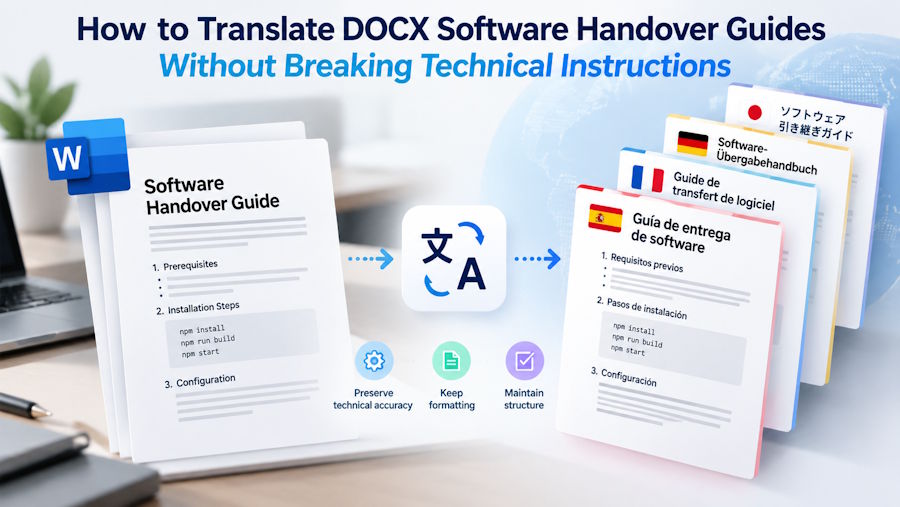
A deployment guide reaches an overseas support team as a Word document. It contains installation steps, shell commands, configuration tables, and screenshots. Translating the explanations helps the receiving team, but an altered environment variable or missing command flag can make the procedure fail.
Teams that translate DOCX online should treat the downloaded file as a working draft requiring technical validation. Doc-Translator.org returns an editable DOCX, allowing reviewers to correct terminology and layout before testing the instructions against the intended software environment.
Identify the Release Before Translating
Record the application version, operating system, deployment method, and document revision at the beginning of the guide. “Installation instructions” is too broad when different releases use different configuration keys.
Use a specific filename, such as Deployment_Guide_v2.4_EN_Approved.docx. Assign someone familiar with that release to approve technical changes.
Resolve outstanding revisions in the source document first. Remove obsolete steps and confirm that screenshots match the interface described. Translating an outdated guide creates another version that someone must later reconcile.
If the guide duplicates commands stored in a repository, compare them with the approved release before proceeding.
Separate Explanations From Executable Content
Mark which elements need translation and which must retain their exact spelling. A consistent Word style helps reviewers locate commands, but formatting alone does not guarantee that a translation service will preserve them.
Prepare a reference table for the review:
| Content | Translation approach | Verification |
|---|---|---|
| Explanatory paragraphs | Translate for clarity | Confirm the technical meaning |
| Commands and flags | Preserve exact syntax | Compare character by character |
| Environment variables | Preserve identifiers | Check spelling and capitalisation |
| File paths and filenames | Preserve unless deliberately changed | Verify against the target environment |
| Interface labels | Match the installed interface language | Compare with the actual screen |
| Example values | Distinguish placeholders from literal input | Explain what the reader must replace |
For example, keep APP_ENV unchanged in an instruction about configuration. Translate the explanation around it, and clearly identify whether a displayed value is an example or a required setting.
An English instruction might read:
“Set APP_ENV to staging, then run the configuration check.”
export APP_ENV=staging
./scripts/check-config.sh --config ./config/staging.yaml
In a French version, translate the instruction as:
“Définissez APP_ENV sur staging, puis lancez la vérification de la configuration.”
Keep the command block unchanged. Here, APP_ENV, staging, the file paths, and --config are literal values or syntax, not text to translate. This illustrative example assumes a POSIX-compatible shell and should be replaced with commands verified for the actual software release.
Remove Secrets From the Translation Copy
Inspect commands, screenshots, comments, headers, and configuration examples for credentials or internal information.
Replace real tokens, passwords, customer identifiers, and private addresses with clearly labelled examples. Check that the substituted examples remain consistent throughout the guide.
Document where an authorised user should obtain the real value through the approved internal process. Avoid including a working credential merely to make an example easier to follow.
Confirm that external processing is permitted for the remaining material before uploading. Keep the approved source file separately.
Translate and Download an Editable Draft
Doc-Translator.org accepts DOCX files up to 30 MB and offers a free allowance of 100 pages per day. Users can select the source language manually or use automatic detection, choose a target language, and download an editable DOCX result.
For a mixed-language guide, select the main source language deliberately and flag passages in other languages for review.
Save the output with a review status, for example Deployment_Guide_v2.4_FR_Review.docx. Keep the original beside it.
Using a Word document translator helps avoid rebuilding the whole document from copied passages. Commands, embedded text, and complex objects still require direct comparison with the source.
Check Syntax Before Running Anything
Compare every executable example with the approved original. Watch for changed quotation marks, missing hyphens, altered capitalisation, and spaces inserted into paths.
A command that looks correct on the page may paste differently into a terminal. Copy important examples into a plain-text editor and inspect them before testing.
Check cross-references as well. “Use the value from Step 3” must still identify the correct value after editing. A table row containing a setting should remain associated with its explanation and default.
Inspect screenshots separately. Their text may remain in the original language, and the translated instructions must help the reader locate the corresponding control.
Validate the Procedure in a Test Environment
Ask a reviewer who understands the target language to follow the translated guide in an isolated, approved test environment.
Start from the prerequisites stated in the document. Record any unstated dependency, unclear placeholder, or instruction requiring the reviewer to guess.
For each important stage, specify an observable result: a service reports the expected status, a configuration check passes, or a test page becomes available. Avoid putting sensitive output into the review record.
Stop when the translated procedure diverges from the approved process. Correct the document and repeat the affected steps. Deployment, deletion, migration, and rollback instructions deserve review by the responsible technical owner before execution.
Review the Word File as a Working Document
After technical corrections, check whether command blocks wrap awkwardly or tables split in ways that obscure meaning. Adjust widths and spacing while preserving the exact command text.
Verify heading levels, numbered steps, captions, and links within the document. Text boxes, diagrams, and embedded objects need individual inspection.
Export a review PDF to catch clipping and unexpected page breaks. Retain the DOCX for future revisions, with the tested version clearly identified.
Release It With a Clear Maintenance Record
Before sharing, confirm that:
- The software version and prerequisites are stated.
- Commands, paths, and identifiers match the approved source.
- Placeholders are clearly explained.
- The translated procedure has a recorded test result.
- Reviewers and approval status are identified.
Store the approved source and translation together. When the software changes, record which sections are affected and assign the corresponding language updates. This helps the next maintainer distinguish a current guide from one that merely has a recent filename.
FAQ
Does Doc-Translator.org automatically protect code?
Do not assume code or identifiers will remain unchanged. Compare all executable content with the approved source.
Can I translate an entire DOCX guide?
The service accepts DOCX files up to 30 MB, with a current free allowance of 100 pages per day. Review the downloaded document before use.
Should interface labels be translated?
Match the interface the receiving team will actually use. Where needed, retain the displayed label and add a translated explanation.
Who should approve the final guide?
A target-language reviewer should check comprehension, and a technical owner should verify the instructions and test results.

