

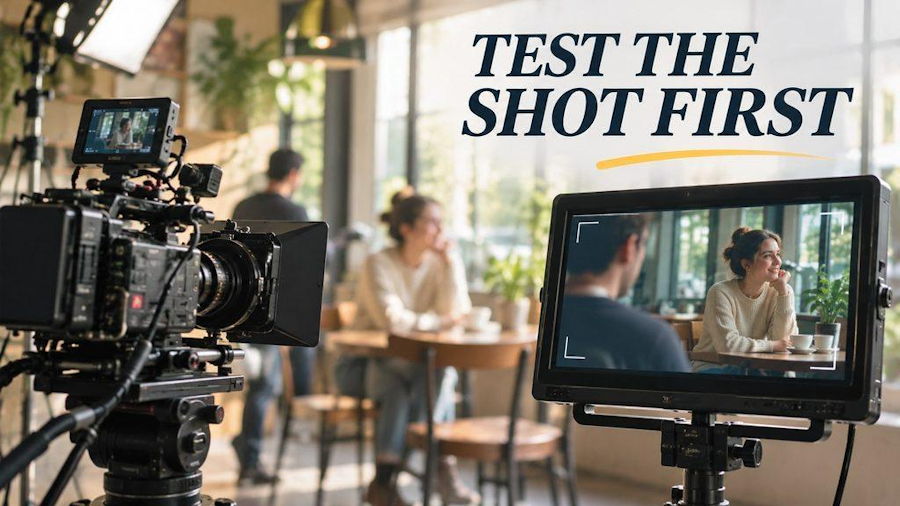
A camera move can look straightforward in a script and become complicated on set. The room is too small for the planned movement. An actor blocks the frame at the wrong moment. Or two shots don't cut together the way the director expected.
For a small production team, discovering these problems during filming can mean changing the schedule, rearranging equipment, or losing a shot altogether.
That's why filmmakers use previsualization, often called previs, to explore scenes before shooting them. AI video tools can help directors compare framing, movement, lighting, and scene ideas before the crew arrives on location.
But the useful question isn't whether AI can produce a beautiful clip. It's whether that clip helps the crew make a better decision before the camera starts rolling.
The Shot That Looks Simple on Paper
Imagine a scene in which a character walks into a café, notices someone across the room, and approaches their table while the camera follows.
In the script, that action takes one sentence. On set, the director and cinematographer must decide where the camera begins, how it moves, what the audience sees first, and where the shot ends.
A tracking shot might require space behind the actor. A wide lens could reveal parts of the location that were meant to remain hidden. An extra standing near the counter might interrupt the movement.
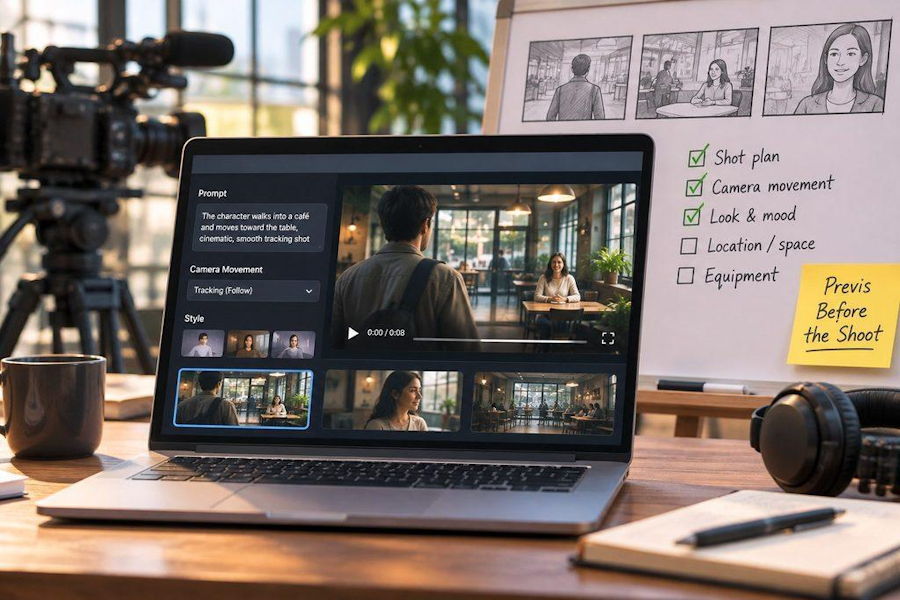
A storyboard can establish key compositions. An overhead floor plan can suggest camera and actor positions. Previs adds a moving representation of the proposed shot, giving the crew something concrete to discuss.
For the café scene, the director might choose to keep the camera behind the character until the other person is revealed. That changes the audience's experience even if the location and dialogue stay the same.
Explore Camera Movement Without Moving a Camera
A director might ask for a scene to feel more dramatic. That doesn't tell the crew whether to move closer, circle the subject, change the angle, or stay still.
A push-in can draw attention toward a character. An orbit reveals changing relationships between the subject and the space. A static frame allows the action inside it to carry the moment.
An AI cinema studio can make these options easier to test before the shoot. WaveSpeed's Cinema Studio lets users select film looks, camera choices, lighting, and movement. Its 18 camera movements include push-ins, crane movements, orbits, and a dolly zoom.
For the café scene, the director could compare a slow push-in toward the seated character with a wider approach that keeps both characters visible. The previews might make the creative choice clearer.
A simulated move, however, cannot tell the cinematographer how to execute it. The real location may have no room for a dolly track, operator, or lighting equipment.
Once the preferred look is chosen, the crew still needs to plan the actual camera path, lens, actor positions, and equipment.
Test the Idea Before Booking the Shoot
A useful previs test starts with a decision the team hasn't made yet.
Suppose the director is considering two approaches. In the first, the camera follows the character into the room. In the second, the shot begins inside the room and waits for the character to enter.
The moving camera puts the viewer alongside the character. The static composition gives viewers a chance to examine the room first. Both are workable creative approaches, but they tell the story differently.
With a few reference images and short AI-generated clips, a team can compare the intended mood and movement before choosing which direction to explore on location.
Keep each comparison focused. If you change the camera movement, lighting, characters, and setting together, it's difficult to tell which decision improved the shot. Preserve the action and change one important variable at a time.
The result may help the director select a visual approach or identify a question for a real-world rehearsal. It doesn't prove the shot is physically achievable.
When Production Teams Need Their Own Workflow
For a single short film, generating a handful of previews manually may be sufficient. Production companies working across several projects may need to track shot references, revisions, and approvals in one system.
For developers building internal tools, the Kling 4 API offered through WaveSpeedAI provides text-to-video, image-to-video, reference-to-video, video editing, and video extension endpoints.
A custom workflow could associate each generation request with a scene number, shot number, reference image, and review note. The API supplies video generation; the production company still needs to build its own shot database and approval process.
Platforms such as WaveSpeedAI offer multiple video-model families through one service, allowing technical teams to compare approaches without setting up every provider separately.
Kling 4.0 and Cinema Studio are separate product entry points; a clip created with Cinema Studio should not automatically be described as a Kling 4.0 result.
A custom integration isn't necessary for every crew. A shared shot list and well-organized folders may be more practical until repeated work justifies development.
What AI Previs Cannot Tell You
A generated scene can be persuasive while getting the physical space wrong. A model may move a camera through a wall, change a room's proportions, or place lighting where equipment couldn't fit.
It's important to distinguish previs from techvis. As Autodesk explains, previs helps explore what a scene should look like, while technical visualization helps plan how to capture it, including camera and actor positions, lighting, and set measurements.
Before filming, the crew must still verify camera clearance, lens choices, actor movement, access to power and lighting, rigging, and safe paths for performers and equipment.
For vehicle shots, elevated rigs, or other hazards, a generated preview is not a safety assessment. Physical tests and qualified crew judgment remain essential.
There is also a creative limit: an elaborate AI orbit may look impressive but work less well for the story than a quiet close-up. The director should judge previews by what the scene needs, not only by visual polish.
Bring a Better Plan to the Set
For each shot worth testing, record the intended action, framing, movement, and questions that remain unresolved. Keep the most useful reference clip alongside the storyboard, location photos, and floor plan.
In the café scene, the team might retain the delayed reveal of the second character but replace an impractical camera orbit with a simpler tracking move.
A short note describing what must be preserved is often more useful than expecting the final shot to match every pixel of the AI preview.
The goal is to arrive on set with clearer creative decisions and fewer unresolved questions. The final footage may look different from the generated version—and still be better for it.

