

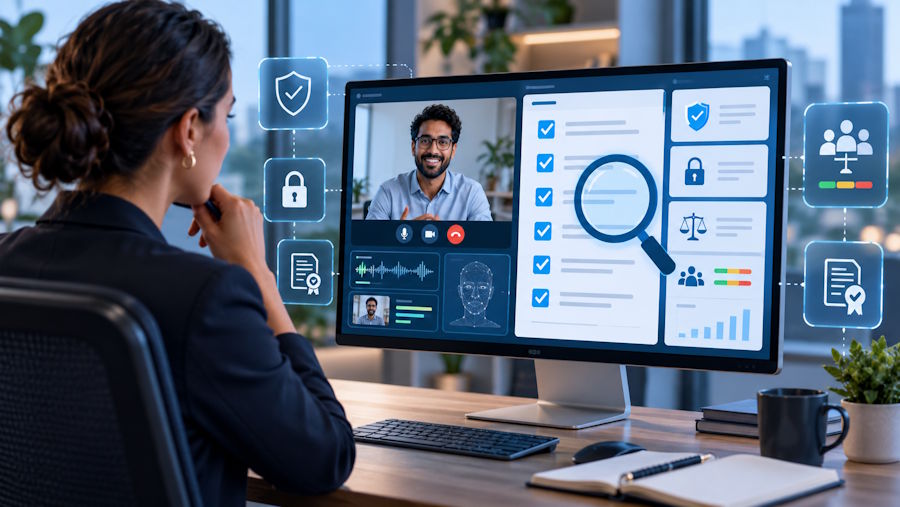
Remote interviews rested on an assumption that no longer holds: that the candidate is answering on their own. AI copilots have turned the call into an open-book exam the interviewer can't see, and they say so openly — Cluely advertises itself with the line "Invisible to screen share."
How common this is shows up in our own data — and that number is only worth reading alongside the methodology. Across 14,260 interviews conducted in Vettasy between September 2025 and September 2026, signs of AI use were confirmed in 42.6% of sessions and for 47.8% of candidates; that figure is after disputes were reviewed. We count as a detection only a first-tier signal that survived that review: a running copilot process, a window hidden from screen capture, system audio routed into a third-party app, an active remote-control session, a large paste with no typing, a virtual camera, an interview running inside a virtual machine. Contextual facts are not detections — a second monitor, for example, appears in 41% of sessions and stays a flag. Count those too, and 42.6% becomes roughly 66%.
That gap between 42.6 and 66 is the main thing to take from any number like it: vendors' percentages aren't comparable until each one says where it drew the line. Ours is conservative — a signal the candidate could dispute, and did dispute, without success. The false-positive rate across the full sample is 3.0%. And that's a lower bound: an attempt that left no trace in the system isn't caught.
In response, a category of "interview integrity tools" has appeared — apps that run during the session and look for signs of outside help. The awkward part for the people building them: the cure looks a lot like the disease. Monitoring software on the candidate's machine is exactly what engineers are right not to trust. The market has already decided these tools will exist. The useful question is how to tell a carefully built one from spyware, before you install it yourself.
Below are seven checks, and how the public pages of four tools answer them as of September 29, 2026. One conclusion came out of the review itself: read the consent terms and the privacy policy, not just the product page. They don't always say the same thing.
Seven checks
1. Runs only during the session
The app exists only for the length of the interview: no background service, no autostart, no admin rights, and you can uninstall it afterwards. Silence on a vendor's pages means "unknown" here, not "no."
Honorlock is a Chrome extension, and it states that it "is only active and recording information when an exam is in progress," with a visible indicator while it runs. InterviewGuard's privacy policy says the opposite about its agent: "The Service may run in the background when not in use in order to provide automatic updates or to upload any previous sessions." ScreenComply and CheqMate say nothing about background operation or admin rights on their pages.
If it wants to sit there permanently, or asks for root — walk away.
2. A published list of what it does NOT collect
A serious tool is specific about what it never touches — and that list has to hold everywhere the vendor describes the product.
ScreenComply writes "No keystroke logging. No screen recording. No personal file access." — and on the same page lists keystroke dynamics among its signals. CheqMate's security page goes no further than "No interview audio or video stored." InterviewGuard's product page promises: "We don't capture screen content, keystrokes, or what was typed into any tool" — while its Consent to Monitoring grants, for the duration of the session, access to "your entire desktop environment, including screen content and active applications" and to "your files and folders stored locally or in cloud-synced directories." Honorlock has no "never" list on its pages.
Vagueness here is a warning sign. A contradiction between the product page and the consent text is disqualifying — the consent text is the one with legal force.
3. Facts, not streams
Recording that a second monitor is connected is acceptable; reading what's on it is not. A fact can be shown to the candidate in a single line and disputed; a stream can be neither. This is the main dividing line.
CheqMate builds detection on continuous observation: it "tracks eye movement and matches faces live," plus analysis of speech tempo, typing rhythm and mouse movement. ScreenComply watches "face position, eye gaze, and head orientation" in real time. Honorlock's extension can "capture the content of the user screen," and its hiring product scans the candidate's room. With InterviewGuard, the scope of the stream is set not by the product page but by the consent: the entire desktop, screen content, active applications, files.
The more a tool mines biometrics and mood, the less of it is about interview integrity: emotion and tone of voice are evidence of nothing, but they work beautifully for surveillance.
4. Data you can find and delete
Where it's stored, how it's encrypted, how long it lives, how it's deleted — and whether it feeds model training. This is the one item all four publish something about.
- ScreenComply: "EU and US data residency options," "Encryption at rest and in transit," and a read-only mode in which signals are "discarded immediately after the session."
- CheqMate: storage in the "US, EU, APAC," "AES-256 encryption at rest," "TLS 1.3 for all data in transit," "Right to deletion support."
- InterviewGuard: storage "only within the United States," AES-256 on disk, TLS in transit, deletion on request.
- Honorlock: storage in the US on AWS, encryption in transit and at rest, retention periods set by contract with each customer.
None of the four says anything explicit about training models on customer data. That is the question to ask by email and to get answered by email.
5. Consent and symmetry
Explicit on-screen consent — and rights for the person being watched: their own copy of the report, and a way to dispute it.
This is the emptiest column of the seven. InterviewGuard notifies the candidate that "their environment will be monitored for integrity" and asks for consent. Honorlock's notice to the test-taker treats entering the session as consent to video and audio recording. For none of the four did we find, on public pages, either a candidate copy of the report or a dispute procedure.
The asymmetry is not a small thing. If only one side sees the report, the person it's about can neither check it nor object — and the decision based on it gets made anyway.
6. Outside verification
Independent audits and pentests — and honesty about what is done versus what is only planned.
Honorlock is strongest here: a SOC 2 Type 2 report and monthly pentests. CheqMate runs an annual third-party pentest and describes itself as being in "SOC 2 Type II readiness" — that is, readiness, not an audit. ScreenComply lists "SOC 2 Type 1 and Type 2 examinations" as "in progress." InterviewGuard has nothing on its pages.
"In progress" and "readiness" are plans, not results. And separately: a report handed over under NDA is not the same as a public one. Ask for it before you believe the badge.
7. Narrow scope and a visible trade-off
A good tool keeps the observed area narrow and doesn't sprawl into "the whole desktop, for context."
The wide end of the range is visible on the public pages. Honorlock's hiring product scans the room, offers a second camera, detects nearby Apple devices, and listens for voice-assistant phrases like "Hey Siri" and "OK Google." InterviewGuard's consent terms set the capture area as the entire desktop, along with local and cloud-synced files.
The wider the capture, the less this is about interview integrity and the more it is about surveillance for its own sake.
How the public pages answer
| Check | ScreenComply | InterviewGuard | CheqMate | Honorlock |
|---|---|---|---|---|
| 1. Session-only | Not found | No: may run in the background | Not found | Yes: extension active only during the session |
| 2. List of what it doesn't collect | Partial: keystroke dynamics among its signals | Contradiction: consent covers screen and files | Partial: no audio or video stored | Not found |
| 3. Facts, not streams | No: face, gaze, head position | No: desktop, screen, files | No: gaze, face, speech tempo | No: screen, room, audio |
| 4. Storage, encryption, deletion | Yes: EU or US, encryption, no-retention mode | Partial: US, encryption, deletion on request | Yes: US, EU or APAC, encryption, deletion | Partial: US, encryption, retention set by contract |
| 5. Consent and candidate rights | Not found | Partial: notice and consent | Not found | Partial: consent to recording |
| 6. Outside verification | SOC 2 in progress | Not found | Annual pentest, SOC 2 readiness | SOC 2 Type 2, monthly pentests |
"Not found" means we did not find it on the pages listed below — not that the tool does, or does not, do it. Check 7 is a judgment about the product as a whole, so it isn't in the table. Every cell is drawn from the vendors' public pages as they read on September 29, 2026; if a vendor publishes more, we'll correct the table. An empty cell is an invitation to disclose more, not a verdict.
Before you install
AI didn't kill the technical interview, but it ended the era when you didn't have to think about what was running during one. Before you install anything that watches a session, run it through the seven checks above — and read the consent terms, not just the product page. Good tools welcome that: the willingness to be checked is the strongest signal you will get.

