



Night photography can turn ordinary scenes into dramatic, colorful images, but it also exposes every camera weakness. Dark environments often lead to blur, noise, dull colors, and harsh highlights from street lamps or signs. With the right approach, the HONOR 600 Pro can handle these challenges well and produce cleaner, brighter results. This guide focuses on practical steps that help you shoot sharper night photos, whether you are capturing skylines, streets, portraits, or travel moments after sunset. You will learn how to prepare the camera, adjust useful settings, stabilize your phone, and work with available light more effectively. A few small changes before pressing the shutter can make your low-light photos look far more detailed and balanced.
Get Your HONOR 600 Pro Ready for Night Photos
Understand the HONOR 600 Pro Camera Features
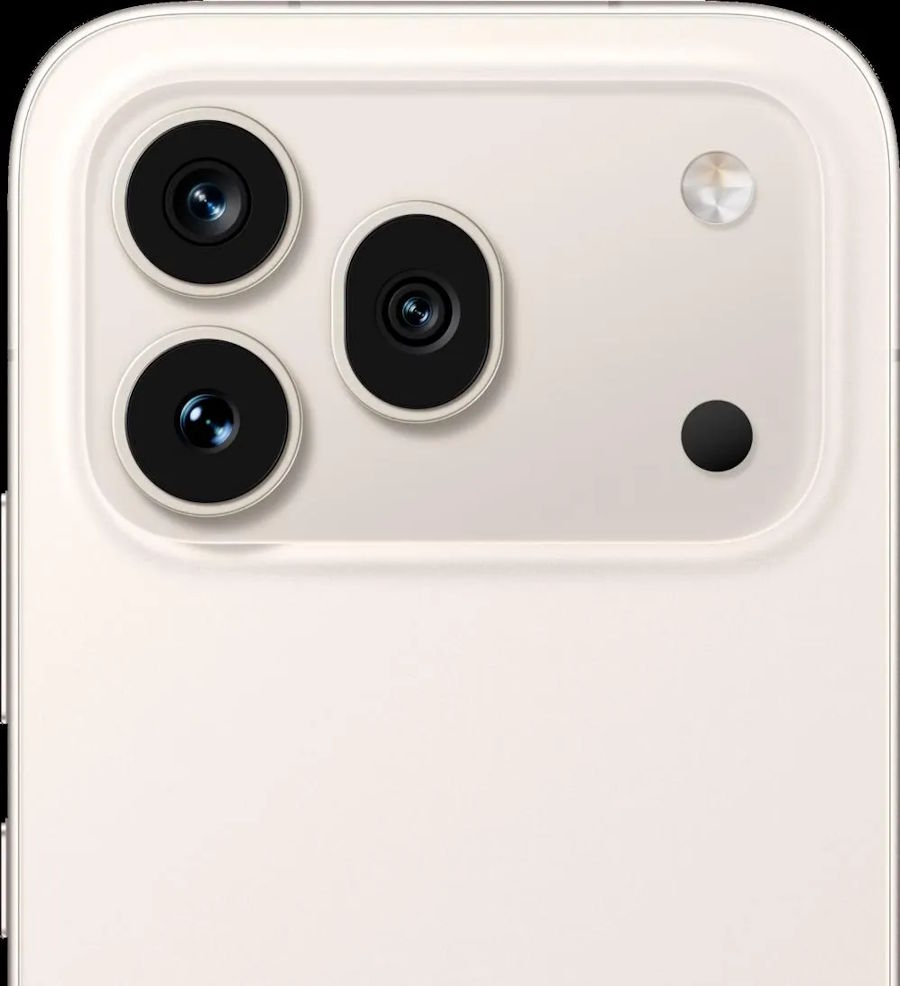
Before shooting at night, it helps to know what the camera system offers. The HONOR 600 Pro includes a 200MP main camera with f/1.9 aperture, autofocus, and OIS, a 50MP camera with f/2.8 aperture, autofocus, and OIS, plus a 12MP camera with autofocus. For night photography, optical image stabilization is especially useful because it reduces shake during longer exposures. The large, bright 6.57-inch AMOLED display with 1.07 billion colors also makes it easier to judge shadows, highlights, and color balance on location. Powered by the Snapdragon 8 Elite Mobile Platform and running MagicOS 10 based on Android 16, the phone can process night scenes quickly. Its 6400mAh battery supports longer shooting sessions outdoors.
Set Up Your Camera for Low-Light Shooting
Start with a clean lens, because fingerprints create glare and soften detail under streetlights. Open the camera app before you arrive at your location so you can move quickly when the light looks right. Turn on grid lines to help keep buildings, horizons, and vertical lines straight in darker scenes where composition is harder to judge. If your camera app offers AI enhancements, test them carefully; they can brighten shadows, but they may also push colors too far in mixed lighting. Keep flash off for most outdoor night shots, since it usually lights only the nearest subject and leaves the background flat or dark. Finally, make sure your battery has enough charge and free storage space, so the phone stays responsive during longer night sessions.
How to Take Clear Night Photos with HONOR 600 Pro
Choose the Right Night Mode and Camera Settings
Use Night mode first when the scene is dim and mostly static, such as streets, buildings, signs, or skyline views. It combines multiple frames to lift detail in shadows while controlling bright highlights. For scenes with moving people or traffic, try the standard photo mode if Night mode creates ghosting. Tap to focus on your main subject, then adjust exposure slightly downward if lights look blown out. This helps preserve neon signs, windows, and lamps. Use higher resolution only when you need extra cropping flexibility, because standard output often gives better low-light consistency and faster capture. If Pro controls are available, keep ISO moderate and shutter speed balanced to avoid both heavy noise and motion blur in challenging conditions. During HONOR Black Friday, it's a great time to explore HONOR smartphones with advanced camera features for capturing stunning night photos.
Keep Your Phone Steady and Control Exposure
Stability is one of the biggest differences between a sharp night photo and a soft one. Hold the phone with both hands, tuck your elbows in, and lean against a wall, railing, or pole whenever possible. If you can place the phone on a stable surface, use the timer to avoid shake from pressing the shutter. After framing the shot, stay still for a moment until the exposure finishes, especially in Night mode. Watch the brightest part of the scene and expose for it rather than for the darkest shadows. This prevents signs, headlights, and lamps from turning into white patches with no detail. If the image still looks too dark, brighten it slightly in editing instead of overexposing at capture.
Master Night Photography in Different Scenes
Capture City Lights and Night Landscapes
City scenes look best when you build the composition around contrast. Use roads, bridges, reflections, or rows of lights as leading lines to guide the eye through the frame. Shoot from a slightly elevated position when possible to separate buildings and show depth. For skylines and wider night landscapes, avoid zooming too much because wider framing often keeps more detail and reduces visible shake. Include a foreground element such as a tree, railing, or rooftop edge to make the photo feel more layered. After sunset, the blue-hour period often gives the most balanced results because the sky still holds color while city lights begin to glow. In very bright urban areas, lower exposure a little to keep signs crisp and preserve the atmosphere.
Take Sharp Night Portraits with Natural Lighting
For night portraits, place your subject near soft, stable light rather than directly under a harsh lamp. Storefront glow, window light, decorative lighting, or a bright sign beside the subject usually creates more flattering skin tones and gentler shadows. Keep the light slightly to one side of the face for shape and depth. Ask the subject to stay still for a second after you tap the shutter, since even small movement can reduce facial sharpness in low light. Step closer instead of relying heavily on digital zoom, and simplify the background so bright distractions do not pull attention away from the person. If the scene includes colorful lights, use them intentionally behind the subject to create depth and a more cinematic night portrait.
Conclusion
Good night photography comes from a simple mix of preparation, stability, and smart use of available light. Clean the lens, choose the right mode for the scene, control exposure carefully, and keep the phone as steady as possible. Those steps solve the most common problems behind dark, noisy, or blurry images. For cityscapes, protect highlights and use strong composition. For portraits, position your subject near soft light and keep movement to a minimum. With practice, the HONOR 600 Pro can capture night scenes with stronger detail, cleaner light, and better mood than quick point-and-shoot habits usually allow. Start with one setting change at a time, review your results, and refine your technique. Small adjustments consistently lead to noticeably better night photos.

