


¿Why override the console methods?
Excluding those ones who simply come to this post for external reasons, i don't know, you are the one who searchs in internet how to override the console methods!.
Now seriously, you may want to override the console methods to make a better error reporting of your project for example.
If you are working in an existent project and you want to make an automatized error reporting of something that fails, instead of create a new method called ReportError and add it before every console.error or console.log or remove those lines, it would be better to simply add a couple of lines somewhere and override existing methods (without remove the actual action).
Overriding console.log
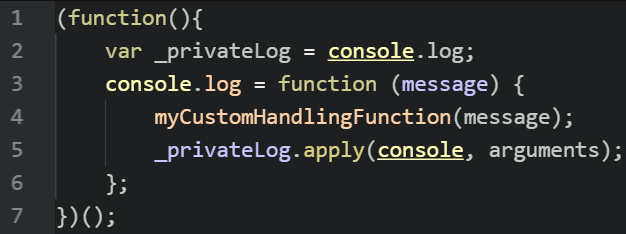
To override a console method, we just need to redefine how the method is executed. You'll need to wrap your code to prevent the access of other functions to the private (original) method.
(function(){
    // Save the original method in a private variable
    var _privateLog = console.log;
    // Redefine console.log method with a custom function
    console.log = function (message) {
        // Here execute something with the given message or arguments variable
        // alert("Our Custom Log Says: " + message);

        /**
          Note: If you want to preserve the same action as the original method does
          then use the following line :

          we use apply to invoke the method on console using the original arguments.
          Simply calling _privateLog(message) would fail because LOG depends on the console
         */
        _privateLog.apply(console, arguments);
    };
})();
Note: The previous code would do the final trick. You can use it to override other properties.
Overriding other console methods
The following example will override all the well known console methods (error, warning and info).
(function(){
  var _log = console.log;
  var _error = console.error;
  var _warning = console.warning;

  console.error = function(errMessage){
      ImaginarySendMailErrorMethod(errMessage);// Send a mail with the error description
     _error.apply(console,arguments);
  };

  console.log = function(logMessage){
      // Do something with the log message
      _log.apply(console,arguments);
  };

  console.warning = function(warnMessage){
     // do something with the warn message
     _warning.apply(console,arguments);
  };

})();
Have fun !

